Free online booking and scheduling for solo and small service businesses

Two dogs, two cars or two kids in one booking

Clients add up to 3 dogs, people or vehicles to one appointment, and each one gets its own service, add-ons and answers. They're done back to back, at one date and time, with one travel fee.

Free plan, no credit card required

How it works for your client

One booking form, one tab for each dog, person or vehicle.
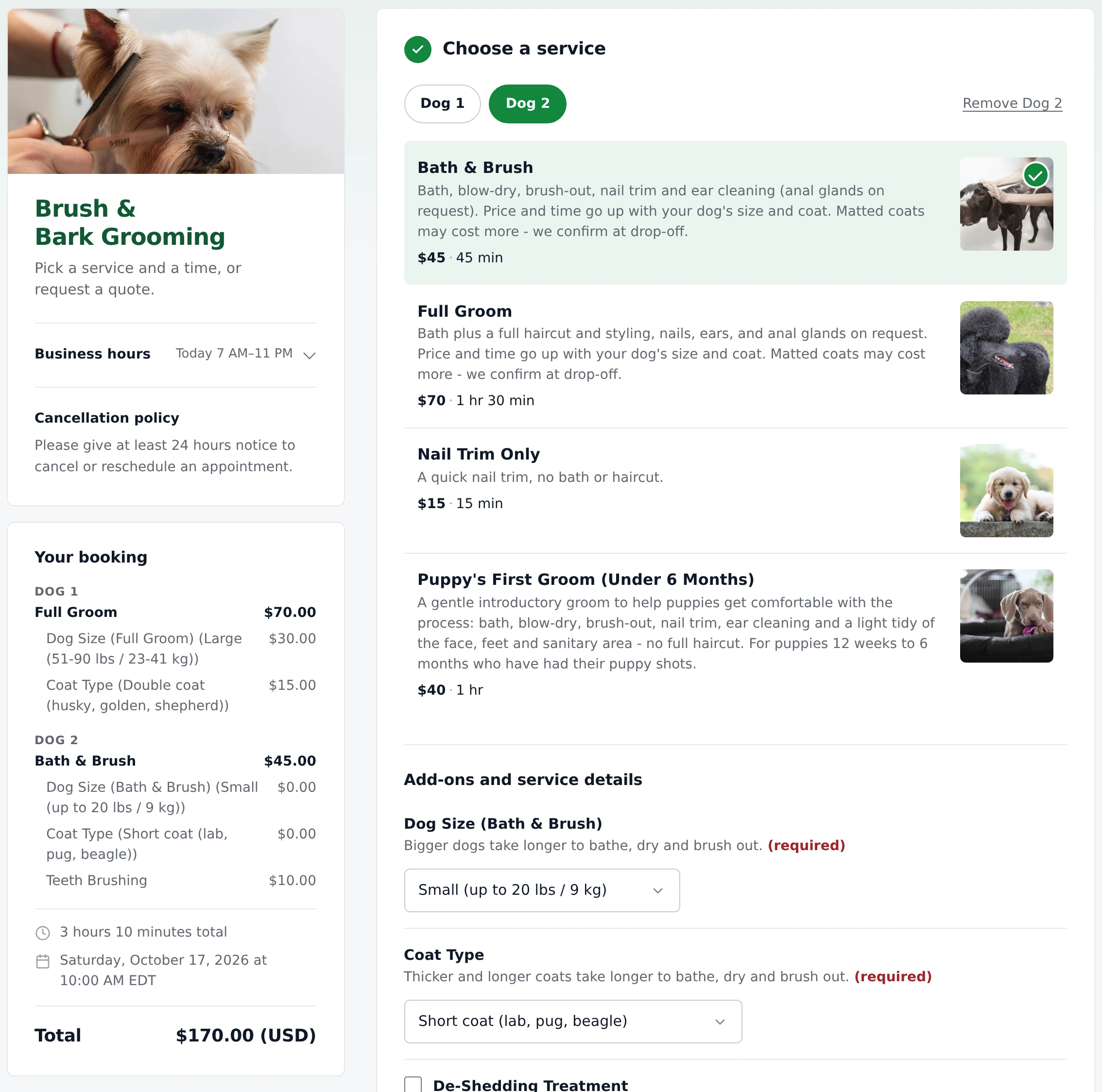
  1. They book the first one as usual - a Full Groom for a large, double-coated dog, say.
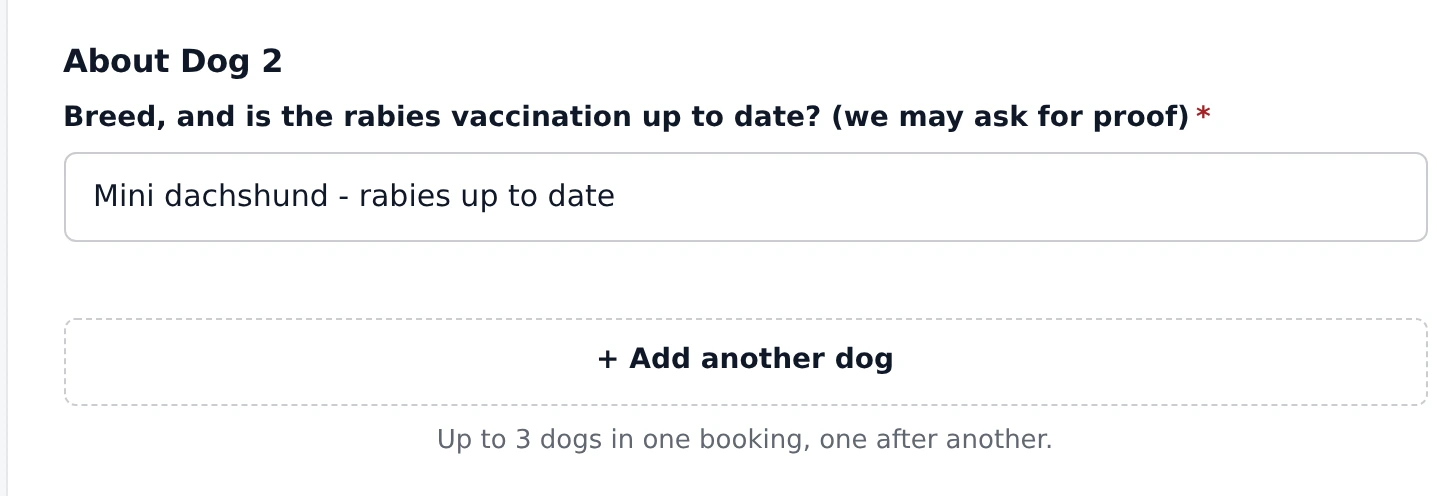
  2. They tap "+ Add another dog". A Dog 2 tab opens with the same services and add-ons to pick from, and the questions you ask about each one ("About Dog 2": breed and vaccinations). Up to 3 in one booking, and any one can be removed again.
  3. The summary lists each one with its own service, options and price, and the total adds them up.
  4. The date, time, location and contact details are asked once. The time slot is as long as all of them together, done one after another, and a location's price and travel time count once, not per dog.
The Brush & Bark Grooming booking page on a computer with Dog 1 and Dog 2 tabs, Dog 2 selected and Bath & Brush picked, and a Remove Dog 2 link. The Your booking summary lists Dog 1: Full Groom $70.00, Dog Size (Full Groom) (Large (51-90 lbs / 23-41 kg)) $30.00 and Coat Type (Double coat (husky, golden, shepherd)) $15.00; Dog 2: Bath & Brush $45.00, Dog Size (Bath & Brush) (Small (up to 20 lbs / 9 kg)) $0.00, Coat Type (Short coat (lab, pug, beagle)) $0.00 and Teeth Brushing $10.00; 3 hours 10 minutes total on Saturday, October 17, 2026 at 10:00 AM EDT, and a $170.00 total.
A large golden and a small dachshund, each with their own groom, size and coat - one appointment, one total.
About Dog 2: the question Breed, and is the rabies vaccination up to date? (we may ask for proof), answered Mini dachshund - rabies up to date, then a + Add another dog button and the hint Up to 3 dogs in one booking, one after another.
Questions you mark "Ask this once for each" are asked about every dog.

What you see

Every dog, person or vehicle stays separate, all the way to the receipt.
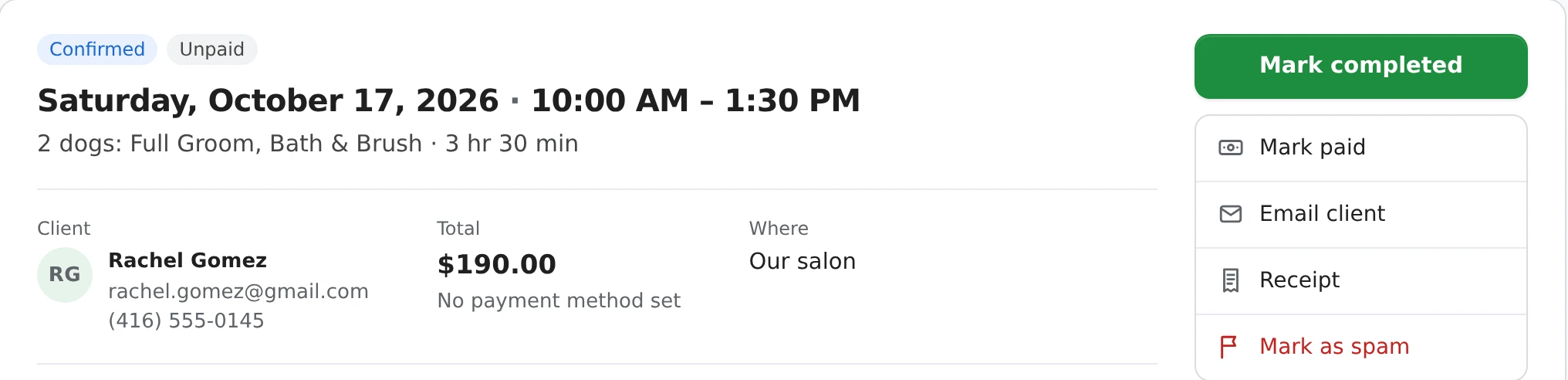
  • Bookings list and calendar: "2 dogs: Full Groom, Bath & Brush", so you know how many are coming at a glance.
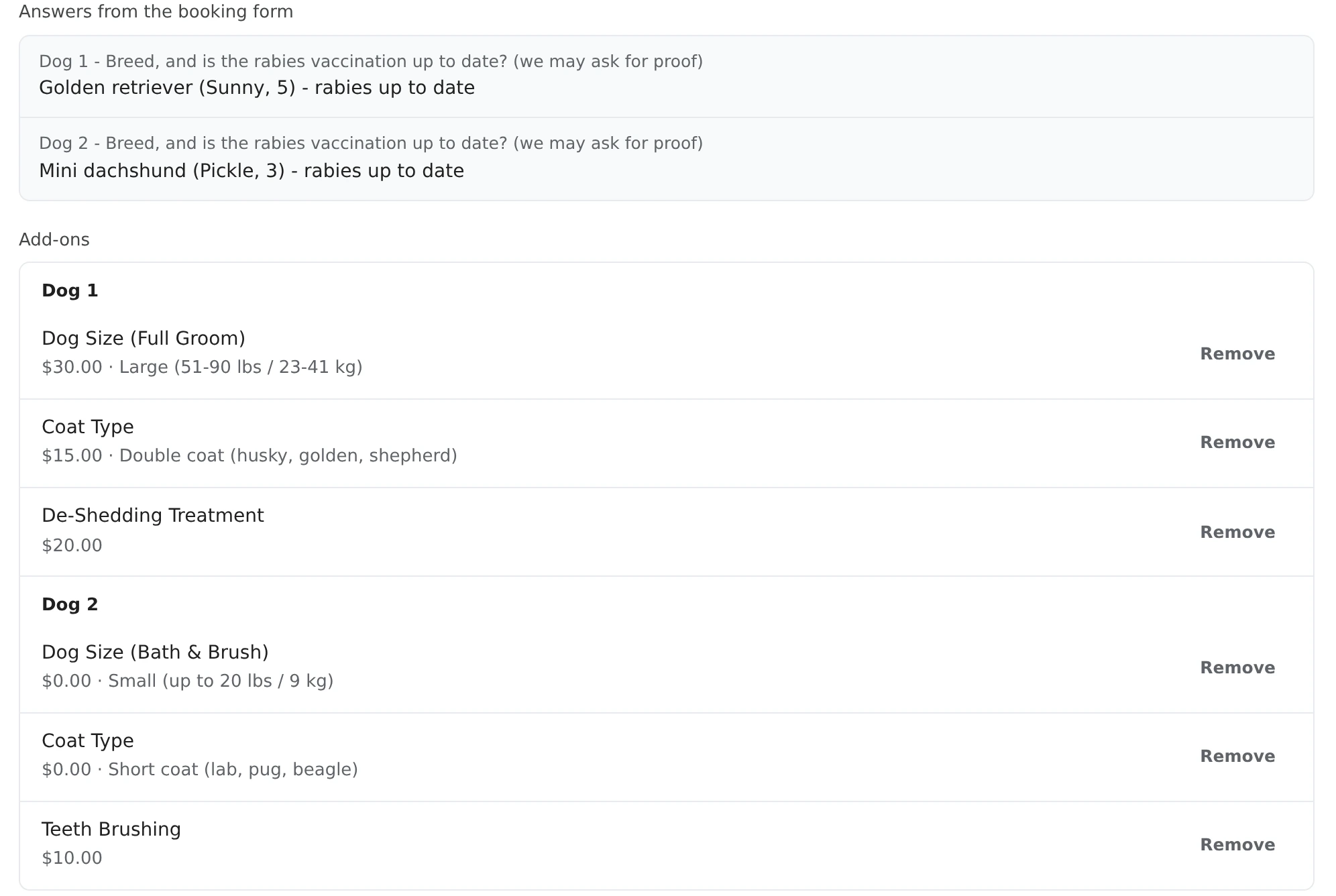
  • Booking Details: each one's answers and add-ons under Dog 1 and Dog 2. You can remove an add-on or add one for a chosen dog; the services themselves stay as booked - change the price with Adjustment instead.
  • Receipts, the client's emails and the Excel export list each one separately.
  • Booking by phone? New booking has the same + Add another, and Duplicate booking copies every dog, person or vehicle for next time.
  • Payments cover the whole booking: a coupon, tax and a deposit or full card payment apply to the total.
Booking Details for Rachel Gomez, Confirmed and Unpaid: Saturday, October 17, 2026 · 10:00 AM - 1:30 PM, 2 dogs: Full Groom, Bath & Brush · 3 hr 30 min, a $190.00 total, Where: Our salon.
The booking says how many, and the time slot covers both grooms.
Answers from the booking form: Dog 1 - Golden retriever (Sunny, 5) - rabies up to date; Dog 2 - Mini dachshund (Pickle, 3) - rabies up to date. Add-ons grouped by dog: Dog 1 has Dog Size (Full Groom) $30.00 Large, Coat Type $15.00 Double coat and De-Shedding Treatment $20.00; Dog 2 has Dog Size (Bath & Brush) $0.00 Small, Coat Type $0.00 Short coat and Teeth Brushing $10.00, each with a Remove button.
Each dog's answers and add-ons, kept apart.

Turn it on

One switch, and the word your clients use.
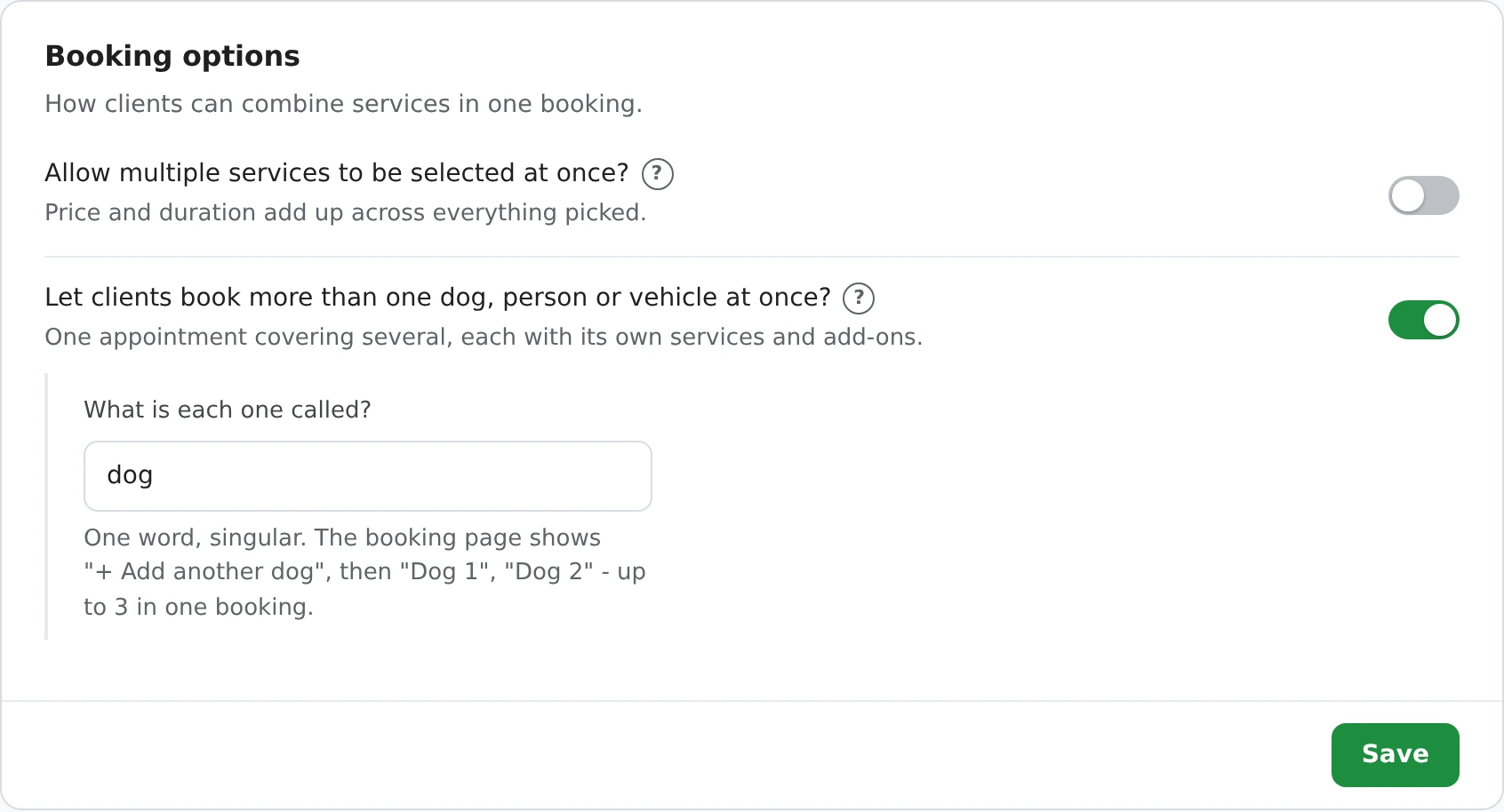
  1. Open Settings > Service types > Booking options.
  2. Turn on "Let clients book more than one dog, person or vehicle at once?" and type what each one is called, in one singular word: dog, person, vehicle, device, student.
  3. Optionally ask a question for each one. Edit it under Settings > Booking form > Custom fields and tick Ask this once for each - a dog's breed, a car's make and model.
The Booking options panel in Settings: Allow multiple services to be selected at once? switched off, Let clients book more than one dog, person or vehicle at once? switched on, with What is each one called? set to dog and the hint One word, singular. The booking page shows + Add another dog, then Dog 1, Dog 2 - up to 3 in one booking, and a Save button.
Settings > Service types > Booking options.

It applies to every service on your page. If something shouldn't be booked once per dog - an overnight stay that covers all the pets in the house - leave it off, the way pet sitters do: several pets on one walk or visit share it and are priced with an Additional Pet add-on (see overnight stays and boarding).

Which businesses start with it on

Where one appointment often covers a family, a household or a driveway.

Every other business type starts with it off - turn it on and type your own word.

Several services in one booking

A different setting, for one client who wants two jobs done.

Allow multiple services to be selected at once (the other switch under Booking options) lets a client pick more than one service - a cracked screen and a new battery, a manicure and a pedicure. Price and length add up, and you choose which services can be combined; one left unchecked can still be booked on its own. It starts on for business types like phone, computer and e-bike repair, nail and hair salons, carpet cleaning and auto repair.

The two work together: with both on, each dog, person or vehicle can have several services of its own. More in the help center: booking more than one and picking more than one service.

Questions

How many dogs, people or vehicles can one booking have?

Up to 3. After picking the first one's service, the client taps + Add another dog (or person, vehicle - your own word) and fills in the next one. Each one shows as Dog 1, Dog 2, Dog 3.

Does each one get its own service and add-ons?

Yes. Each has its own service, add-ons and answers, and the summary, your Booking Details, receipts and emails list them separately. The date, time, location and contact details are asked once.

How long is the appointment?

As long as all of them together - they're done one after another, so the booking page only offers start times with room for the whole visit.

Is a travel fee charged for each dog?

No. A location's price and travel time count once for the whole visit. Coupons, tax and card deposits or full payments apply to the whole booking.

Can I ask a question about each one?

Yes. Edit the question under Settings > Booking form > Custom fields and tick Ask this once for each - a dog's breed and vaccinations, or a car's make and model. With one dog booked, it's asked once.

Which business types start with it on?

Dog groomers (dog); hair salons, barbers and nail technicians (person); car detailers, auto mechanics and e-bike and scooter repair (vehicle); phone and computer repair (device); and private music teachers (student). Everyone else can turn it on in Settings > Service types.

Is this the same as picking more than one service?

No. Allow multiple services to be selected at once lets one client pick several services for themselves. Booking more than one adds a second dog, person or vehicle with its own services. You can use either or both.

Can I enter a multi-dog booking myself?

Yes. New booking has the same + Add another button, and Duplicate booking copies every dog, person or vehicle. On a saved booking you can add or remove add-ons for a chosen one; to change the price of a service, use Adjustment.

What does it cost?

Booking more than one at once is free on every plan.

We'll ask which Google account to use next.
Continue with Google
or