

Free online booking and scheduling for solo and small service businesses
Connect your own Stripe account and your booking page charges the client's card before the request is sent, for the full price or a deposit. Apple Pay and Google Pay work too. The money goes straight to your Stripe balance, and every booking shows what's been paid and what's still owed.
Set it up once in Settings > Payments. After that, every paid booking on your page is charged by card before it reaches you.
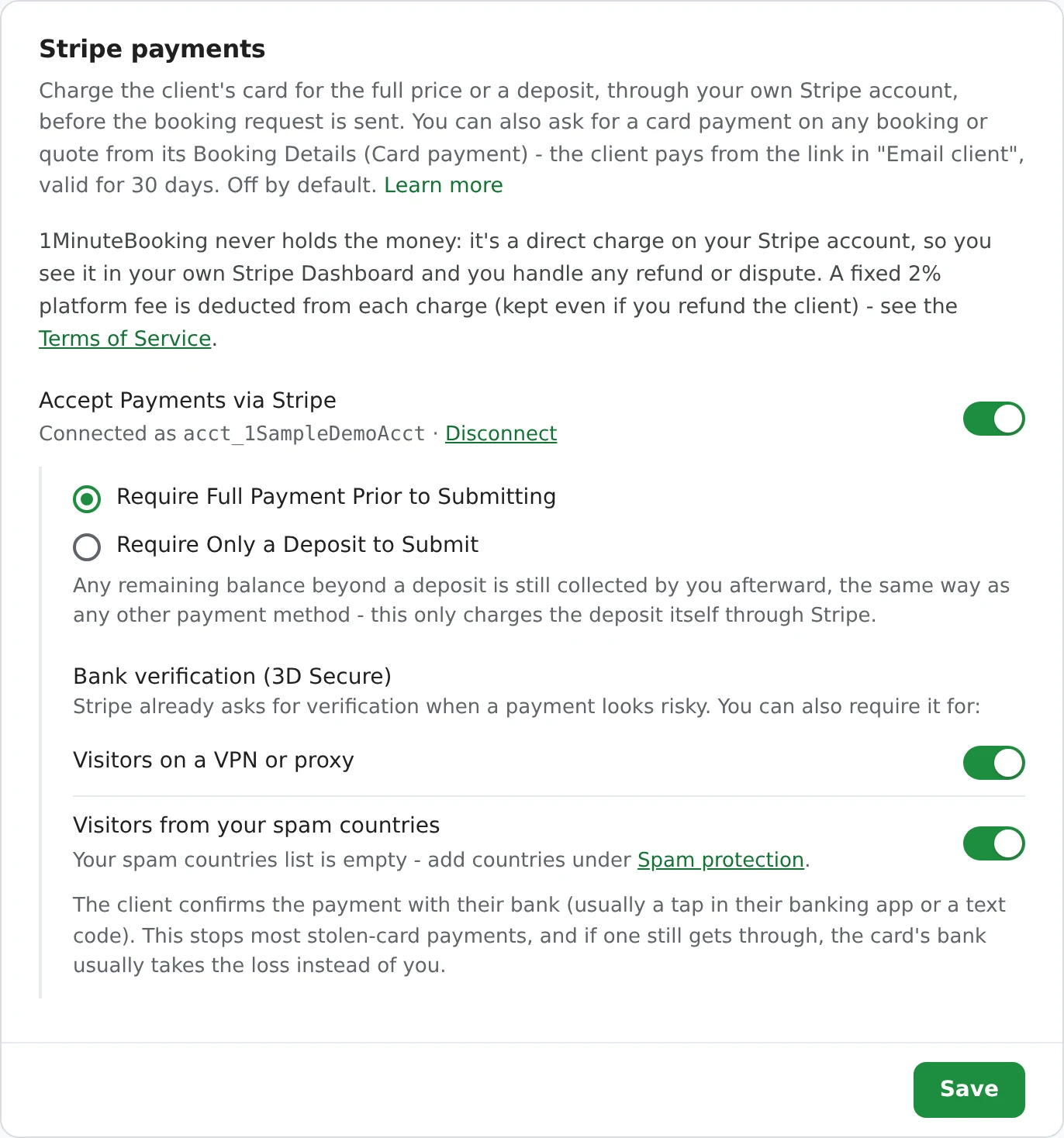
The card step sits right in your booking page, with the amount due spelled out before they submit.
Your booking page prices the job from the services, add-ons, travel charge, coupon and tax the client picked, so the card is charged for the real total, not a guess.
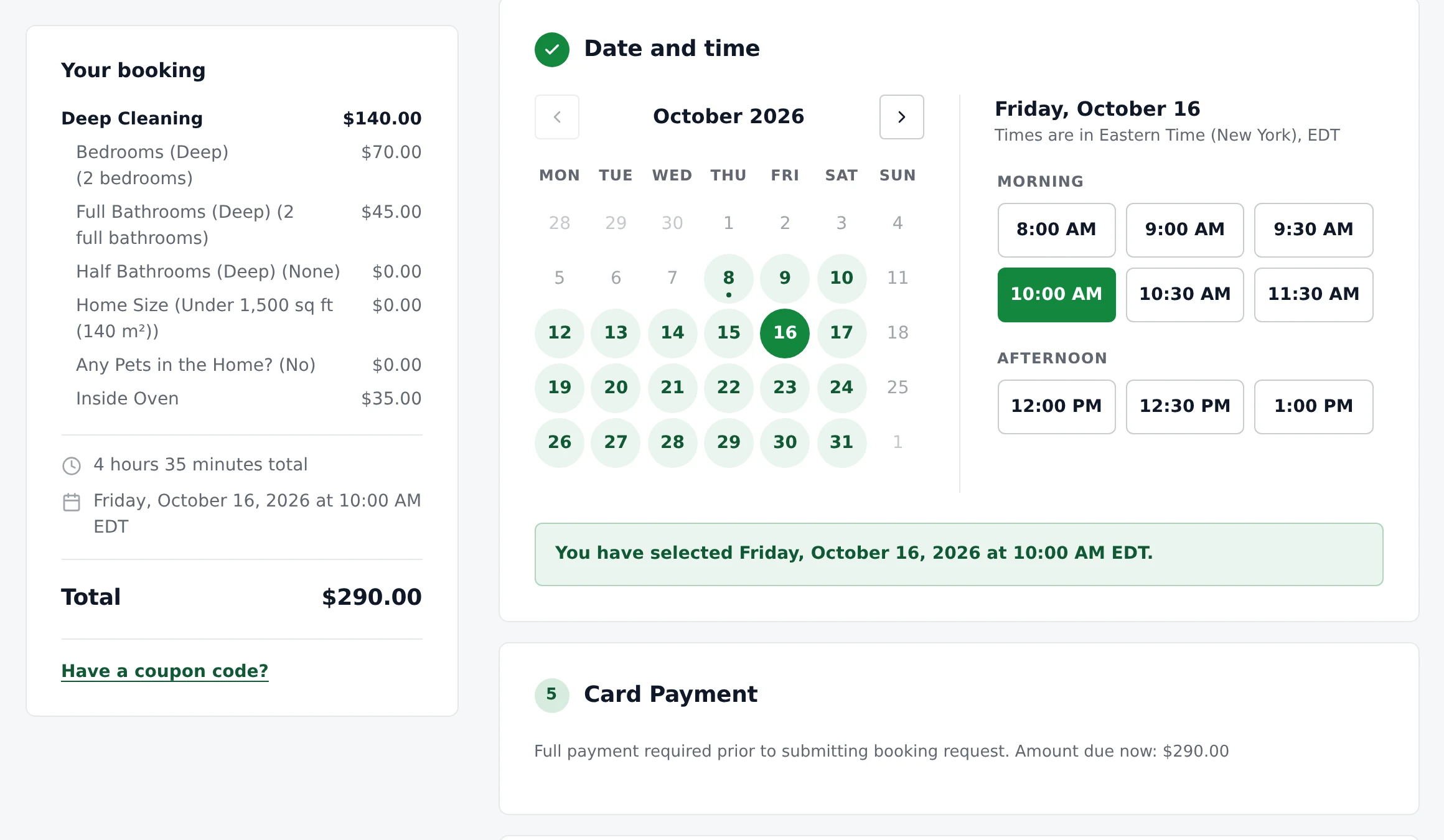
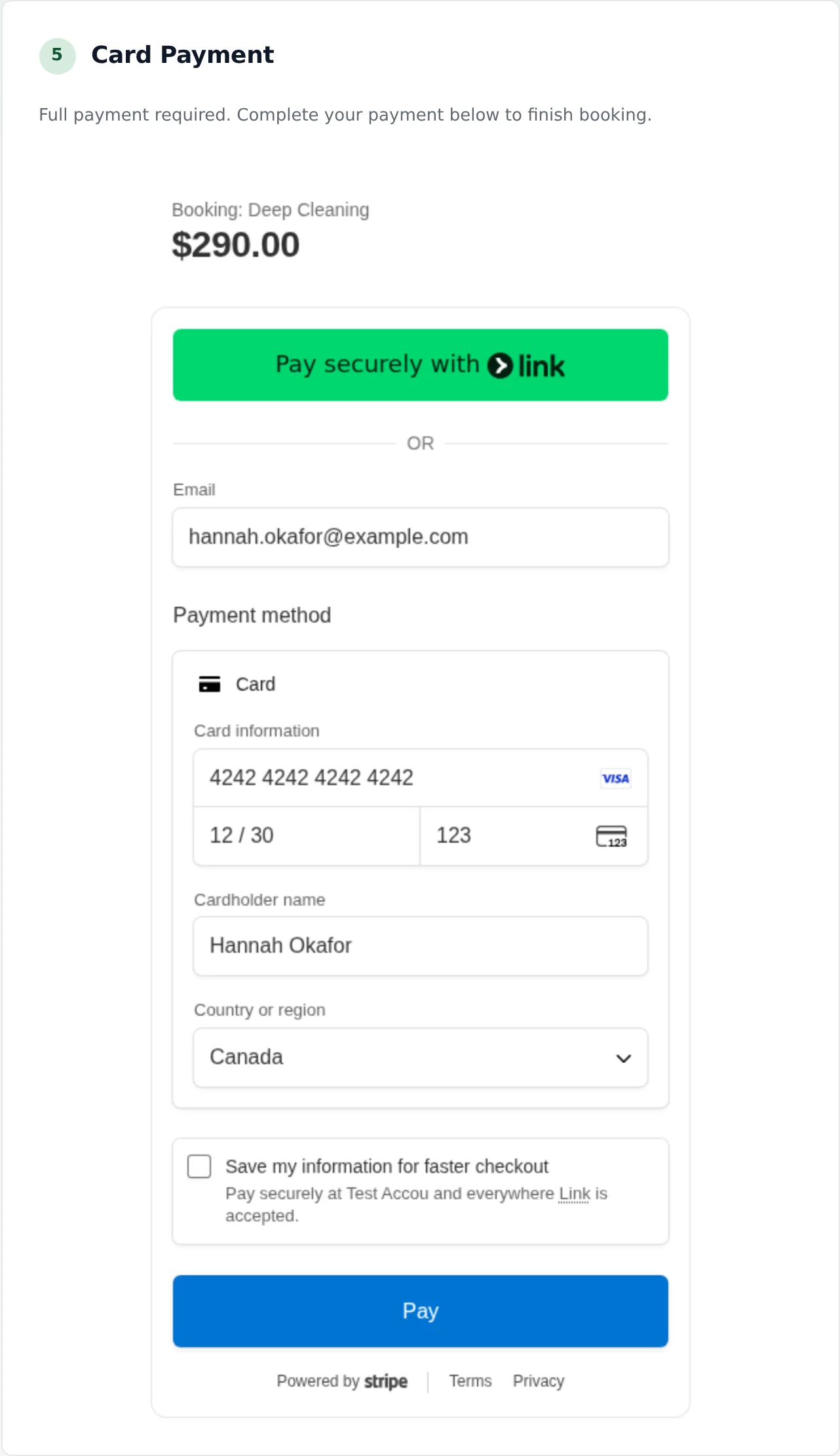
Card details are typed into Stripe's own form and never touch 1MinuteBooking's servers. If two people try to pay for the same time at the same moment, the second is asked to pick another time and their card hold is released, so nobody is charged for a slot they didn't get.
Card payments work the same in the booking widget on your own website (cards only there; Apple Pay and Google Pay may only appear on your booking link).
Card payments through Stripe are optional. You can still list the ways you get paid in person.
Payment methods asks the client how they'll pay, so you know before the appointment. Pick any of Credit Card, Cash App, E-Transfer, PayPal, Cash and Cheque, and drag them into the order you want. Those are collected by you, your way, and 1MinuteBooking never charges anything on them.
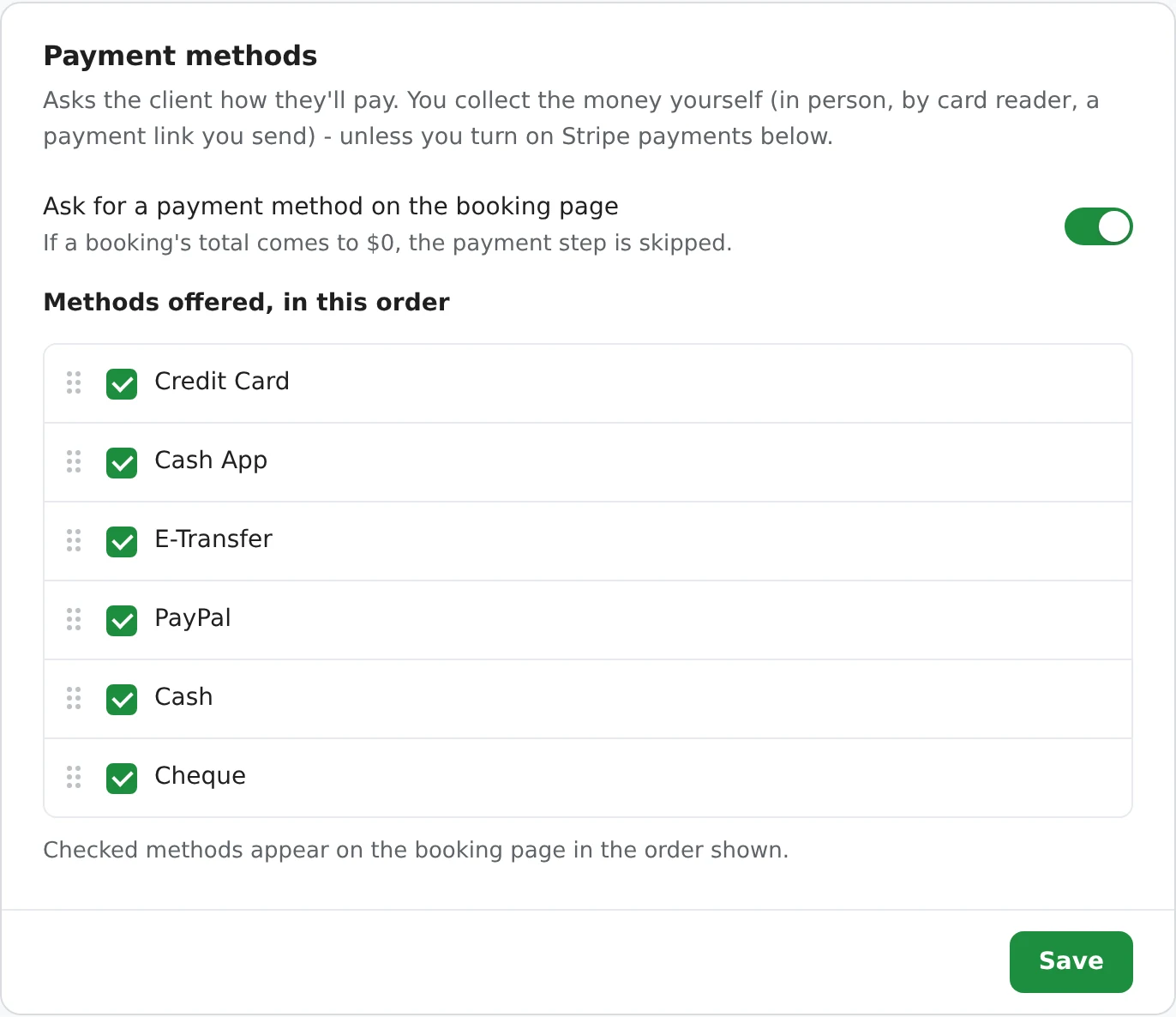
With a deposit, the two work together: the deposit is charged by card when they book, and the rest is paid with the method the client picked.
No matching Stripe payouts to appointments by hand. Each booking knows what was charged.
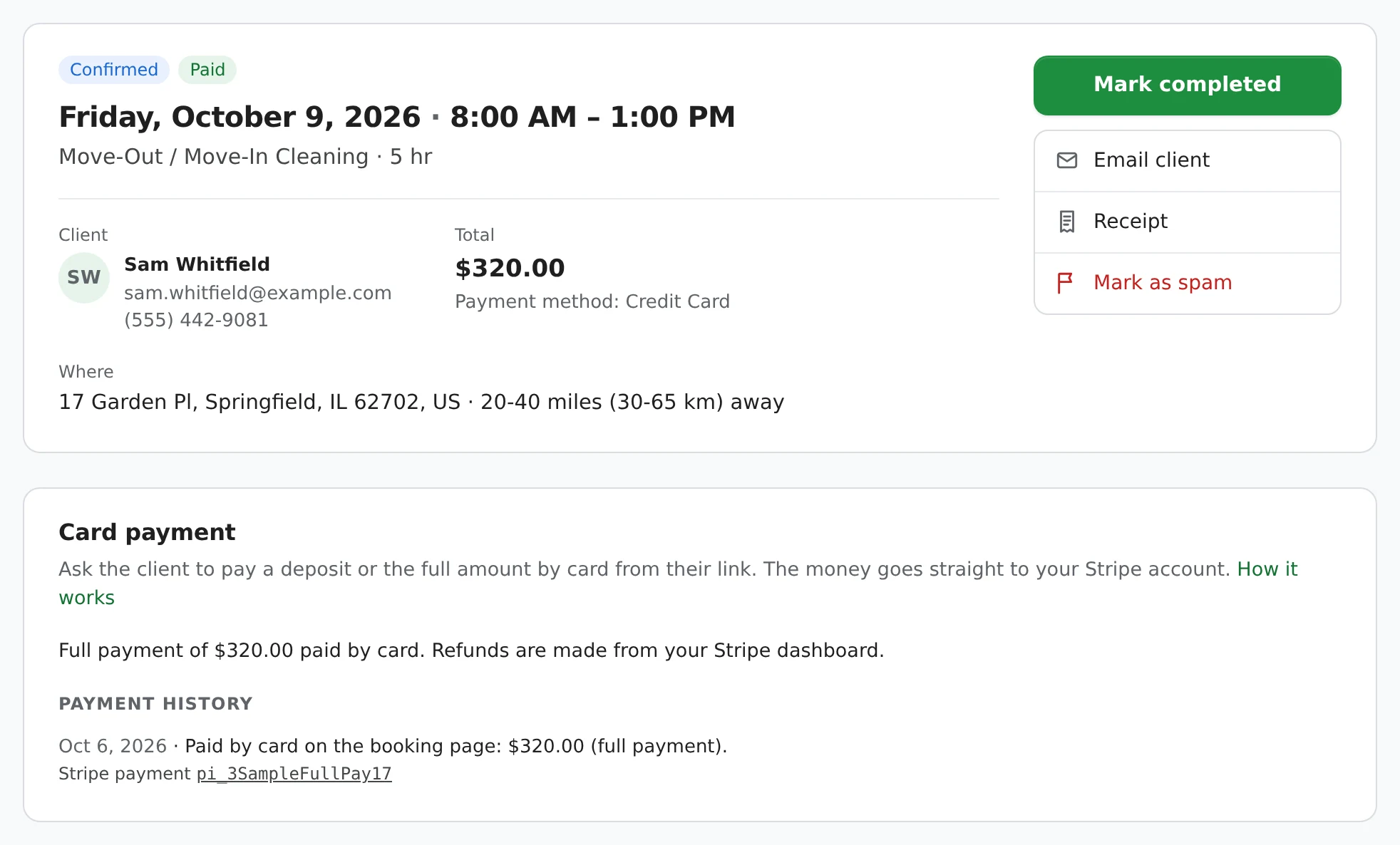
Bookings paid by card are marked Paid or Deposit Paid in your bookings list, and you can search by a Stripe payment ID. Booking Details shows the payment history with a link to the payment in your Stripe Dashboard.
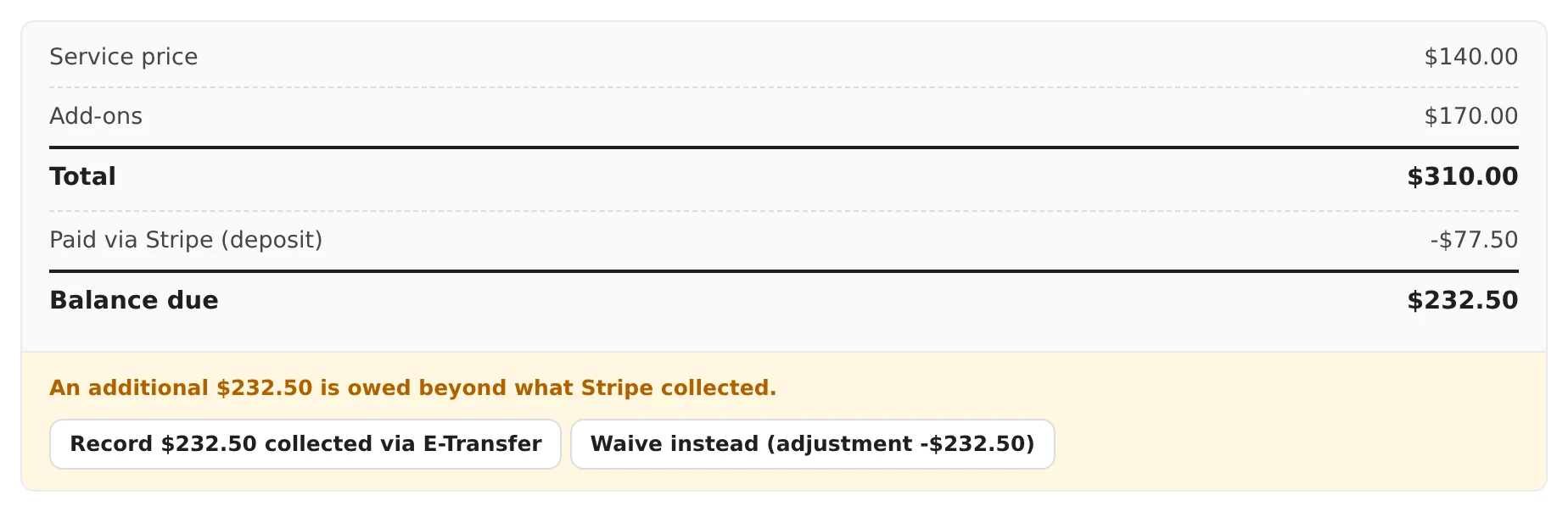
When only a deposit was charged, the price breakdown shows the balance still due, with one click to record it once the client pays you.
Every card payment is also in your Excel export on its own Stripe Bookings sheet, with the amount paid, deposit, any refund and the Stripe payment ID.
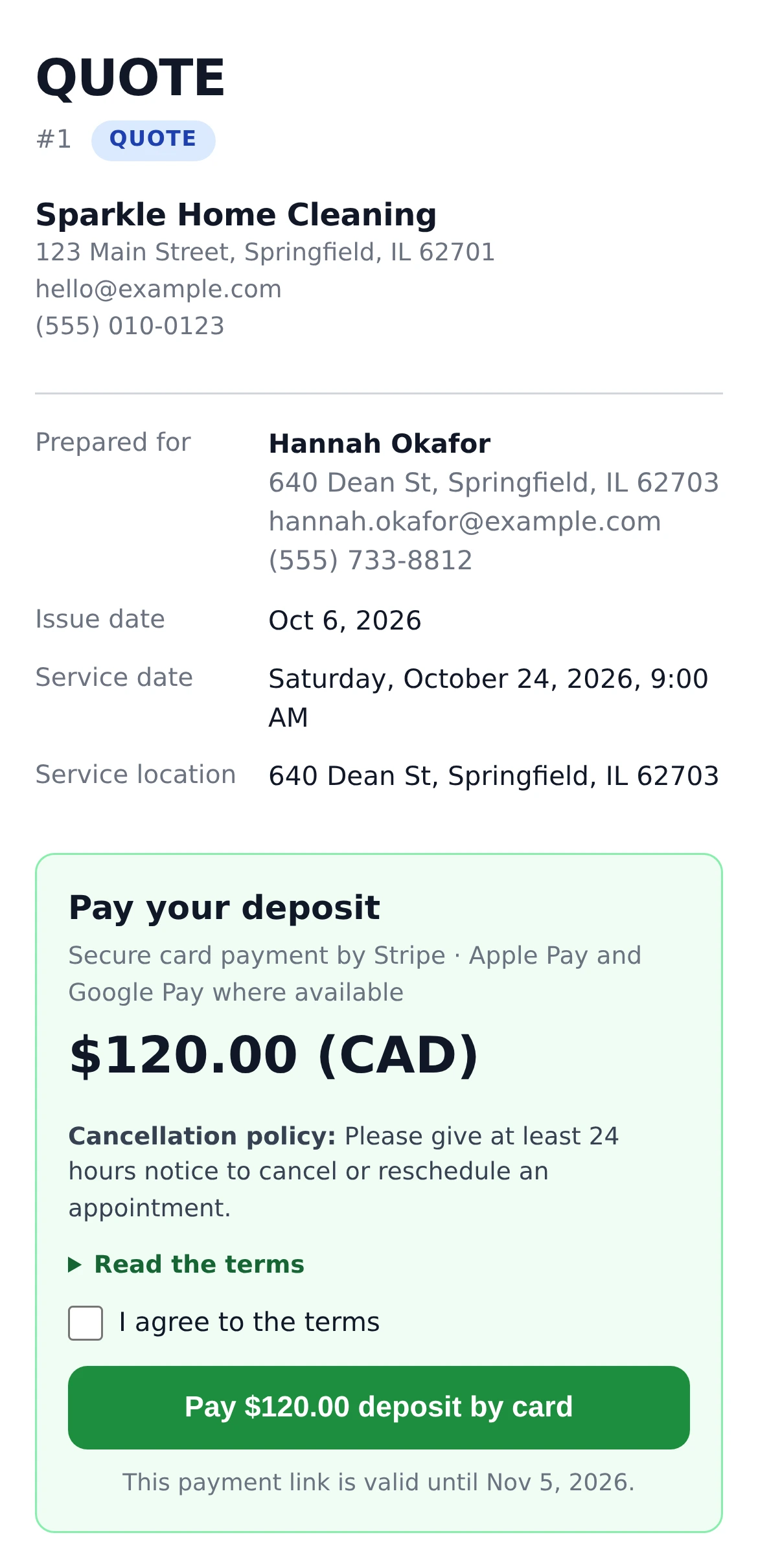
For a quote you've priced, or a booking you added by phone, send a card payment link instead.
Open the booking, choose a deposit or the full amount under Card payment, and click Email client. The client pays from their booking or quote link, which stays valid for 30 days. How payment links work.
Card payments are on the free plan. 1MinuteBooking takes 2% of each charge, on top of Stripe's own fee.
For domestic cards, Stripe's standard rate is 2.9% + 30¢ in the US and 2.9% + C$0.30 in Canada. On a $200 booking paid in full in the US:
| Paid by the client | $200.00 |
| Stripe's fee (2.9% + 30¢) | −$6.10 |
| 1MinuteBooking (2%) | −$4.00 |
| Reaches your Stripe balance | $189.90 |
The 2% isn't returned if you refund. There's no monthly fee for card payments, and nothing is charged on money you collect any other way.
Stripe asks for 3D Secure when a payment looks risky. You can also require it for visitors on a VPN or from your spam countries, so a stolen card usually becomes the bank's loss, not yours.
Full payment or deposit is chosen once for your booking page, not per service.
Quote requests have no price yet, so nothing is charged when they're sent. Once you've priced one, send a payment link.
Nothing can be charged after the booking, so there's no automatic no-show fee. Take a deposit or the full price up front instead.
Refund in full or in part from your Stripe Dashboard. The booking updates itself the next time you open it.
Charge in USD, CAD, GBP, EUR, AUD or NZD. Currency can't change while Stripe is connected, because Stripe pays you in it.
Connect your own Stripe account in Settings > Payments and turn on Accept Payments via Stripe. Then choose whether clients pay the full price or a deposit when they book. Your booking page asks for the card before the booking request is sent - there's nothing else to install.
Yes. 1MinuteBooking never holds the money: every payment is a charge on your own Stripe account, so it lands in your Stripe balance, follows your normal Stripe payouts, and you handle any refund or dispute there. If you don't have an account yet, Stripe helps you create one as part of connecting.
Turning it on is free, on the free plan too. 1MinuteBooking takes 2% of each card charge, on top of Stripe's own fee (for domestic cards, 2.9% + 30 cents in the US and 2.9% + C$0.30 in Canada). The 2% isn't returned if you refund. Money you collect any other way - cash, e-transfer, your own card reader - is never charged anything.
Yes, where their device and browser support it. Cards always work. On a booking page embedded on your own website, Apple Pay and Google Pay may not appear - cards still do.
Yes. Choose Require Only a Deposit to Submit and set a flat amount or a percentage of the total. The rest is collected however you like and recorded on the booking in one click. See appointment deposits.
Yes. Open the booking and use Card payment to ask for a deposit or the full amount. The client pays from their booking or quote link, which stays valid for 30 days. See payment links.
Refunds, full or partial, are done in your Stripe Dashboard - the booking links straight to the payment. The booking picks up the refund the next time you open it, and its price breakdown shows what was refunded.
No. Cards aren't saved, so nothing can be charged after the booking. To protect yourself from no-shows, take a deposit or the full price up front and say in your cancellation policy when it's refundable.
Stripe connections are available for businesses in 22 countries, including the United States, Canada, the United Kingdom, Australia, New Zealand, Ireland and much of Europe, plus Singapore, Hong Kong and Japan. Your booking page can charge in USD, CAD, GBP, EUR, AUD or NZD.
Sign up here and pick your type of business in setup - your page starts set up for it. You can change anything later.