

Free online booking and scheduling for solo and small service businesses
When you mark a booking Completed, your client gets a thank-you email with a Book again button. It opens your booking page with their last booking filled in, at today's prices - they just pick a new date and time. Or rebook them yourself with Duplicate booking.
There's no recurring schedule to set up. Each visit is its own booking, and booking the next one takes a click.
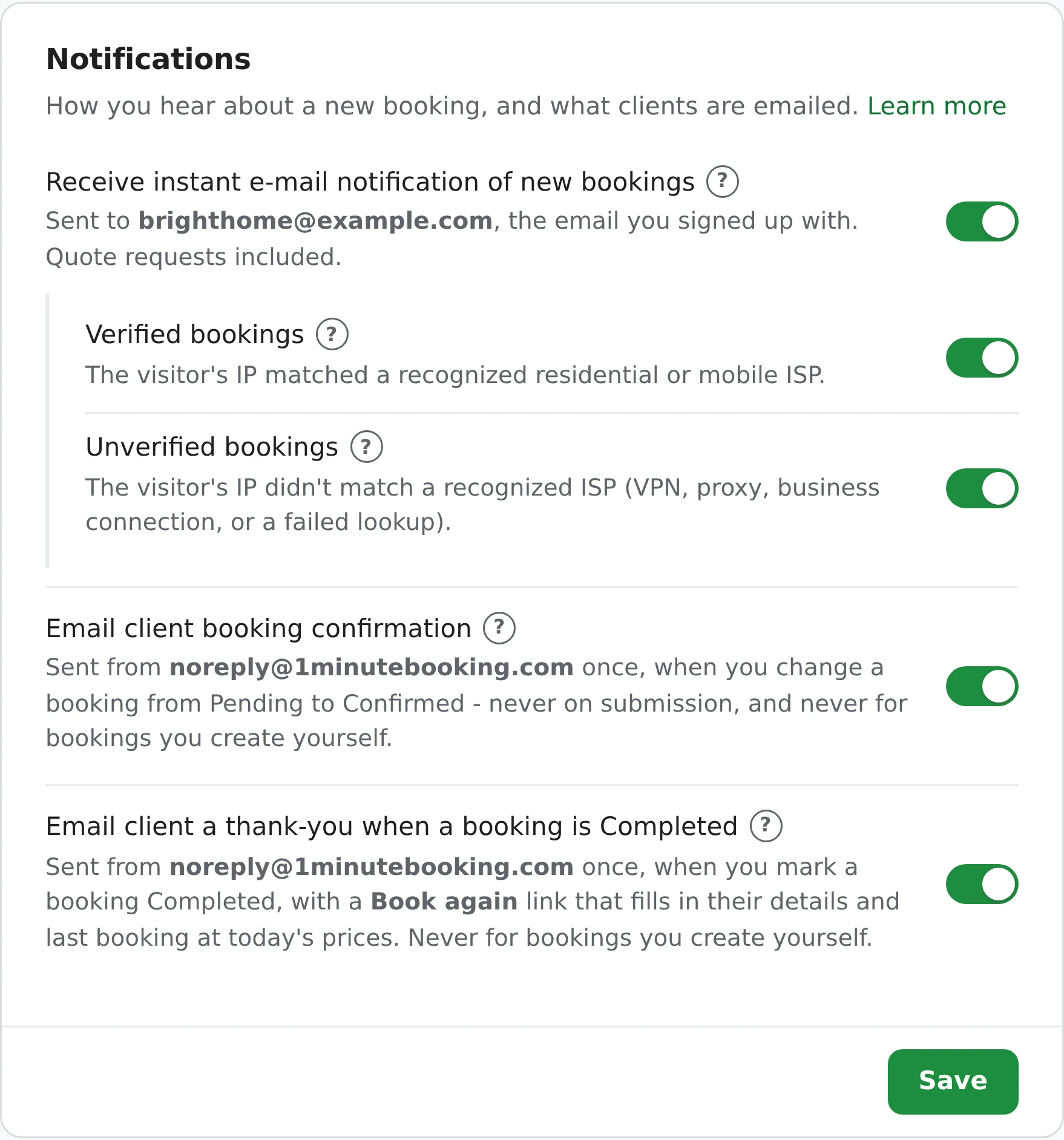
Sent once, the moment you change a booking to Completed. It's on by default.
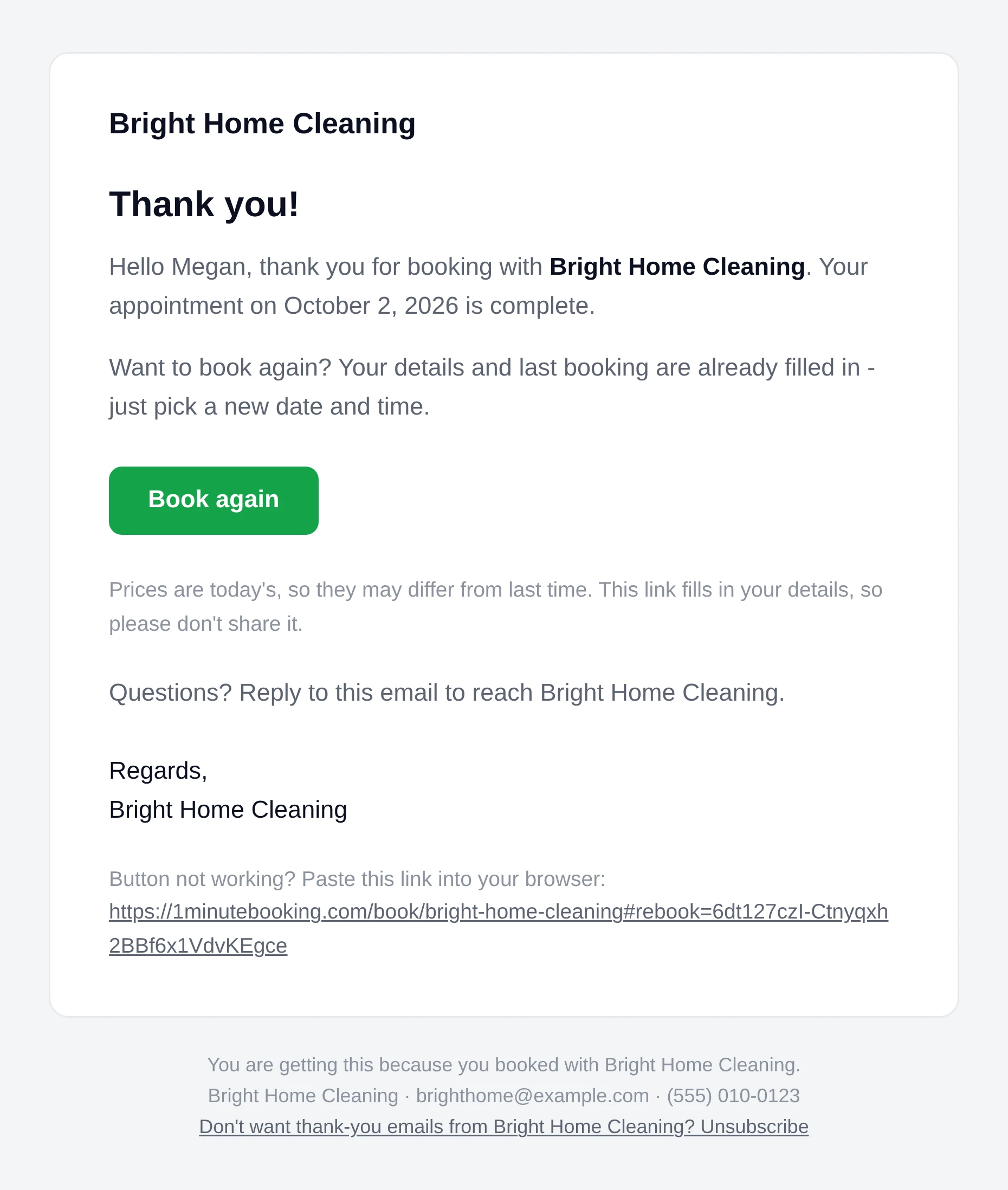
It comes from [email protected], with your logo or business name on top. If the client replies, it goes to the contact email in your Business Info. Because it invites them to book again, it ends with your business details and an Unsubscribe link.
The link only fills in that client's last booking, and it can't be guessed. It doesn't book anything by itself.
Everything they picked last time, priced the way your page prices it today.
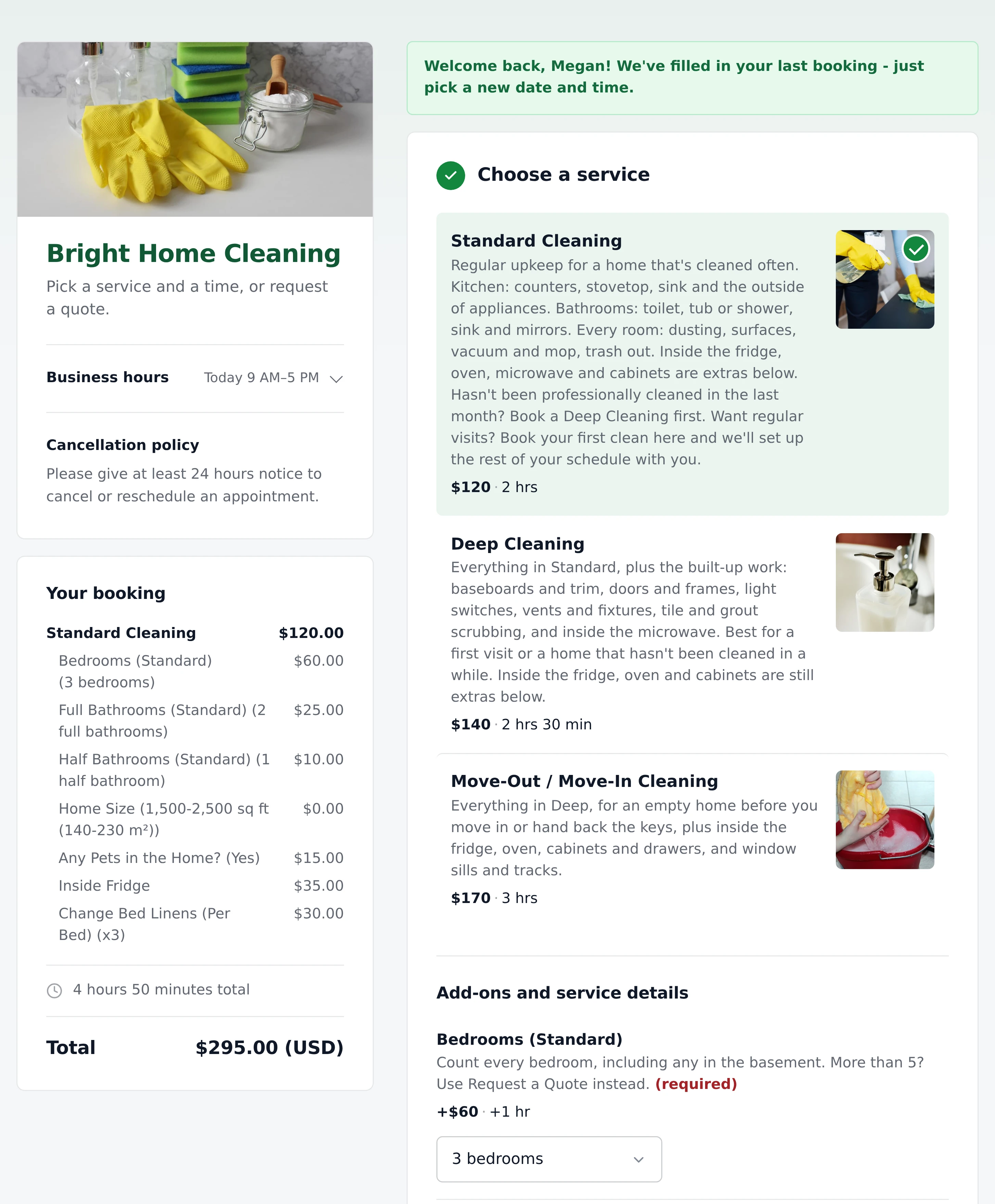
Nothing is copied at the old price. If you've raised a service, an add-on or a travel fee since their last visit, the new booking uses the new price. Anything you no longer offer is left out, and the page tells them what didn't carry over.
The client can change anything before sending, and they still pick an open time on your calendar. If you take a deposit, it's asked for as usual.
For the regular who books their next clean on the way out, or anyone who'd rather you just put them in.
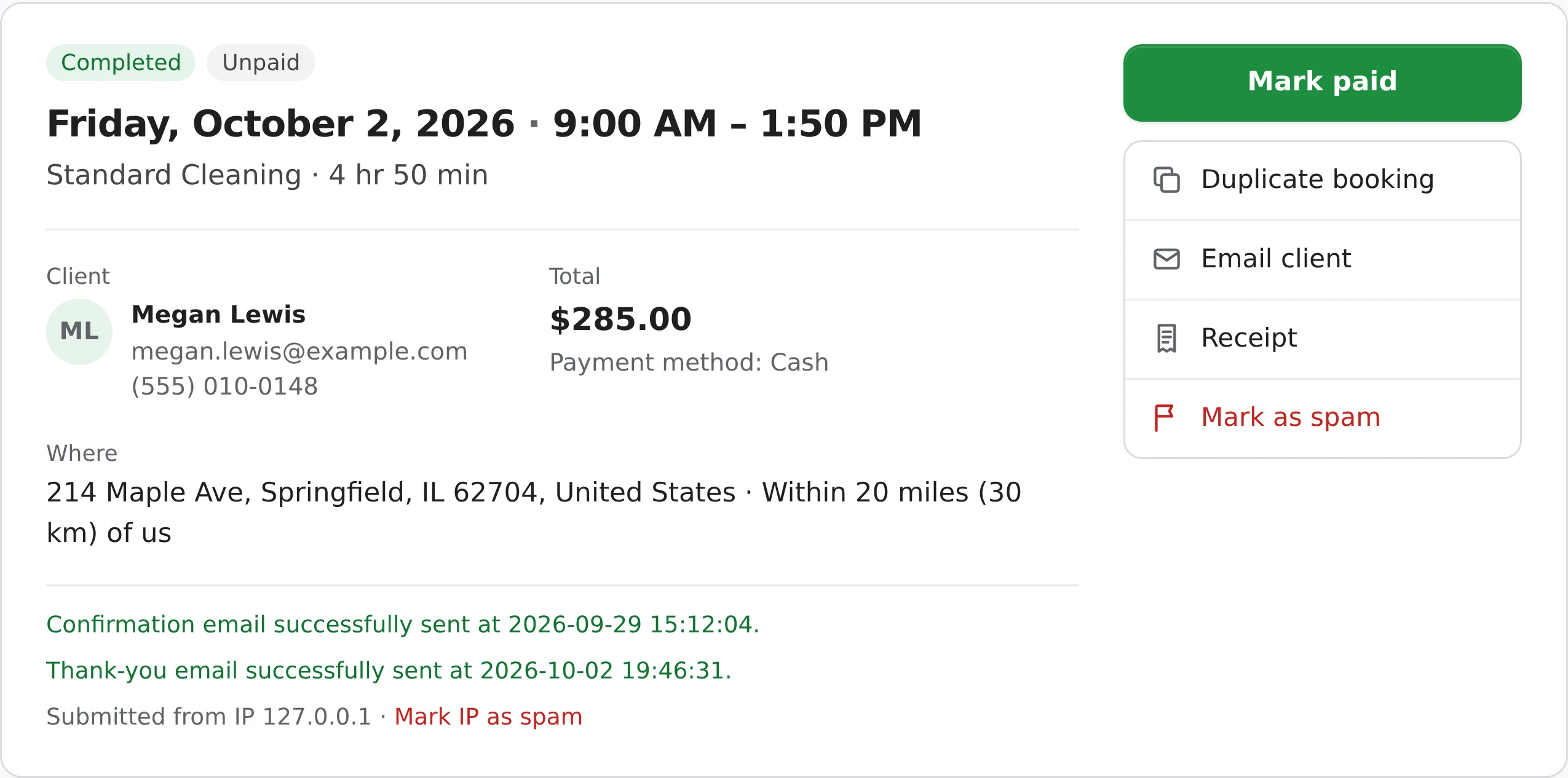
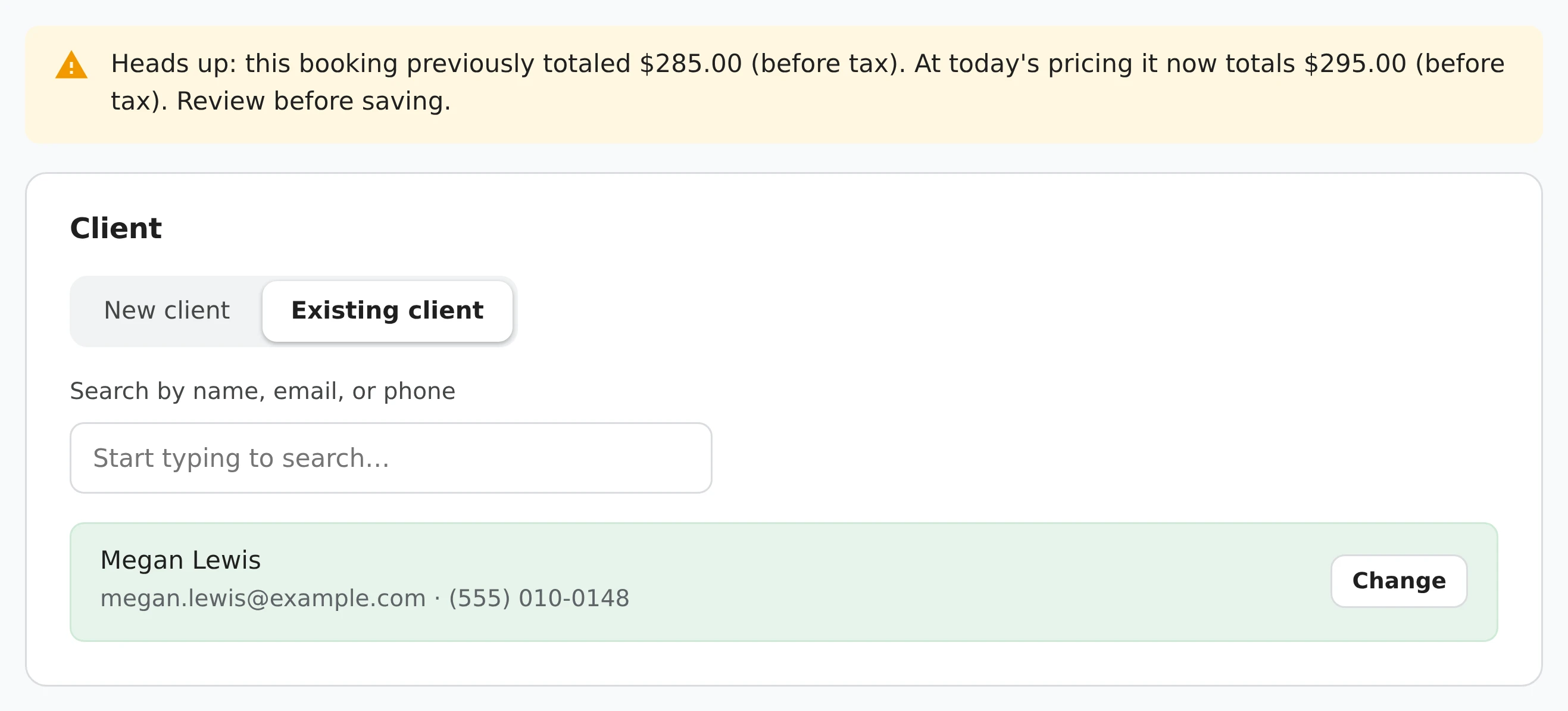
Duplicate booking copies the client, services, add-ons, answers to your questions, address, payment method and internal notes into New booking. A custom-priced job carries its scope of work and price as a starting point. You pick the new date and time.
Duplicate booking works for any Completed booking, including ones you entered yourself. A booking you create this way never emails the client automatically - use Email client to send them the details.
It follows the same rules as the booking confirmation email, plus two of its own.
Changing a booking back and marking it Completed again won't send a second one.
Only for appointments dated today or in the last 14 days, so tidying up old bookings never emails anyone.
If the client already has their next booking with you, there's nothing to rebook, so it isn't sent.
Mark three of a client's jobs Completed at once and they get one email, not three.
You typed that address in, so it's never sent for bookings you create yourself.
Every thank-you has an Unsubscribe link. A client who uses it gets no more thank-yous from you - confirmations still go out.
Each address gets a quick check for typos and fake addresses before anything is sent, and every booking shows whether its thank-you was sent, skipped or failed - and why. Thank-yous and confirmations share one daily limit of automatic emails: 5 a day on the free plan, 100 on Pro.
Rebooking keeps your prices, so a regular-client discount is up to you.
There's no automatic recurring schedule. Instead, rebooking takes one click: the client's thank-you email has a Book again link, and Duplicate booking rebooks them from your side. Each visit is its own booking, at your prices that day.
They get one email: the thank-you sent when you mark their booking Completed, with the Book again button. There are no later reminders. To nudge a client yourself, open their booking and click Email client.
Both ways use your current prices. Book again prices everything from today's services, add-ons and travel fees, and Duplicate booking shows a note when today's total is different from last time, before you save.
Yes. It's only a starting point - they can change the service, add-ons, answers or address before sending. Nothing is booked until they pick a time and send it.
No. Like the confirmation email, it's never sent for a booking you create with New booking, since you typed that address in. Duplicate booking works for those, and Email client opens a message in your own email app.
Yes. Untick Email client a thank-you when a booking is Completed in Settings > Notifications. Duplicate booking keeps working either way.
The same link from their email offers Resubscribe. Only the client can do it - there's no way for a business to sign someone back up.
Duplicate booking and the thank-you email are free on every plan. Automatic client emails - confirmations and thank-yous together - are limited to 5 a day on the free plan and 100 a day on Pro.
Sign up here and pick your type of business in setup - your page starts set up for it. You can change anything later.