

Free online booking and scheduling for solo and small service businesses
Clients get an email before each appointment with the date, time and address. It goes out 24 hours ahead, or when you choose.
One switch, one setting. Fewer no-shows, nothing to remember.
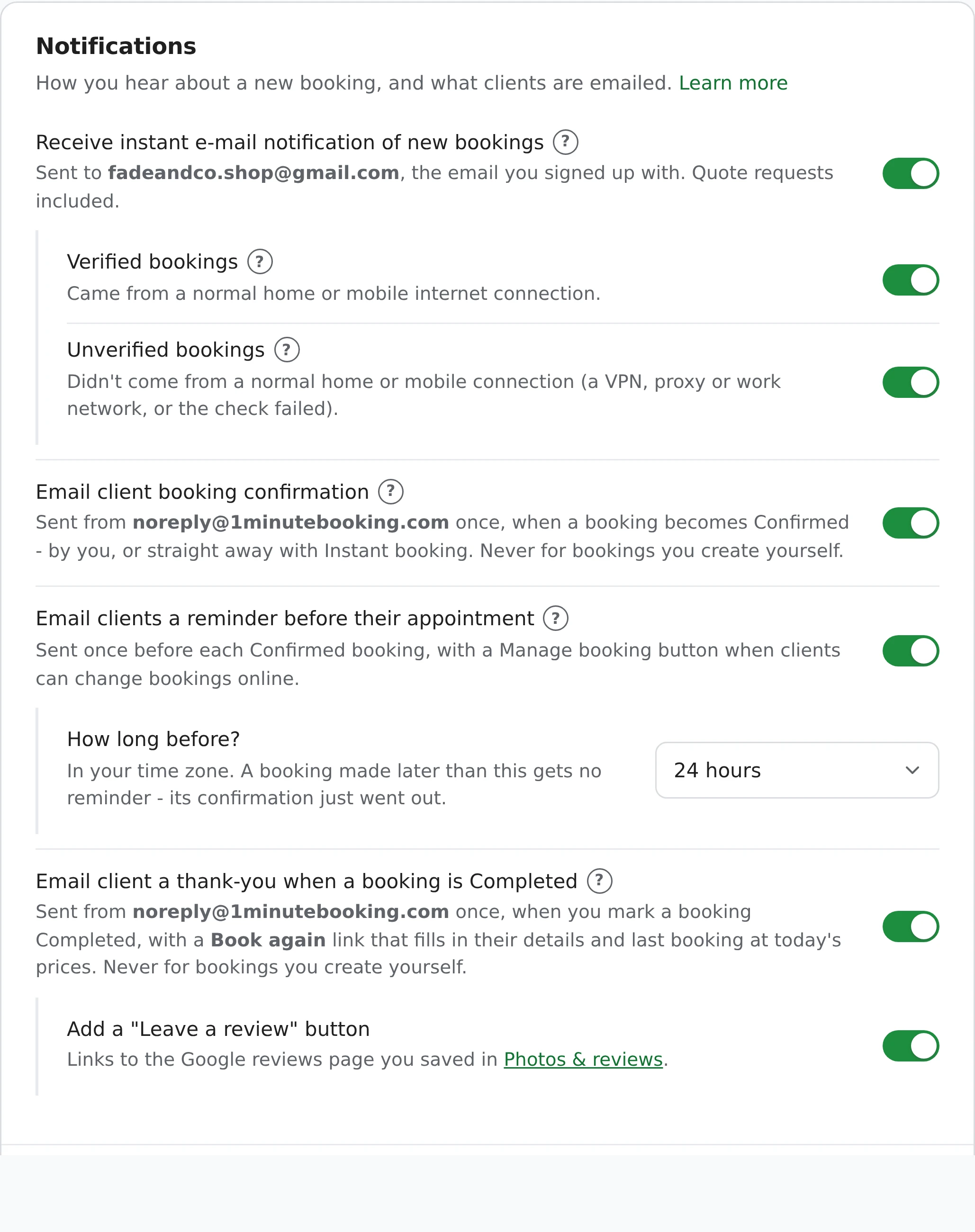
Short, with everything the client needs to turn up on time.
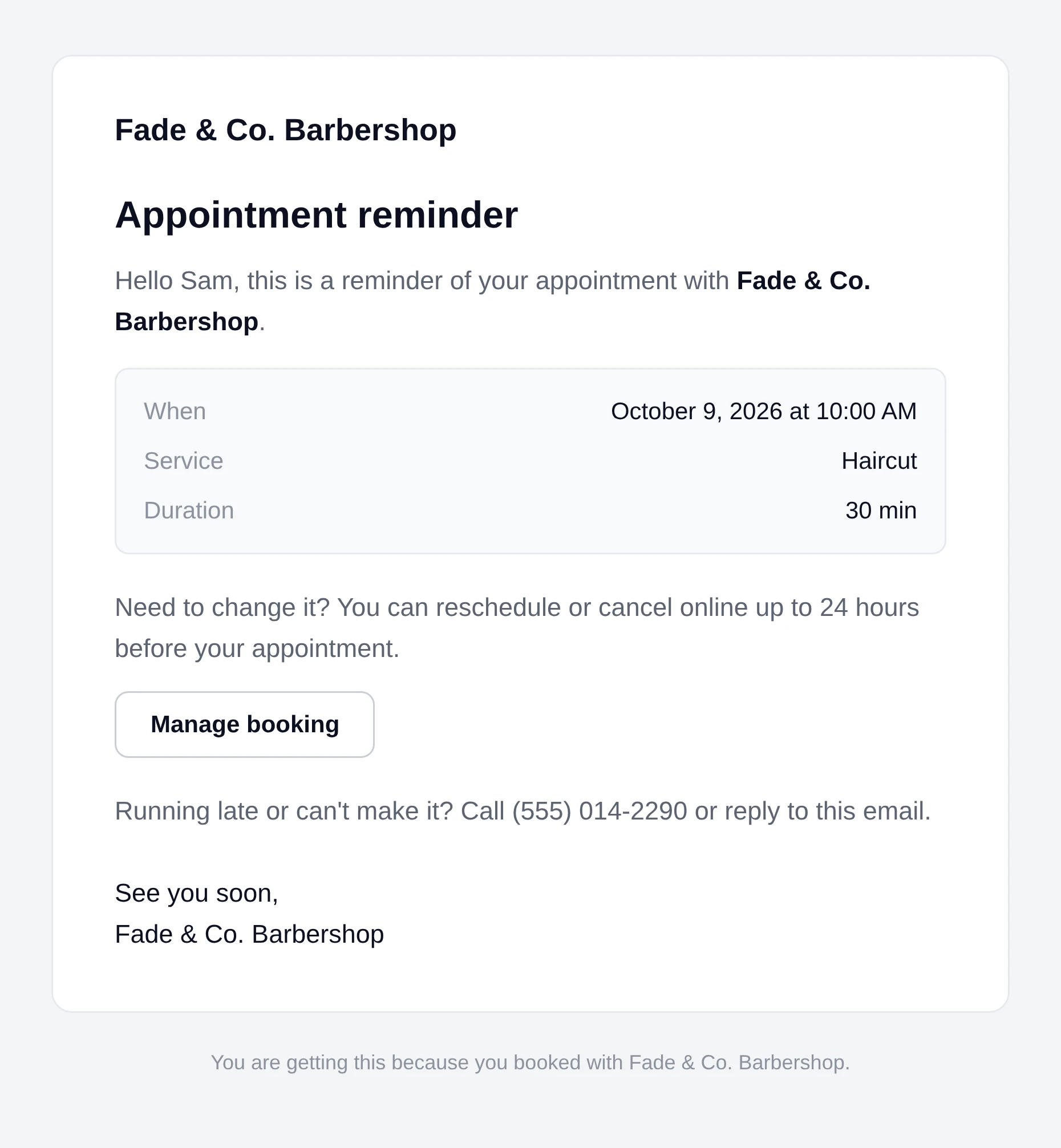
It comes from [email protected] with a subject like Reminder: your appointment on October 14, 2026 (#123). Booking Details shows Reminder email sent and when - or why it wasn't sent.
Reminders follow a few simple rules so clients only get mail they expect.
Not for Pending, Cancelled, Completed or spam bookings.
If the booking moves to a new date or time - by you or the client - a new reminder goes for the new time.
Two visits the same day mean one reminder, not two.
A reminder goes only to an email address that has already had a booking confirmation from you - so a client who booked online with you before.
Disposable email addresses never get one.
Booked (or moved by the client) after the reminder time already passed? Their confirmation just went out, so no reminder follows.
Anyone can type any email address into a booking. This rule protects people from mail they didn't ask for: reminders only go to someone who has booked with you online and got your confirmation. It also means bookings you enter yourself or repeat get reminders too, once that client has booked online with you once.
After the visit, mark the booking Completed and the client gets a thank-you email with a Book again button. Full details are in the help center.
No. Reminders are email only - there are no SMS reminders.
You choose: 2, 4, 12, 24 or 48 hours before. The default is 24 hours.
Open the booking - Booking Details says whether the reminder was sent, and if not, why. Common reasons: the booking isn't Confirmed, it was made after the reminder time had passed, the client already got a reminder in the last 12 hours, or their address has never had a booking confirmation from you.
Yes, once that client has booked with you online and got your confirmation email. An address that has never booked online doesn't get one - anyone can type an address in, so this protects people from mail they didn't ask for.
If you or the client move it to a new date or time, a new reminder goes for the new time.
No. The daily limit (5 on the free plan, 100 on Pro) is for confirmations and thank-yous. Reminders don't count.
Reminders are free on every plan.
Works well with: Instant booking, Online rescheduling and cancelling, Repeating bookings, Rebooking, Deposits.
Sign up here and pick your type of business in setup - your page starts set up for it. You can change anything later.