

Free online booking and scheduling for solo and small service businesses
Book a regular client weekly or every 2 to 4 weeks, up to 26 visits at once. Each visit is its own booking you can move or cancel.
Book the first visit and choose how often it repeats. Free on every plan.
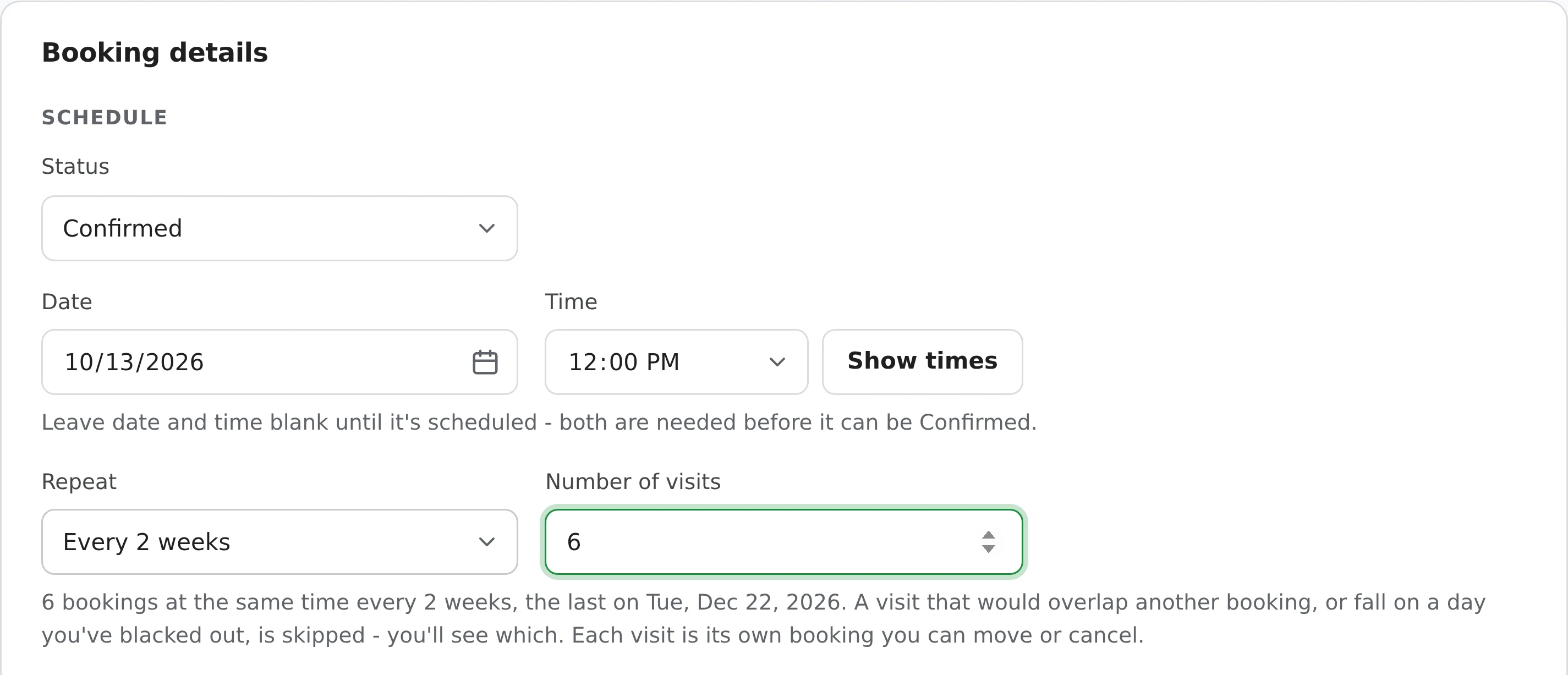
Every visit copies the client, services, add-ons, location, answers to your questions and price. It works from Duplicate booking too - it opens New booking, so a regular can book their next run of visits before they leave.
A visit that would overlap another booking, or fall on a full-day blackout, isn't booked. The confirmation tells you exactly which, for example: "4 visits booked, every 2 weeks - skipped Tue, Nov 4 (overlaps another booking)."
Repeat is there for Pending or Confirmed bookings with a date, time and duration.
Anyone who sees the same clients on a steady schedule.
The same walk every week, or every other week for a regular client.
A clean every 2 or 4 weeks, booked months ahead.
A weekly lesson for the term, up to 26 visits in one go.
Mowing every week or two through the season.
A standing session at the same time each week.
The client who comes in every 3 or 4 weeks, put in before they walk out.
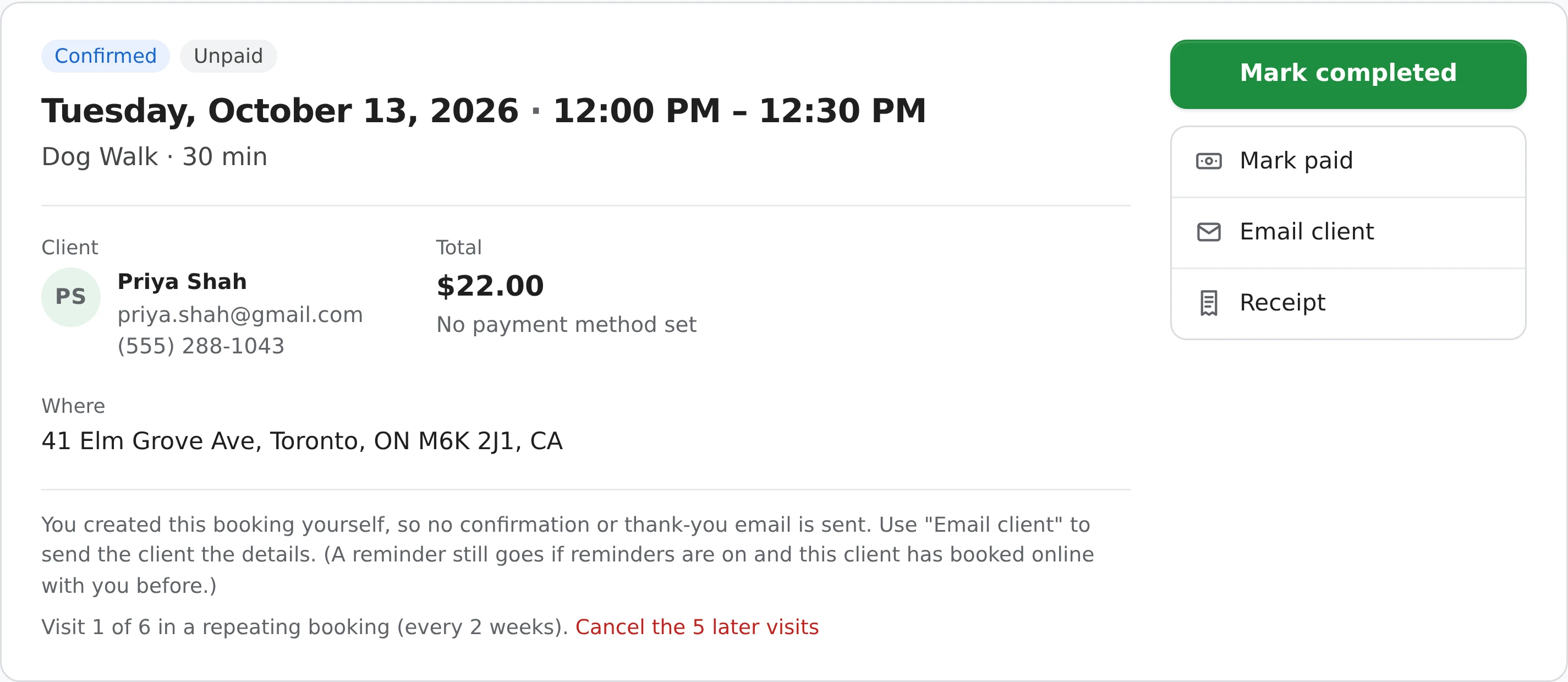
Change one visit without touching the rest.
Repeating bookings are set up by you. On your booking page, clients book one visit at a time - and coming back is quick: when you mark a visit Completed, their thank-you email has a Book again button that fills in their last booking.
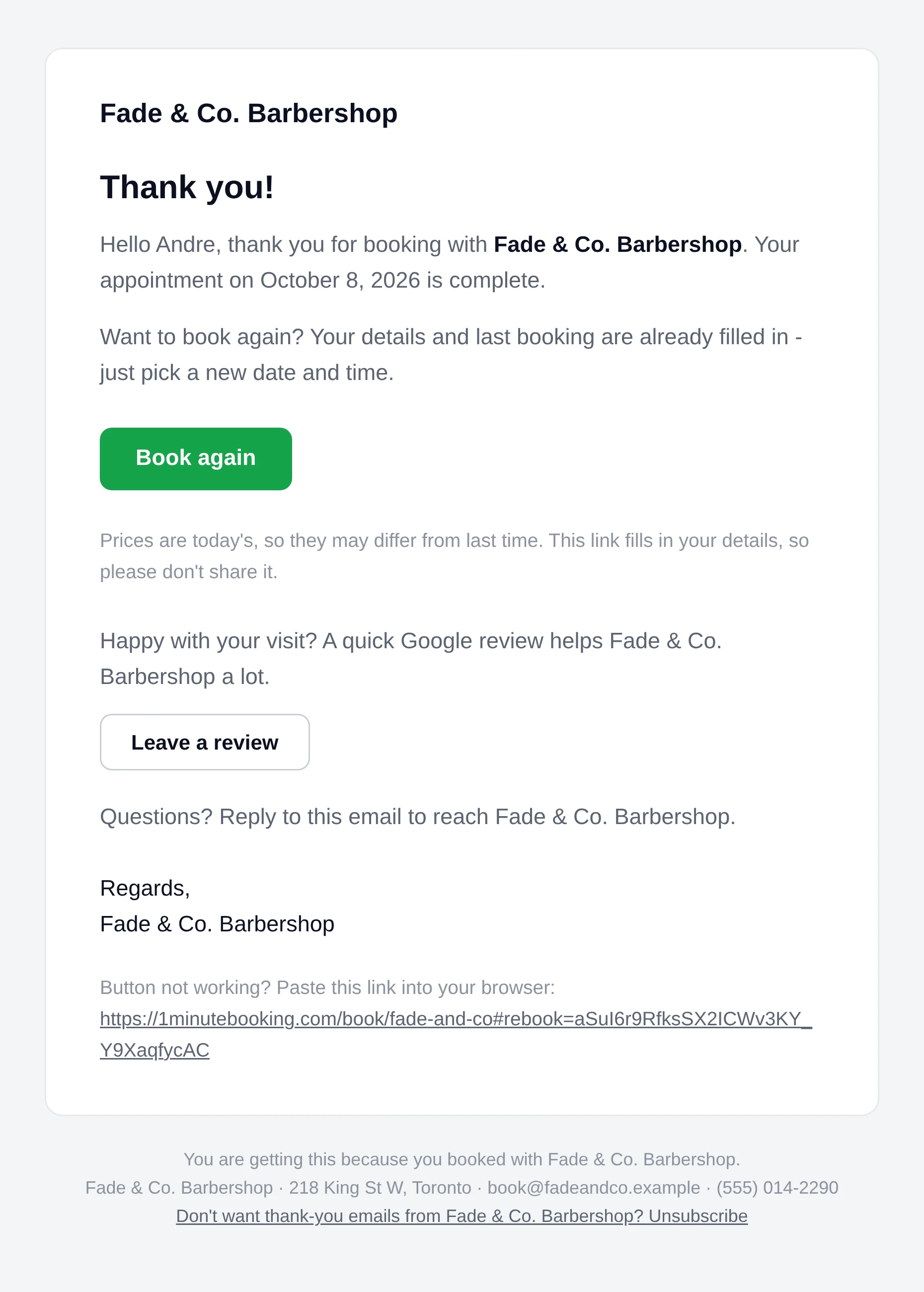
The Leave a review button links to the Google reviews link saved in Settings > Photos & reviews (Pro). It's on by default and only shows once a link is saved. Full details on repeating bookings are in the help center.
No. You set up repeating bookings from New booking. Clients book one visit at a time on your booking page, and the Book again button in their thank-you email makes the next one quick.
Every week, every 2 weeks, every 3 weeks or every 4 weeks, for 2 to 26 visits counting the first. Every visit is on the same day of the week at the same time.
A visit that would overlap another booking or fall on a full-day blackout is skipped, and the confirmation names each skipped date and why. Book that one separately if you like.
Yes. Each visit is its own booking - move, cancel, complete or charge it without touching the others.
Open a visit and click Cancel the N later visits. Later Pending and Confirmed visits are cancelled; that visit and earlier ones stay. No emails are sent.
No confirmation or thank-you is sent automatically for bookings you enter. Reminders do go out before each visit once the client has booked with you online before.
Repeating bookings are free on every plan.
Works well with: Instant booking, Appointment reminders, Online rescheduling and cancelling, Rebooking, Deposits.
Sign up here and pick your type of business in setup - your page starts set up for it. You can change anything later.