

Free online booking and scheduling for solo and small service businesses
Create a coupon code like WELCOME15 or SPRING20, share it however you like, and clients type it on your booking page to see the lower price before they book. A percentage or a flat amount off, with an optional expiry date. Free on every plan.
Coupons live in Settings > Coupons. Add one and it works on your booking page straight away.
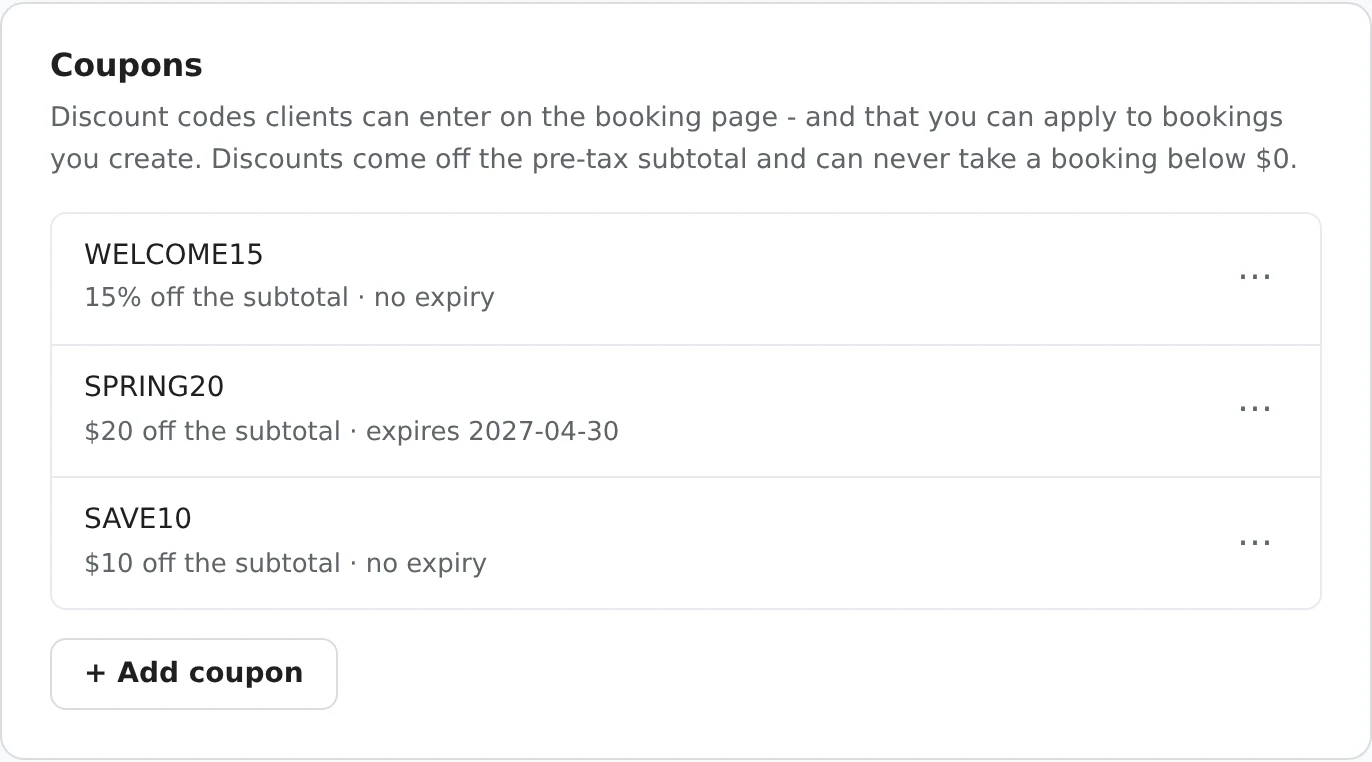
Each code's menu lets you Disable it to pause it without losing it, or Delete it. You can have up to 100.
A small Have a coupon code? link under the booking summary. Clients without a code never have to think about it.
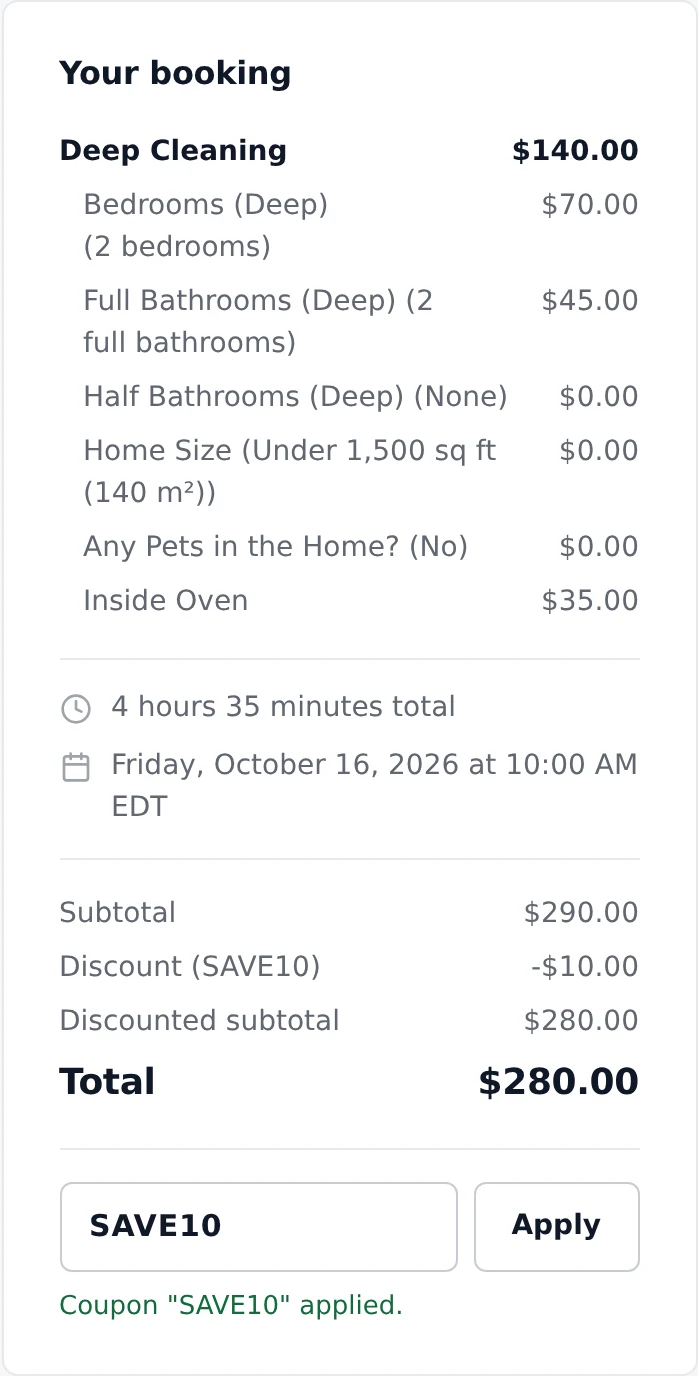
The discount comes off the subtotal - services, add-ons and any travel charge - before tax, and it can bring a booking down to $0 but never below. The code and the discount are saved on the booking, show in its price breakdown, and appear in the Coupon Code and Discount columns of your Excel export.
With card payments on, the card is charged for the discounted total, and a percentage deposit is worked out after the coupon.
A few common ones. Make the code easy to type and say what it's for.
| Code (example) | Discount | Expires |
|---|---|---|
| WELCOME15 - new clients' first visit | 15% off | Never |
| REGULAR10 - given only to repeat clients | 10% off | Never |
| SPRING20 - a seasonal promotion | $20 off | End of the season |
| FRIEND25 - for referrals | $25 off | Never |
| SORRY10 - making up for a rescheduled visit | $10 off | A month out |
Booking someone by phone? Enter their code in New booking. An expired code can still be honored there after you confirm.
Coupons are entered when a booking is made. To discount a booking that already exists, use its Adjustment field.
A code works for anyone who has it until it expires or you disable it, so share private codes privately.
A coupon applies to the whole booking, including bookings for more than one dog, person or vehicle.
If you charge tax, it's worked out on the discounted subtotal.
Coupons and tax are part of the free plan, with up to 100 codes.
In Settings > Coupons, click Add coupon, type the code (for example SPRING10), choose % off subtotal or $ off subtotal, enter the discount value and, if you like, an expiry date. As soon as you have a coupon, your booking page shows a Have a coupon code? link.
No. SPRING10, spring10 and Spring10 all work.
It can bring the price down to $0, but never below. The discount comes off the price before tax.
A code works for anyone who has it, so share it only with the people it's for - for example, a REGULAR15 code given only to your repeat clients. Use Disable to pause a code without deleting it.
Yes. The card is charged for the discounted total, and a percentage deposit is worked out from the total after the coupon.
Yes. Enter the code in New booking and click Apply. An expired code can still be honored there after you confirm. For a booking that already exists, use Adjustment for a one-off discount instead.
No. Coupons are on the free plan, with up to 100 codes.
Sign up here and pick your type of business in setup - your page starts set up for it. You can change anything later.