

Free online booking and scheduling for solo and small service businesses
Price a quote request - or any booking you add yourself - and ask for a deposit or the full amount. Your client pays from their quote link by card, Apple Pay or Google Pay, and the money goes straight to your own Stripe account.
From a priced quote to money in your Stripe account, without chasing anyone for card details.
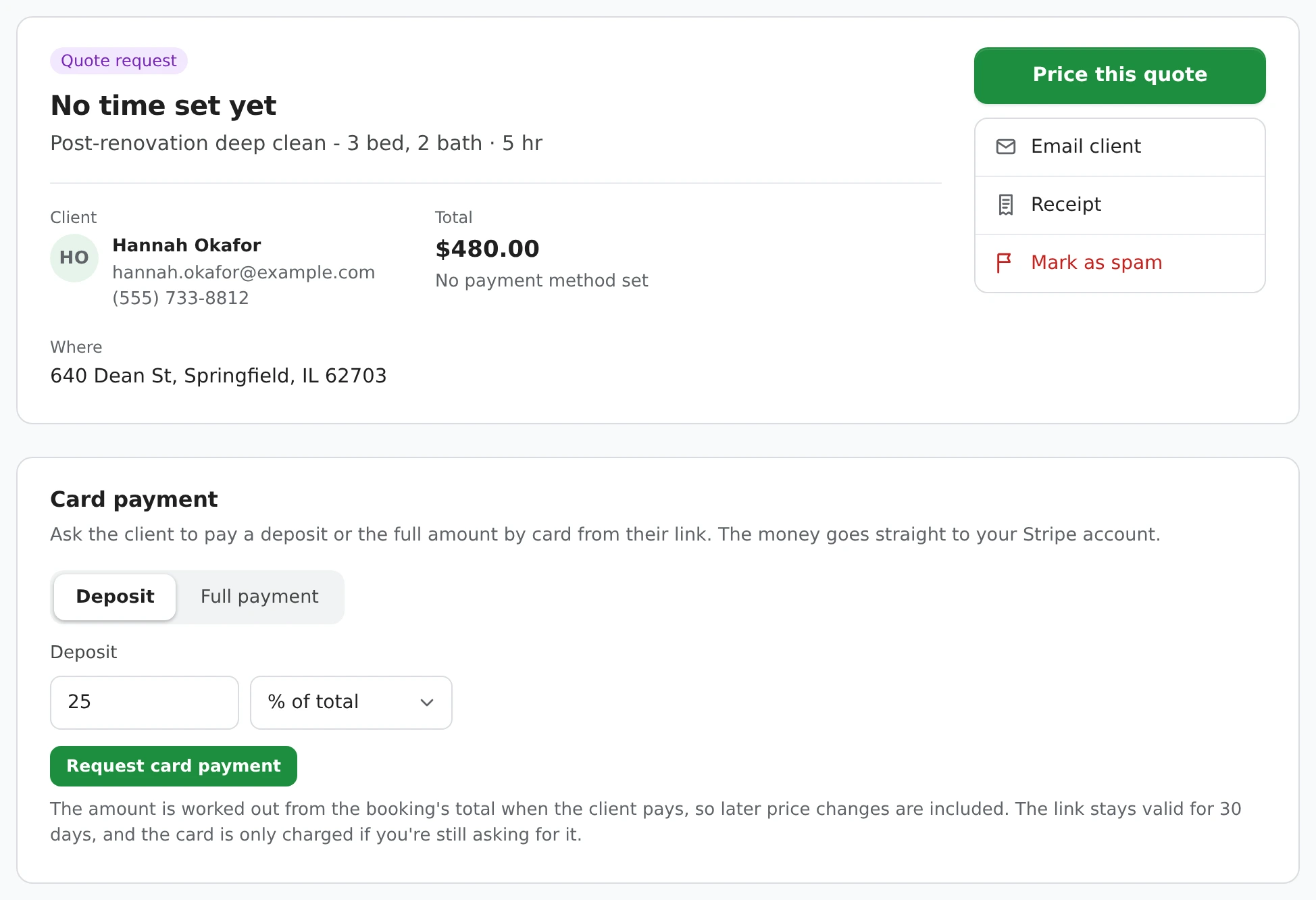
The email comes from you, so you can add anything you like before it goes.
Once you've asked, Booking Details shows exactly what you asked for and the date the link runs out. Email payment link opens a ready-to-send email in your own mail app, with the amount, the link and how long it lasts. If the client says it never arrived, click it again or use Copy link and send it by text - the link stays the same. The regular Email client message carries the same link too.
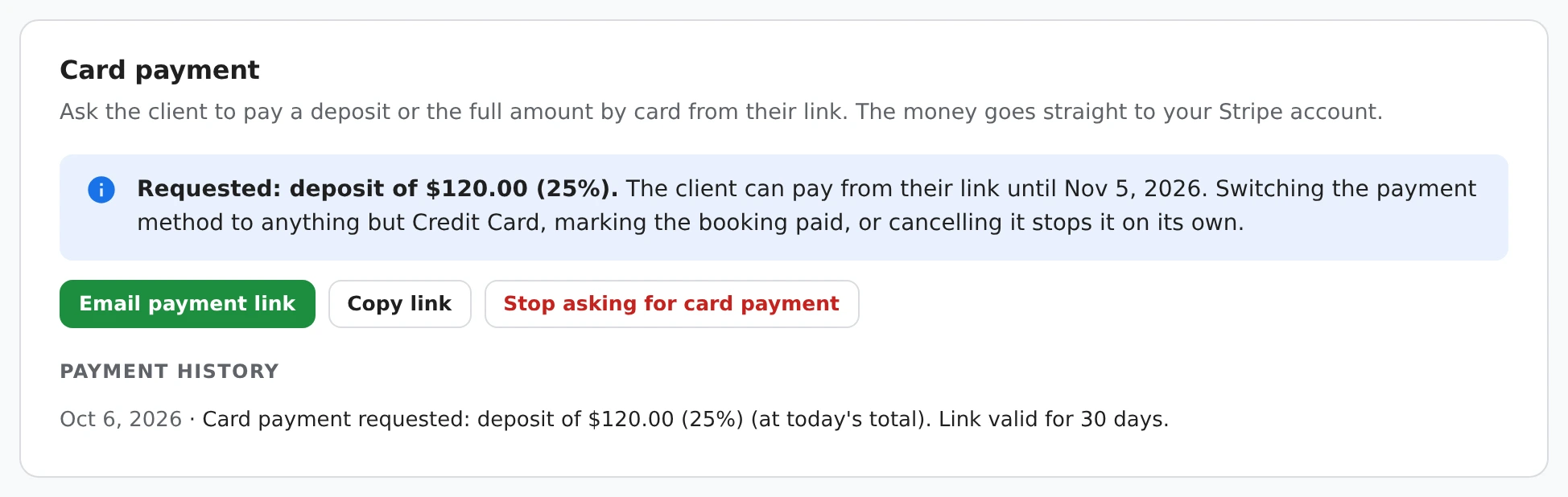
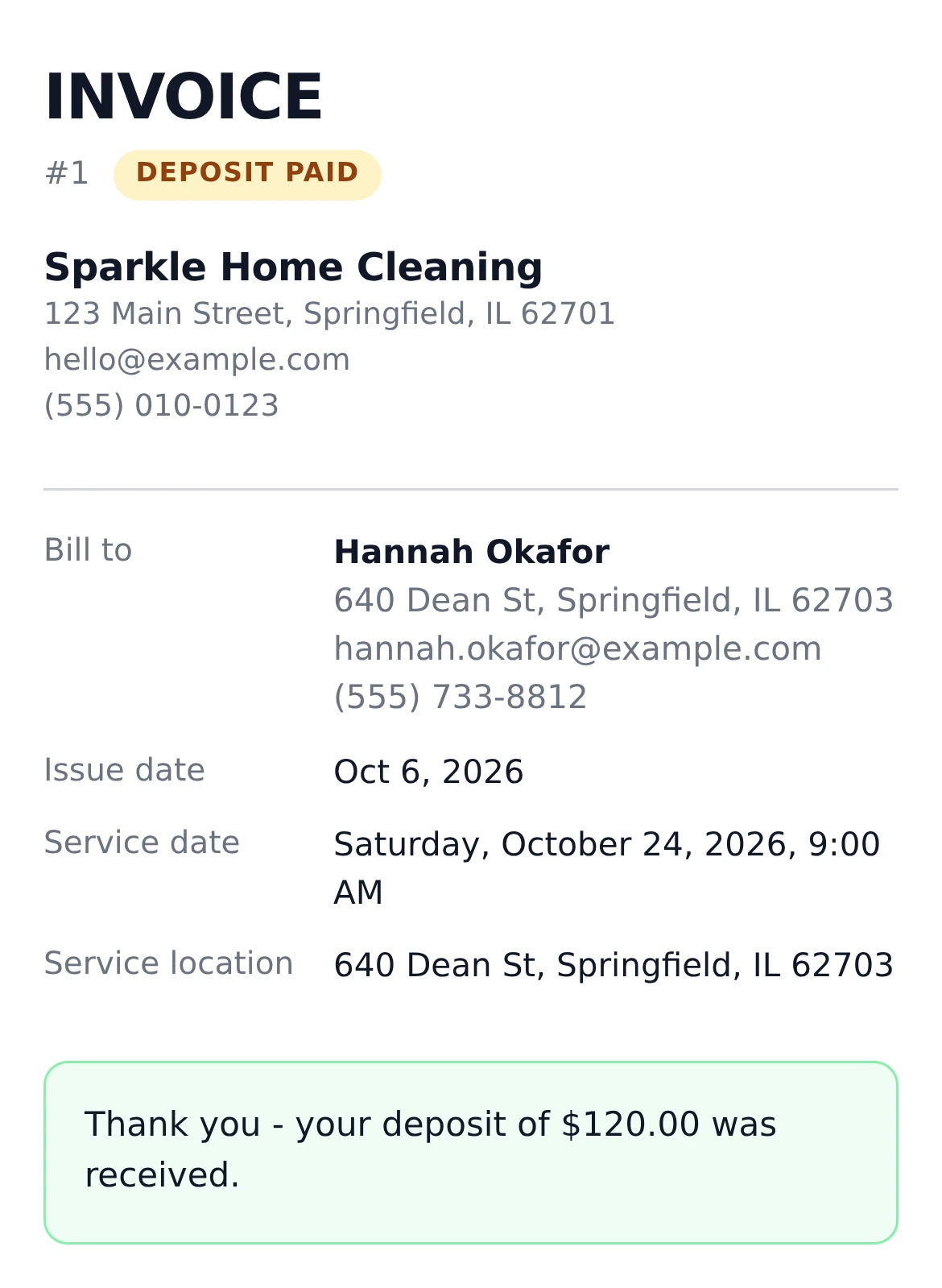
Their quote, with your business details and the amount you asked for. No account and no app.
The link opens their quote with a Pay box. They read your cancellation policy, tick your terms if you have them, and pay on Stripe's own checkout page by card, or with Apple Pay or Google Pay where their device supports it. Stripe shows any other payment methods you've turned on in your Stripe account. They can also print the quote or save it as a PDF from the same page.
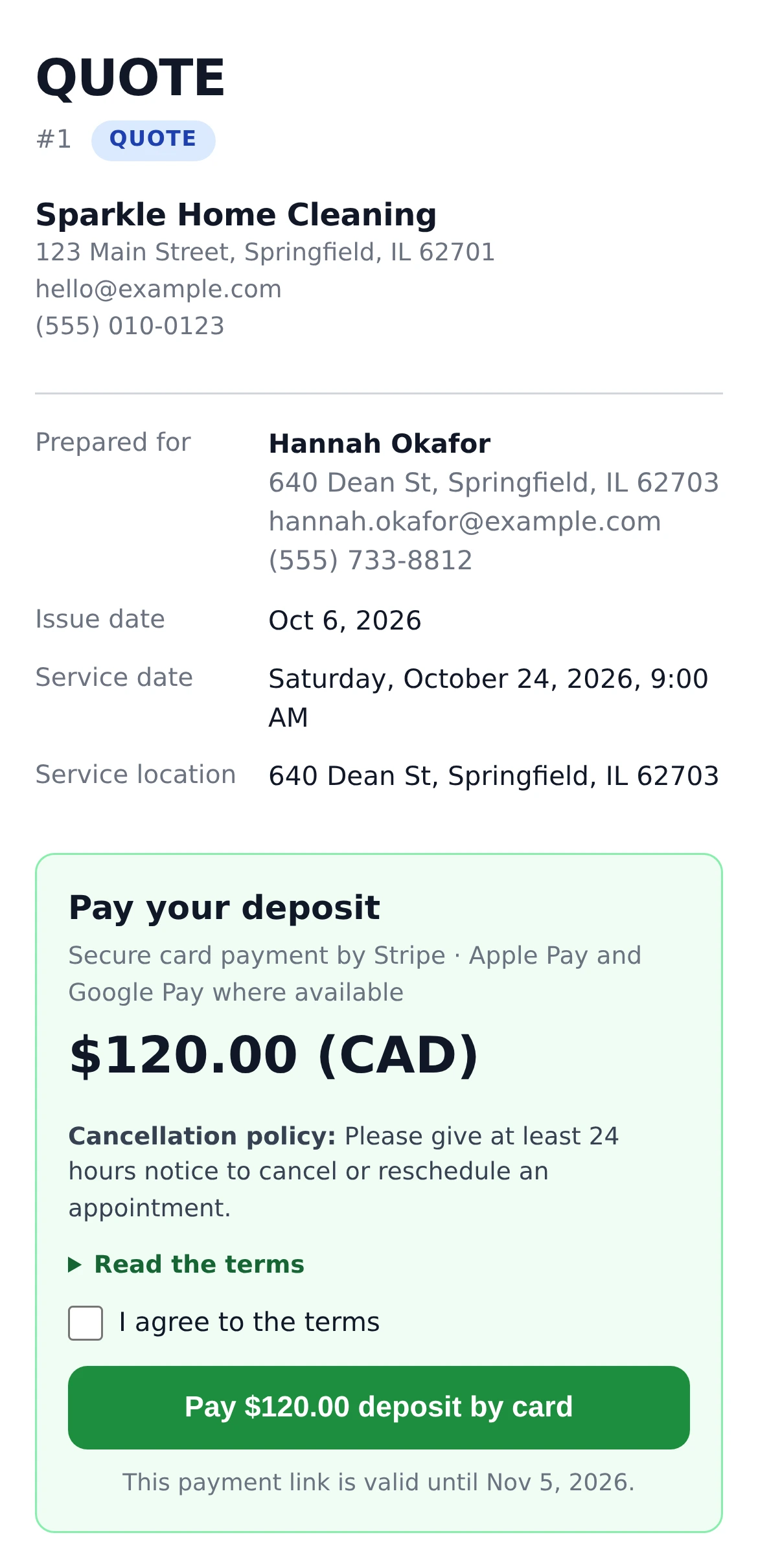
The money goes straight to your Stripe balance and the booking updates itself.
You get a "Deposit received" email, and the client gets a payment receipt. A quote moves to Pending, so all that's left is to confirm the time. Booking Details shows the payment, and the payment history keeps every step - asked, paid, and its Stripe payment ID - so you can always find a payment again, for a refund or anything else.
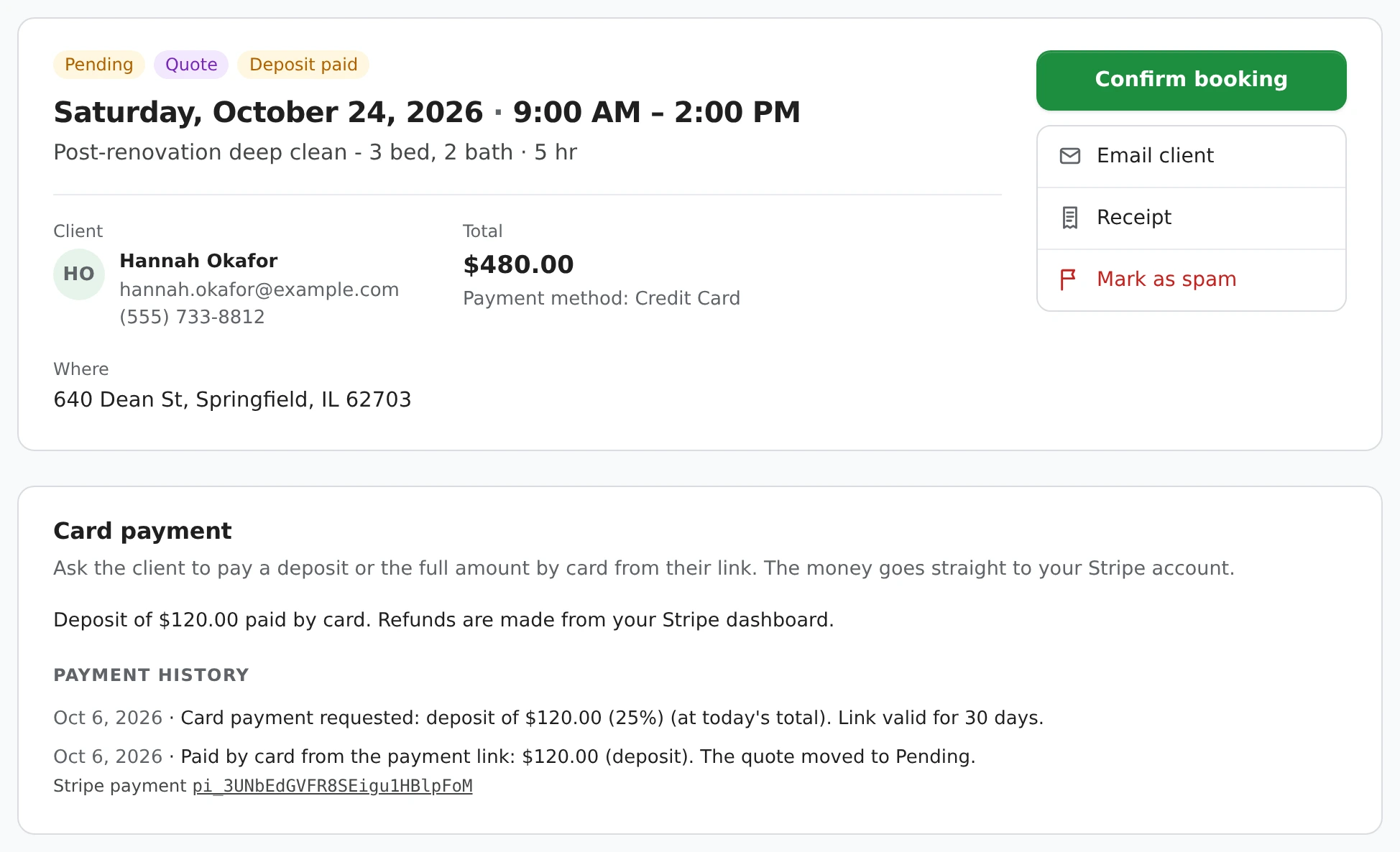
No need to redo the booking.
Refunds and chargebacks are picked up automatically when you open the booking (or click Refresh status), and they're added to the payment history too.
The date is on the client's page, in the email and in Booking Details. Run out? Send a new link - it replaces the old one.
The amount comes from the booking's total at the moment the client pays, so a price change after sending is included.
A deposit under Stripe's minimum charge (about $0.50) is rounded up to it, and a deposit is never more than the total.
Collect the balance after a deposit however you like, and record it on the booking in one click.
Switch the payment method, tick Paid or cancel the booking, and the link stops taking card payment at once.
If you have terms or a cancellation policy, the client agrees to them before paying, the same as on your booking page.
Yes. Price the quote in Booking Details, then under Card payment choose Deposit - a percentage of the total or a flat amount - and send the client their link. When they pay, the quote moves to Pending and you confirm the time.
Yes. Choose Full payment instead of Deposit. It works the same way for a quote, a quote request you have priced, or any booking you add yourself.
30 days. The date is shown on the client's page, in the email draft and in Booking Details. If it runs out, send a new one from the same place - it replaces the old link.
Yes. Click Email payment link again - it opens the same email in your own mail app - or use Copy link and text it. The link doesn't change.
Change the booking's payment method to cash, cheque or anything else, or tick Paid, and the link stops taking card payment straight away - even in an email you already sent. If they were part-way through Stripe's checkout, their card is released instead of charged.
The payment stays on the booking and in its payment history, with its Stripe payment ID. Refund it from your Stripe dashboard if that's what you agreed - the booking picks up the refund the next time you open it.
Not yet - one card payment per booking. Collect the balance however you like, in person, by card reader or e-transfer, and record it on the booking.
Asking for a payment is free. 1MinuteBooking takes 2% of each card charge, on top of Stripe's fee (2.9% + 30 cents for domestic cards in the US, 2.9% + C$0.30 in Canada). The 2% isn't returned on refunds.
Yes - connect your own Stripe account in Settings > Payments and turn on Stripe Payments. The money goes straight to your Stripe balance; 1MinuteBooking never holds it.
Taking deposits when clients book on your page instead? See appointment deposits.
Sign up here and pick your type of business in setup - your page starts set up for it. You can change anything later.