
Free online booking and scheduling for solo and small service businesses
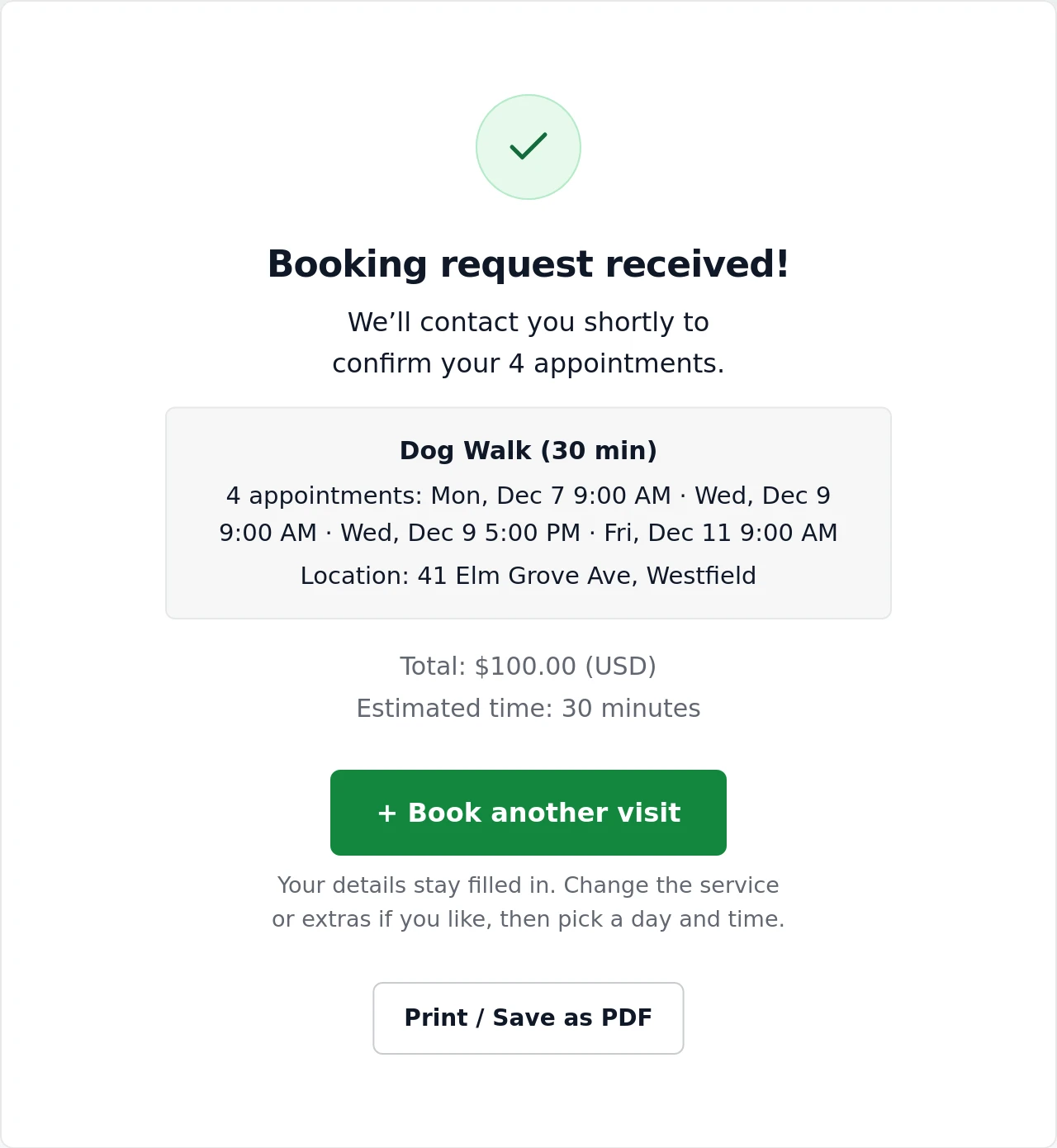
A walk on Monday, Wednesday and Friday. Four lessons this month. Clients add every day and time they need and book them all in one go.
The same booking page they already use, with one extra button.
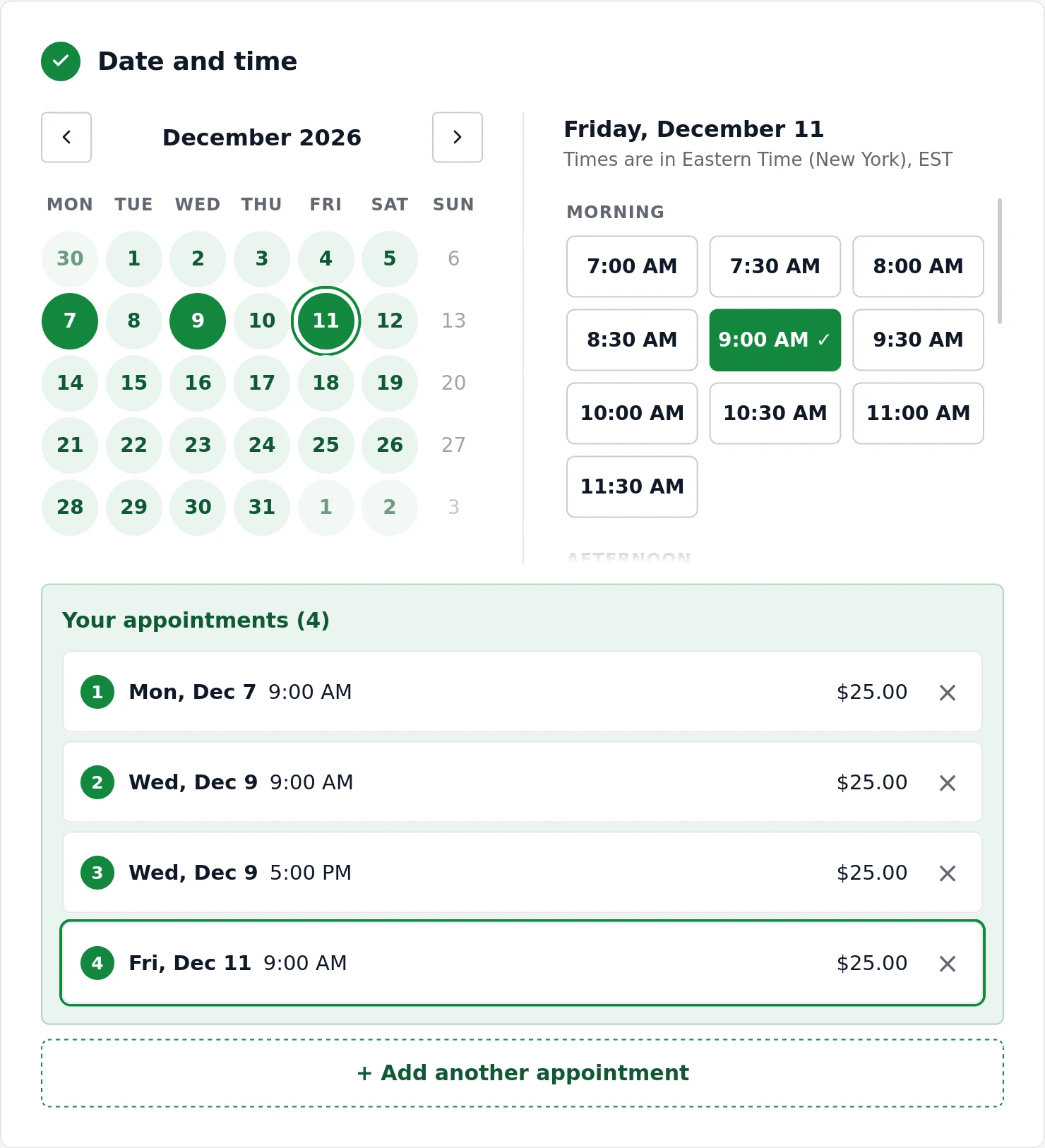
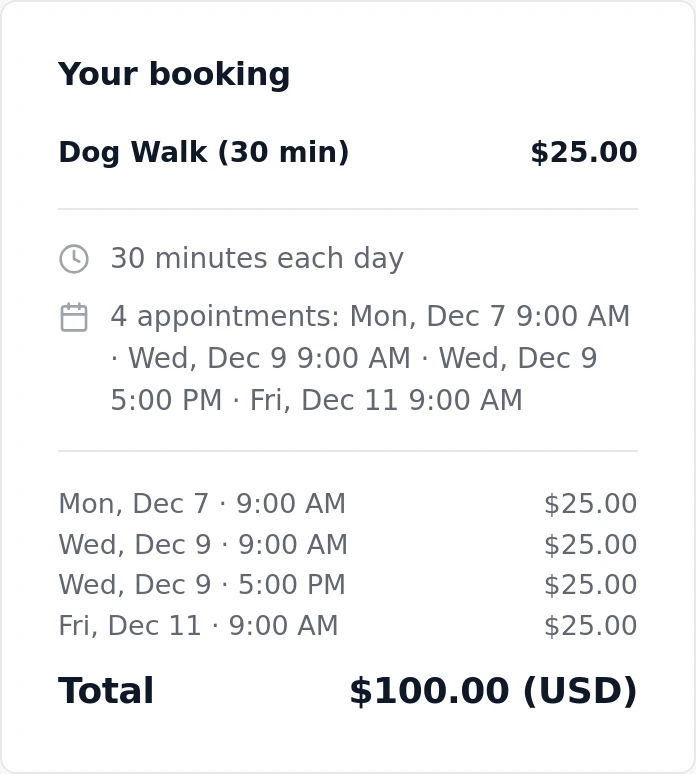
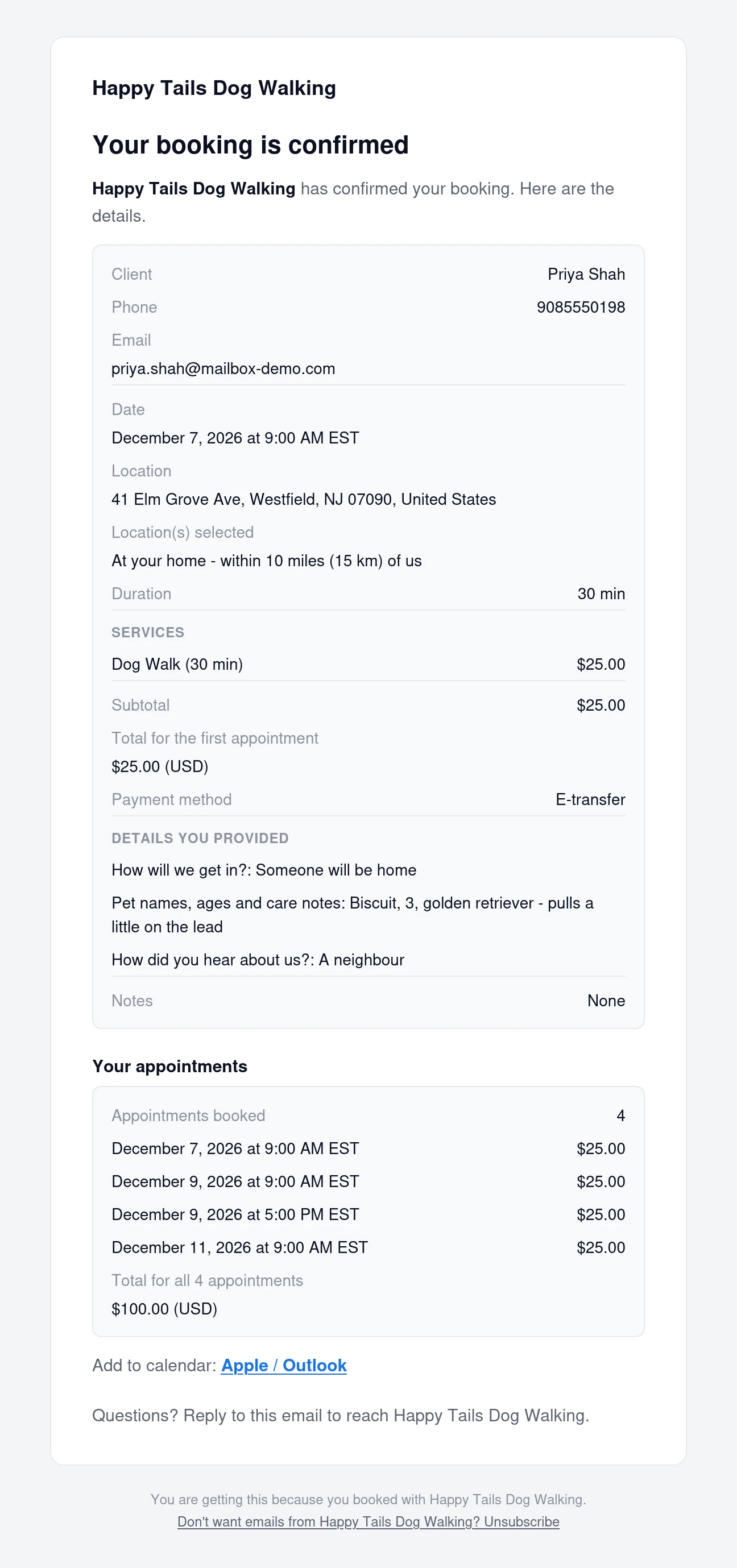
Each day is priced on its own, so a weekend or holiday rate only lands on the days it covers. The booking summary lists every day and adds up the total.
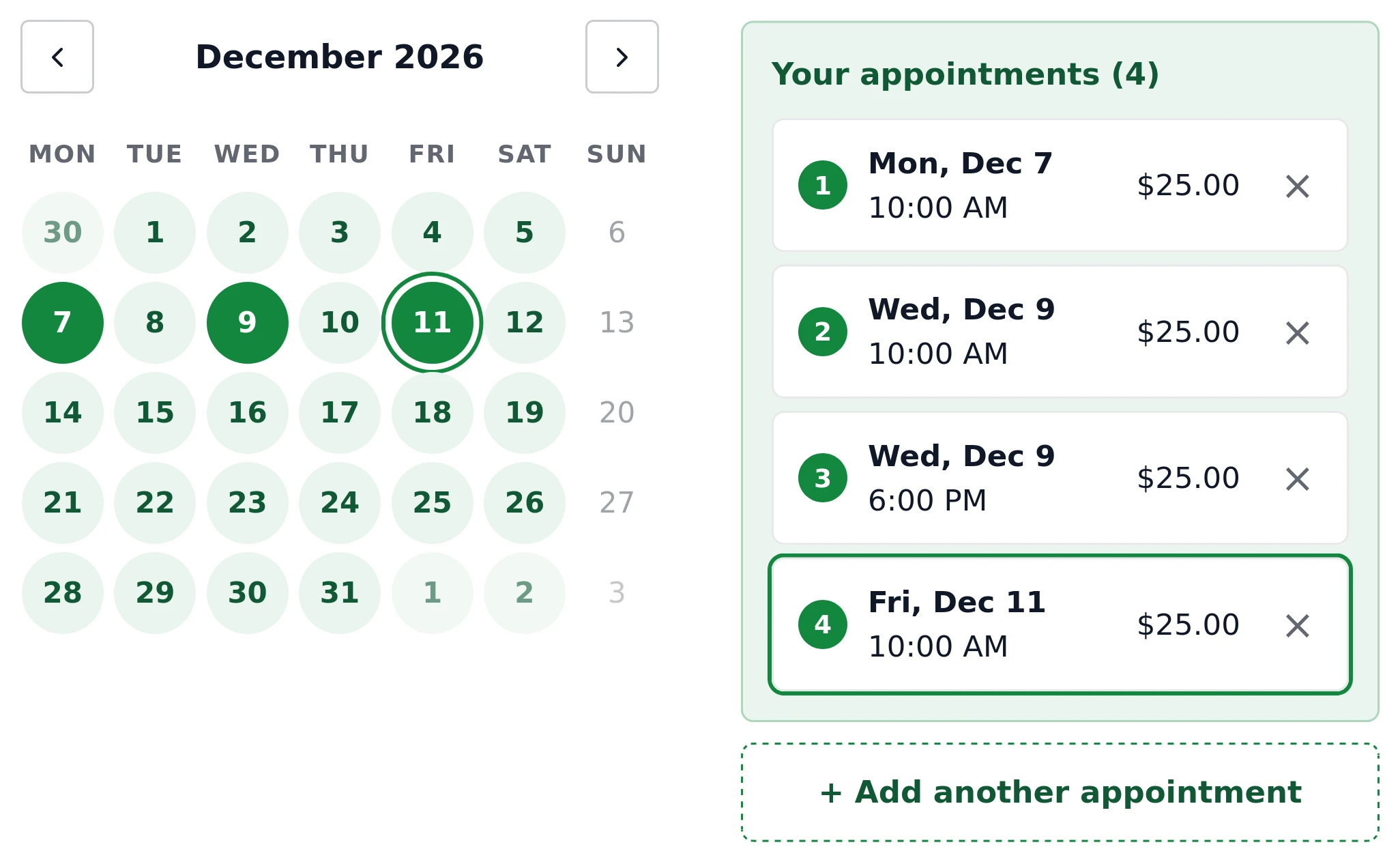
Any service a client books on more than one day, with gaps in between.
A midday walk on the three days a client is in the office.
Drop-in visits on the days the client is away, not every day of the week.
Daycare on Tuesdays and Thursdays for the next few weeks.
A lesson each week until the exam or the recital, booked in one go.
A block of lessons in the weeks before the road test.
Two or three sessions a week, picked a month at a time.
It's already on for walks, drop-in visits and daycare when you set up as a pet sitter or dog walker, and for lessons and sessions when you set up as a tutor, music teacher, driving instructor, personal trainer, yoga teacher or dog trainer. You can turn it on for any other service.
So one day can change without touching the others.
One tick per service. Free on every plan.
It isn't offered for overnight stays, which have their own number of nights, for prepaid packages, which clients book from their package link, or for services booked without a time.
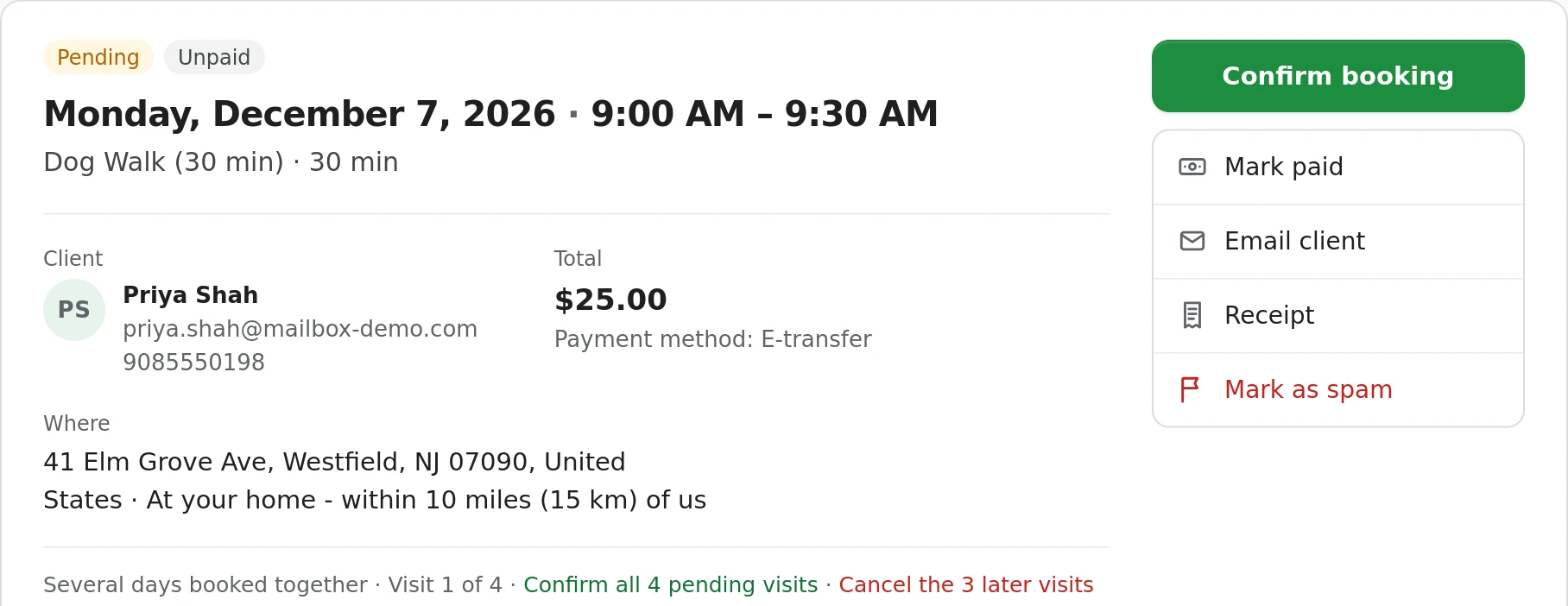
After picking the first walk, the client taps Repeat this every day or week, chooses Every day, Every weekday or Every week, and picks the last day from a list of real dates ("Fri, Dec 11 (5 in all)"). Every walk is added to the list at the same time, days you're closed are skipped, and each one is its own booking, linked with the rest.
Everything in one go is the same service with the same extras. For a 60-minute walk on Friday and 30-minute walks the rest of the week, the client books the 30-minute ones, then taps + Book another visit on the confirmation, switches the service, and picks Friday. Everything they typed is kept.
To put a client in your calendar every week or every other week, use repeating bookings on New booking. Full details on several days at once are in the help center.
Up to 21, counting the first day.
It's marked as soon as the client taps it - "Not open at 9:00 AM", "Closed that day" or "Fully booked" - and they can't book until they take it off or pick another day. If someone else books one of the days in the moment before they press Book, nothing is booked and they're told which day.
Yes. Each appointment has its own time, and one day can have two, like a morning and an evening visit, as long as they don't overlap.
Each day is priced on its own, so a busy-time rate (a weekend or holiday price) only applies to the days it covers. The client sees each day's price and the total before they book.
Every day is checked before the card is asked for. Then each day is paid for in turn through the usual card step, so each booking keeps its own payment, receipt and refund. Deposits work the same way, one per day. The client only fills in the captcha once.
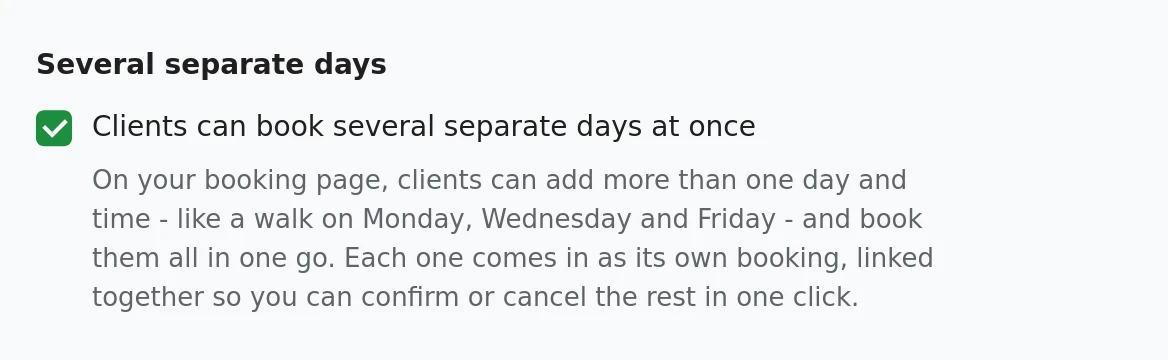
Yes. Open the service under Settings > Service types and untick Clients can book several separate days at once.
It's free on every plan.
Sign up here and pick your type of business in setup - your page starts set up for it. You can change anything later.