
Free online booking and scheduling for solo and small service businesses
Charge more for the dates you’re busiest, like Christmas week, the summer peak or every Saturday. The surcharge is added to the booking for you, and clients see it on your booking page before they book.
Busy-time rates are in Settings > Hours & availability, under Blackout dates. Add one and your booking page uses it straight away.
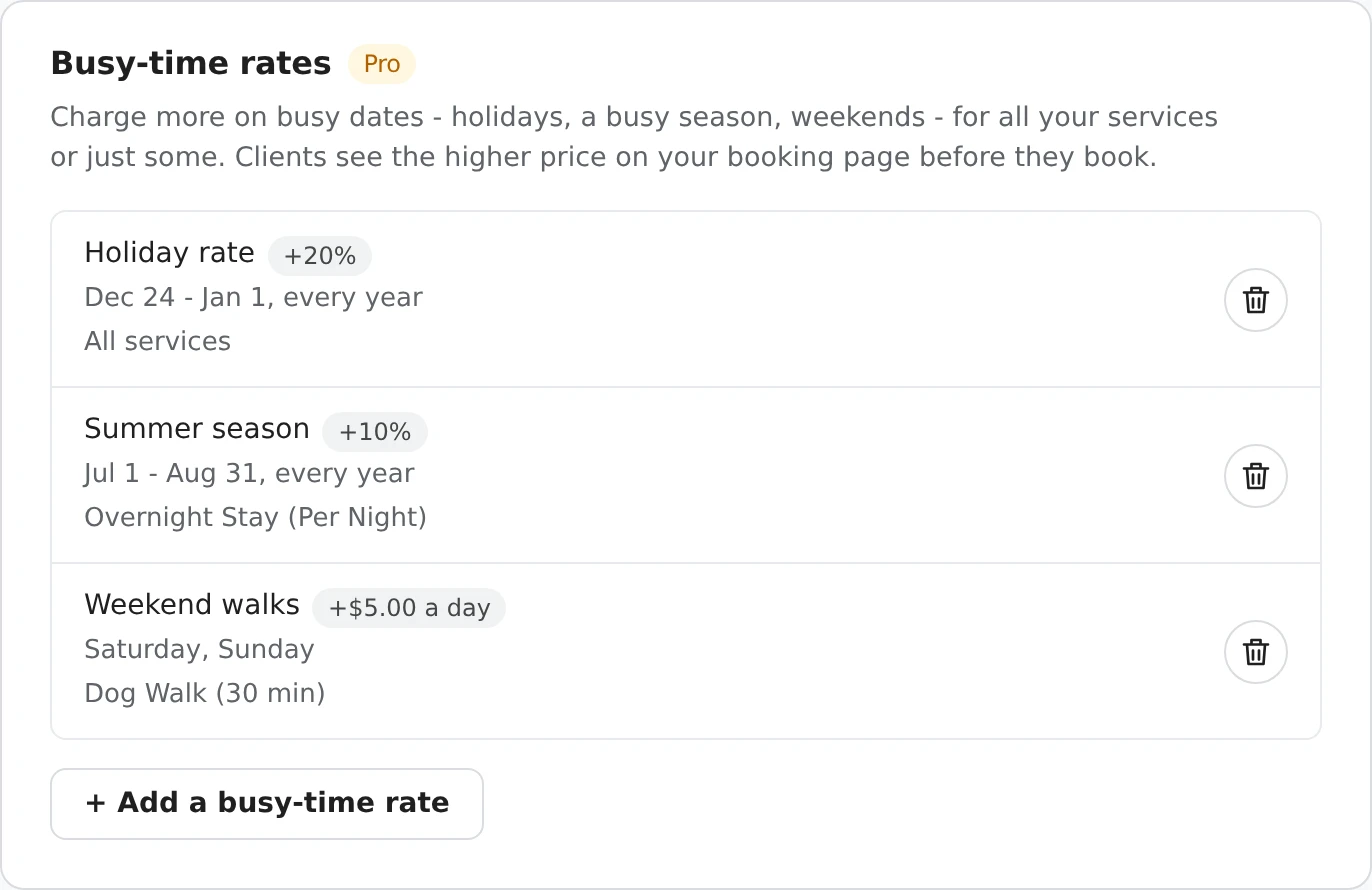
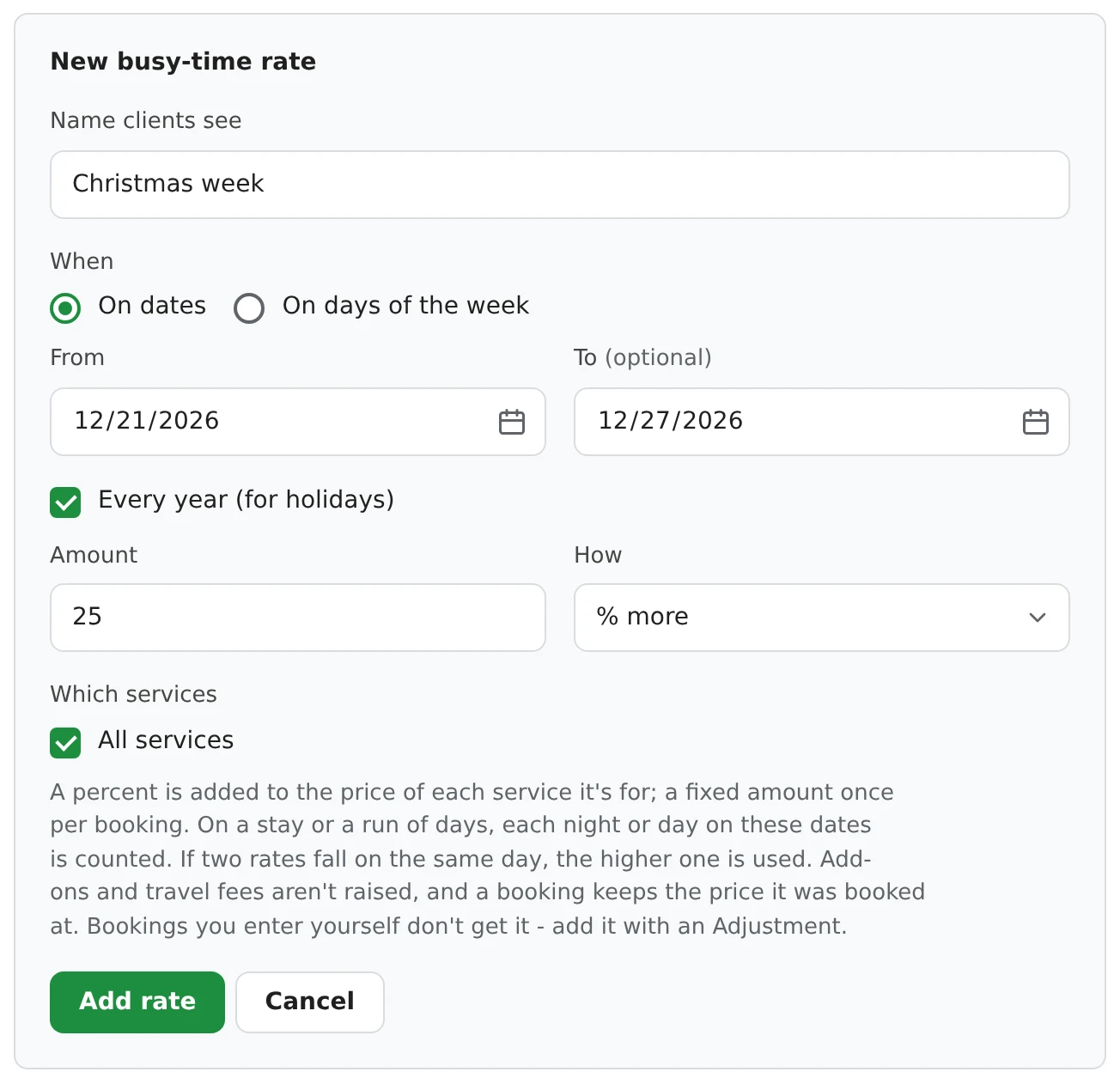
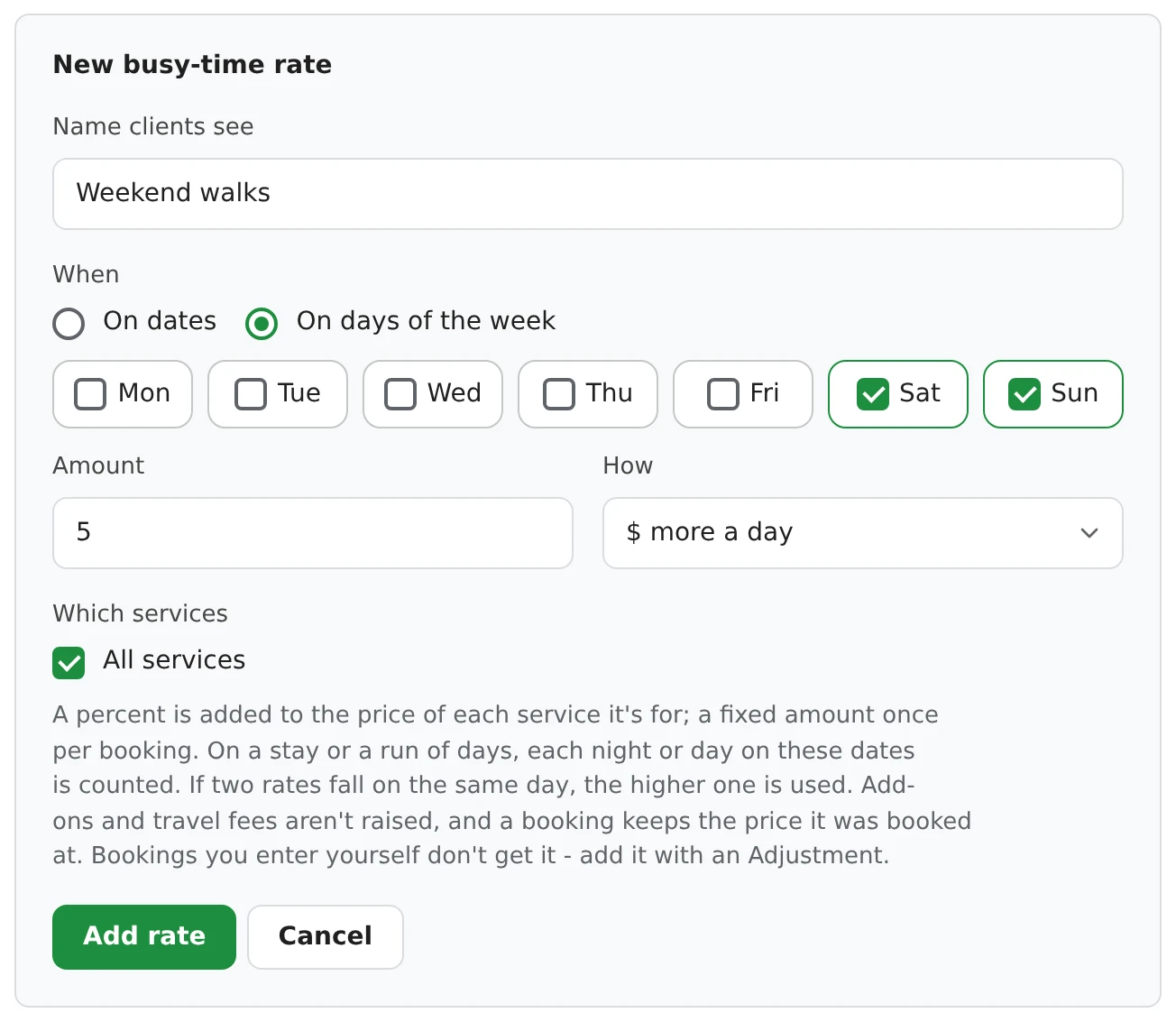
The rate shows up as soon as a client picks a date, as its own line with the new total.
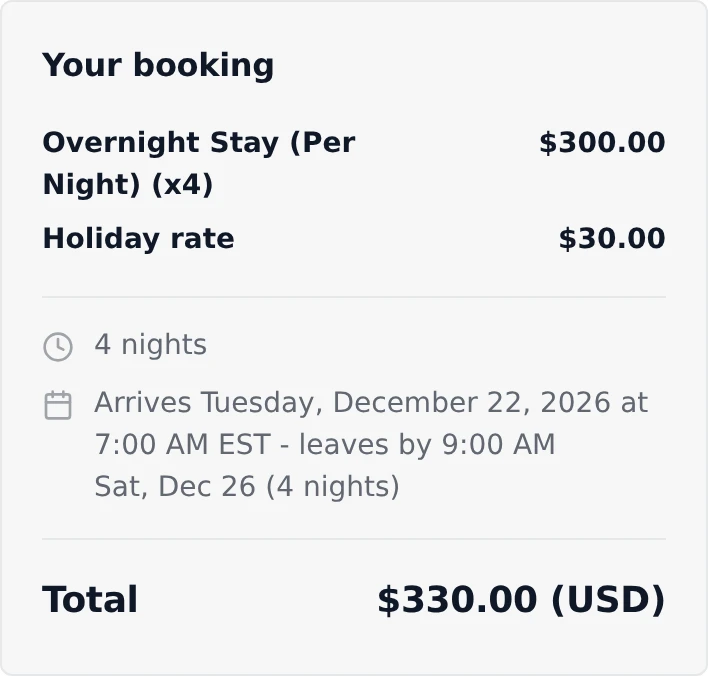
The same line is on the booking in your dashboard, on the client’s confirmation email and receipt, and in your Excel export. If a client picks another date, the price changes with it, so there are no surprises after they book.
With card payments on, the card is charged the total with the rate, and a percent deposit is worked out from that total.
A percent is added to the price of each service the rate is for. A fixed amount is added once per booking, or once a night on a stay.
| Rate | Booking | Added |
|---|---|---|
| Holiday rate - 20% more, Dec 24 to Jan 1, every year | A $25 dog walk on December 25 | $5 |
| Weekend walks - $5 more a day, Saturday and Sunday, dog walks only | A dog walk on a Saturday | $5 |
| Summer season - 10% more, Jul 1 to Aug 31, overnight stays | 3 nights at $75 from August 30 | $15 (Aug 30 and 31 only) |
| Busy season - 20% more, all of June, all services | A 3-hour clean at $40 an hour | $24 |
| Quiet season - 10% less, all of February | An $80 groom on February 10 | −$8 |
How owners in different trades use a busy-time rate.
A holiday surcharge on boarding nights from December 20 to January 2, every year, and a summer peak season rate on daycare in July and August. A stay is charged only for the nights that fall on those dates.
20% more on overnight stays and drop-in visits on public holidays, and a few dollars more for walks on Saturdays and Sundays.
A December rush rate on full grooms before the holidays, or a quieter-month discount in January and February to fill the book.
A peak season rate for spring cleaning and the end-of-month move-out rush, on deep cleans only.
A wedding-season surcharge on Saturdays from May to October, with weekday sessions at the normal price.
Any date, range or weekday, for all of your services or only the ones you pick.
A booking keeps the price it was made at, even if you change or delete the rate, or the booking is moved.
If two rates fall on the same day, the higher one is used. They never add up.
Rates are added to bookings clients make on your booking page. For a booking you enter, add the extra with an Adjustment.
Add-ons and travel fees keep their price. Quote requests, prepaid package sessions and services booked without a time don’t get a rate.
Remove the rate’s line in that booking’s details. Coupons and tax work as usual and apply after the rate.
Up to 50 rates. If Pro ends, your rates are kept but not added to new bookings until you have Pro again.
Yes. Choose On days of the week, tick Saturday and Sunday, untick All services and pick the services it's for.
Yes. Tick Every year and it comes back on the same dates each year. A range can cross New Year, like December 24 to January 1.
Yes. As soon as they pick a date, the rate shows as its own line in the booking summary, with the new total.
Nothing. A booking keeps the price it was booked at, even if the rate changes or the booking is moved to another date.
Each night is checked on its own. A 4-night stay where 2 nights fall in your holiday dates gets the holiday rate on those 2 nights only.
Yes. Choose % less. A rate can take up to 90% off.
No. Rates go by date or day of the week, not by time of day. For evening work, add a separate service or an add-on.
No, busy-time rates are part of Pro ($39.99 one-time). You can add up to 50.
In Settings > Hours & availability, add a busy-time rate on dates, like December 20 to January 2, tick Every year, enter the percent or amount, and pick your boarding and daycare services. Each night or day that falls on those dates gets the surcharge.
Yes. Use a date range, like July 1 to August 31, and tick Every year if it comes back each year. You can have different rates for different seasons.
Sign up here and pick your type of business in setup - your page starts set up for it. You can change anything later.