
Free online booking and scheduling for solo and small service businesses
For services where you'd rather agree the time yourself, the booking page skips the calendar. Clients pick the service, answer your questions and pay a deposit if you ask for one. You call or text to set the time, then confirm it.
Any service where the right time depends on something you sort out with the client first.
Keep it off for anything clients expect to book straight into a free slot - a haircut, a lesson, a 30-minute walk. Those still show your open times as usual, and you can mix both on one page.
The same booking page, minus the date and time step.
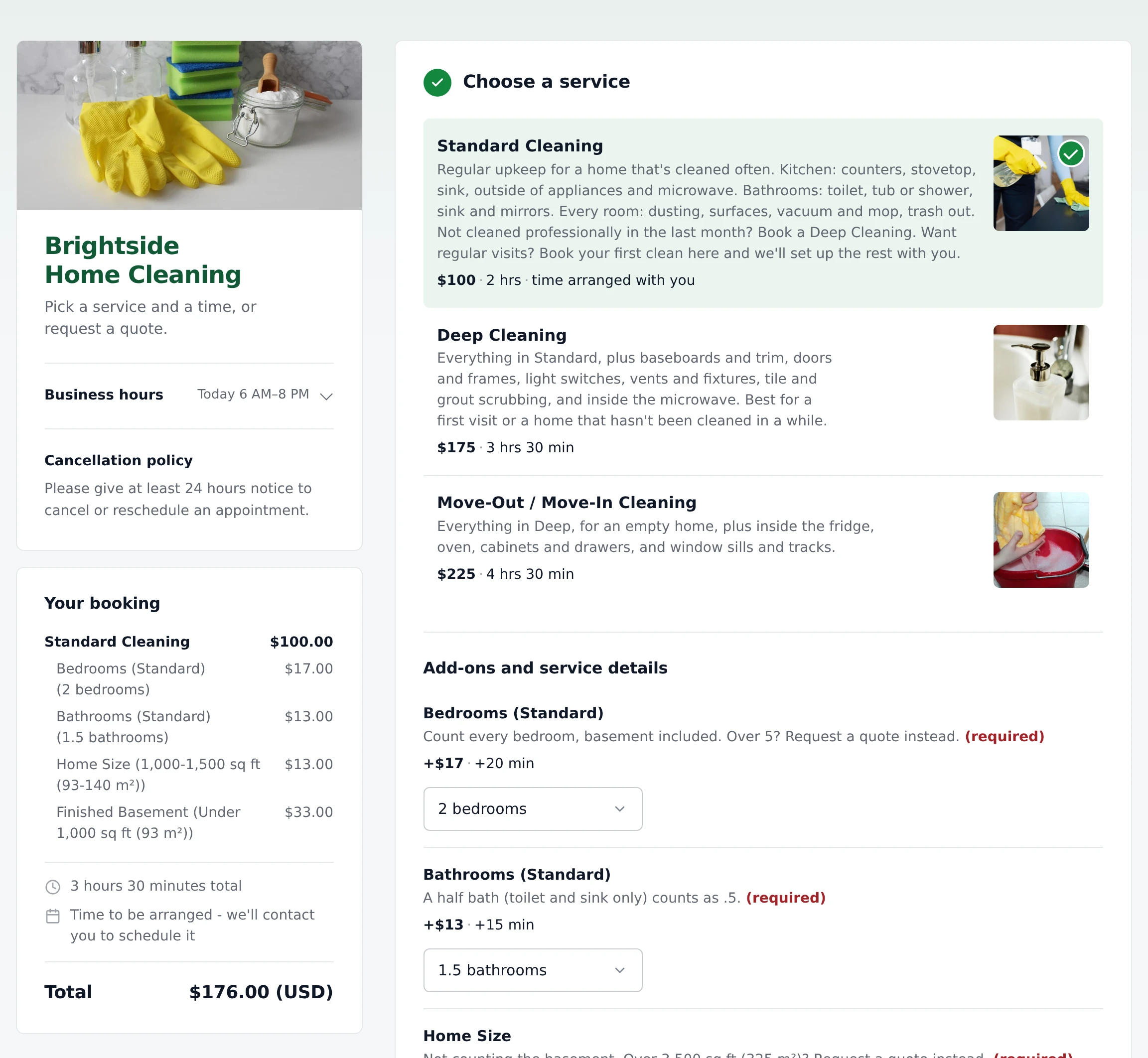
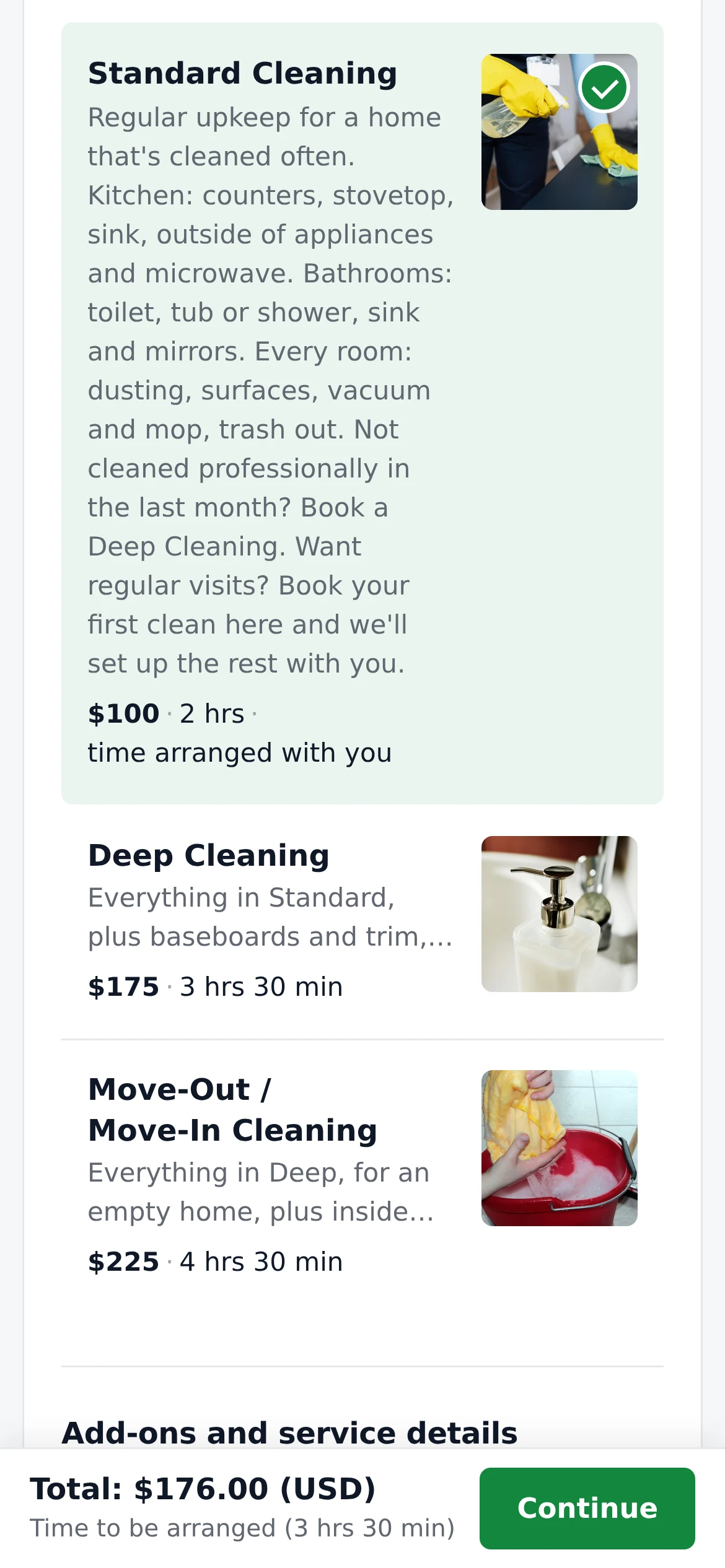
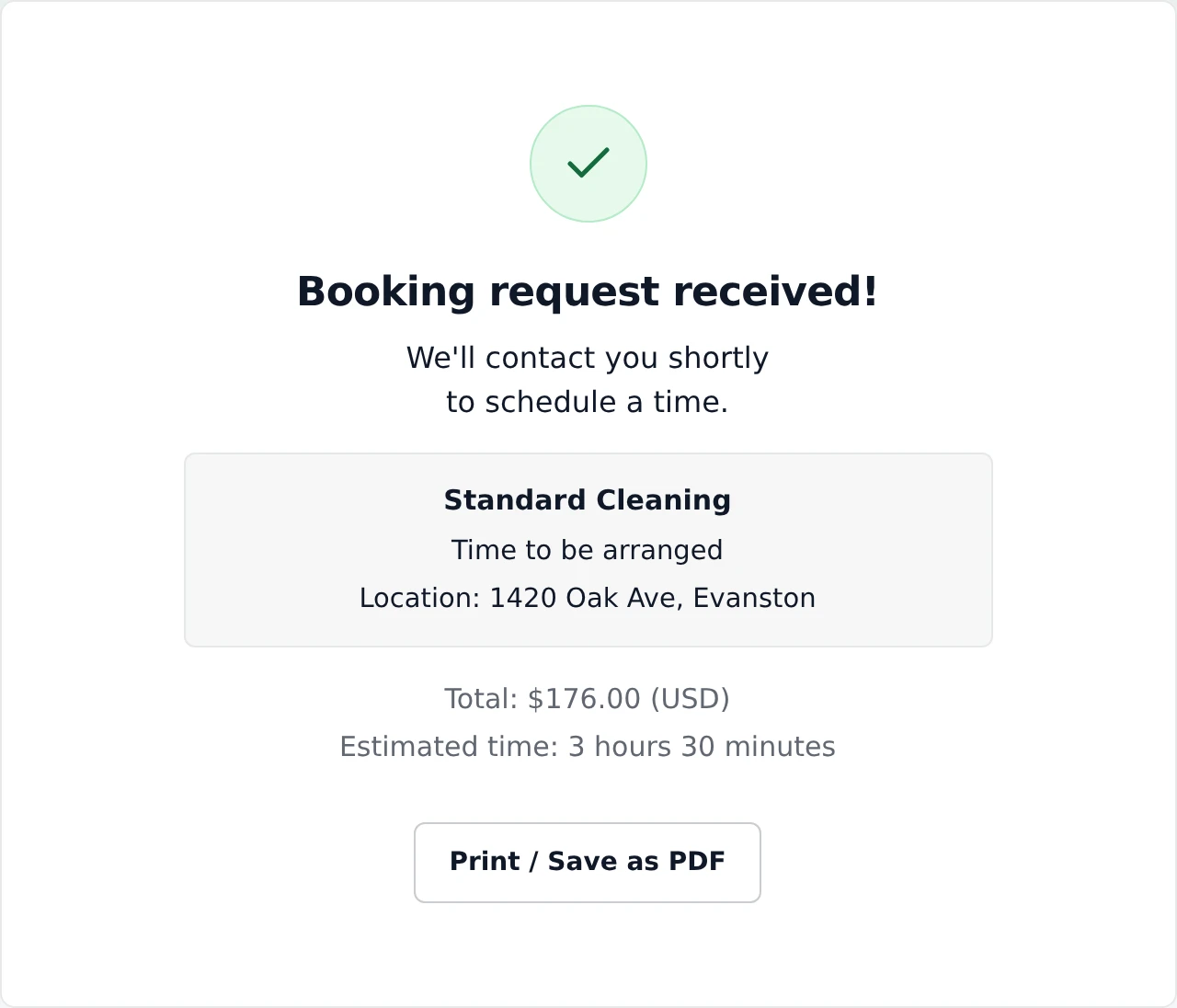
One phone call or text, then two clicks.
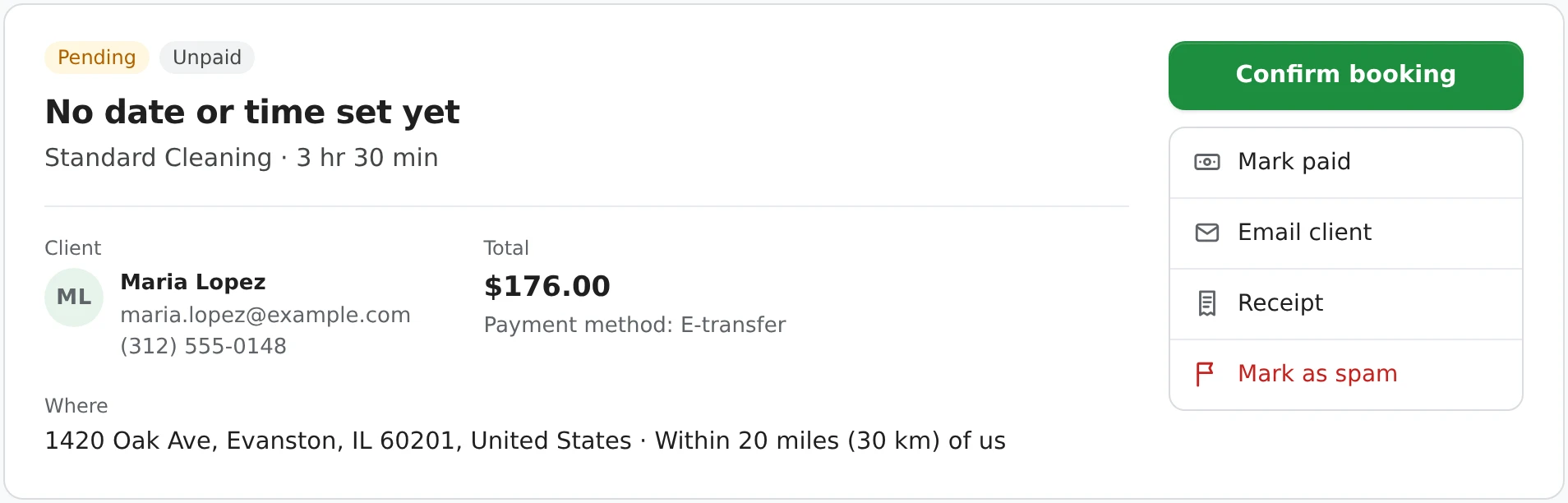
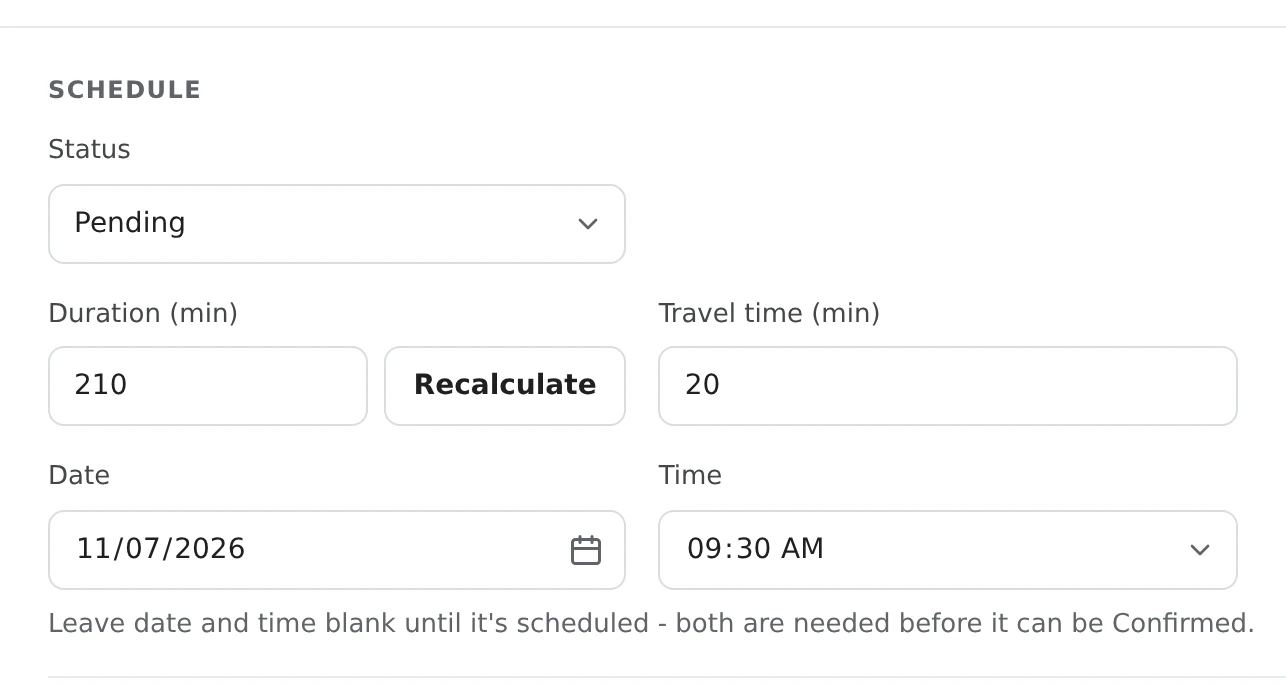
Instant booking never confirms one of these on its own - there's no time to confirm yet. And a booking without a time never blocks a slot on your booking page until you give it one.
One tick box on each service you want to schedule yourself.
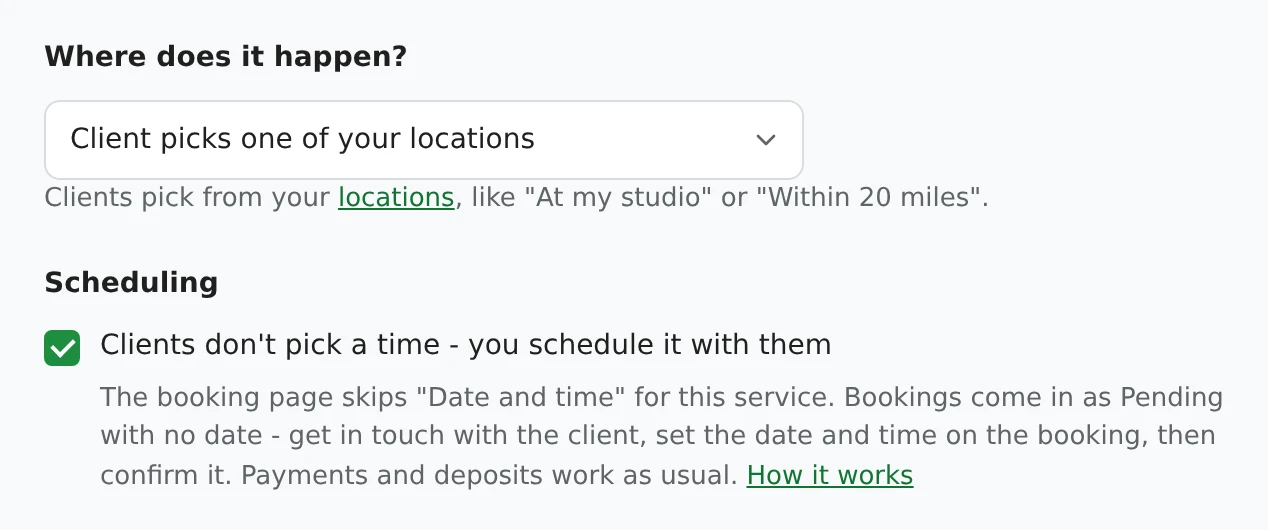
Setting up your page for the first time? The same box is in the setup wizard: on the Services step, click Edit on a service and tick it under Scheduling. It's off unless you tick it.
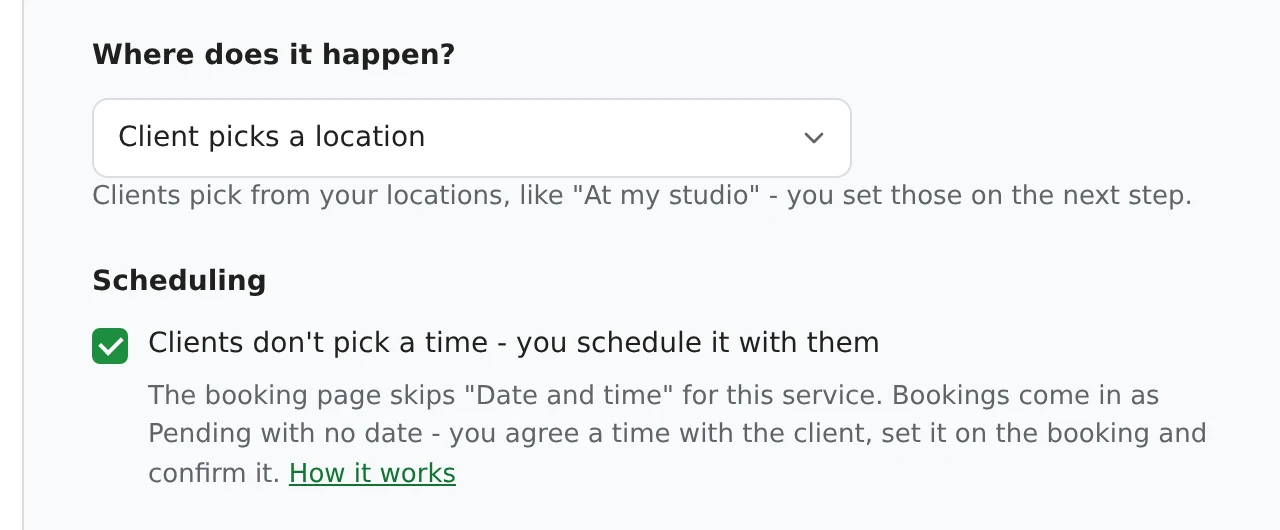
To turn it off, untick the same box and click Save. Clients pick a time for that service again straight away; bookings that already came in without a time stay as they are until you schedule them.
If a client picks one of these services together with one that needs a time, they pick a time for the whole booking. It isn't offered for overnight stays, daycare, several days in a row or prepaid packages, which need their dates to be booked at all.
Edit the service in Settings > Service types, tick Clients don't pick a time - you schedule it with them under Scheduling, and click Save. Do it for each service you want to schedule yourself. While you're setting up, the same box is under Edit on the setup wizard's Services step.
They pick a time for the whole booking, the usual way. The date and time step is only skipped when every service in the booking has the setting ticked.
Yes. Stripe deposits and full payments, coupons, tax, add-ons and your booking questions all work as usual - only the time is left for later.
No. A booking without a date or time always comes in as Pending, even with Instant booking on. You confirm it once you've set the date and time.
When you confirm the booking after setting its date and time. Reminders follow as usual. Until then, their booking page says the time will be arranged with them.
No. It holds no time until you give it one, so it never blocks your booking page. It shows in your bookings list as Pending with no date or time set yet.
No. Overnight stays, daycare, several days in a row and prepaid packages need their dates to be booked at all, so the setting isn't offered for them.
It's free on every plan.
Works well with: Deposits, Quote requests, Instant booking, Travel time & fees, Reminders.
Sign up here and pick your type of business in setup - your page starts set up for it. You can change anything later.