For dog walkers, cleaners, handymen, tutors, detailers and other gig work

A booking page for your gig work

Your own booking page with 1MinuteBooking: clients see your services and prices, pick an open time and book you directly, any time of day.

Free plan, no credit card required

What we mean by gig work

Jobs you do for people, one at a time, and get paid for each: walking dogs, cleaning homes, assembling furniture, mounting TVs, tutoring, detailing cars, doing hair and makeup for an event. With 1MinuteBooking every client books you by name, at your prices, and comes straight back to you next time.

Why a booking page of your own

Your prices

Per job, per hour or per item, with add-ons and travel fees. You set them, and clients see them before they book.

Your clients

Every client who books goes into your own client list, with their contact details, notes and booking history.

Booked while you work

Clients pick an open time at any hour, so you're not answering texts between jobs.

Paid your way

A deposit or the full price by card through your own Stripe account, or cash and e-transfer. You choose.
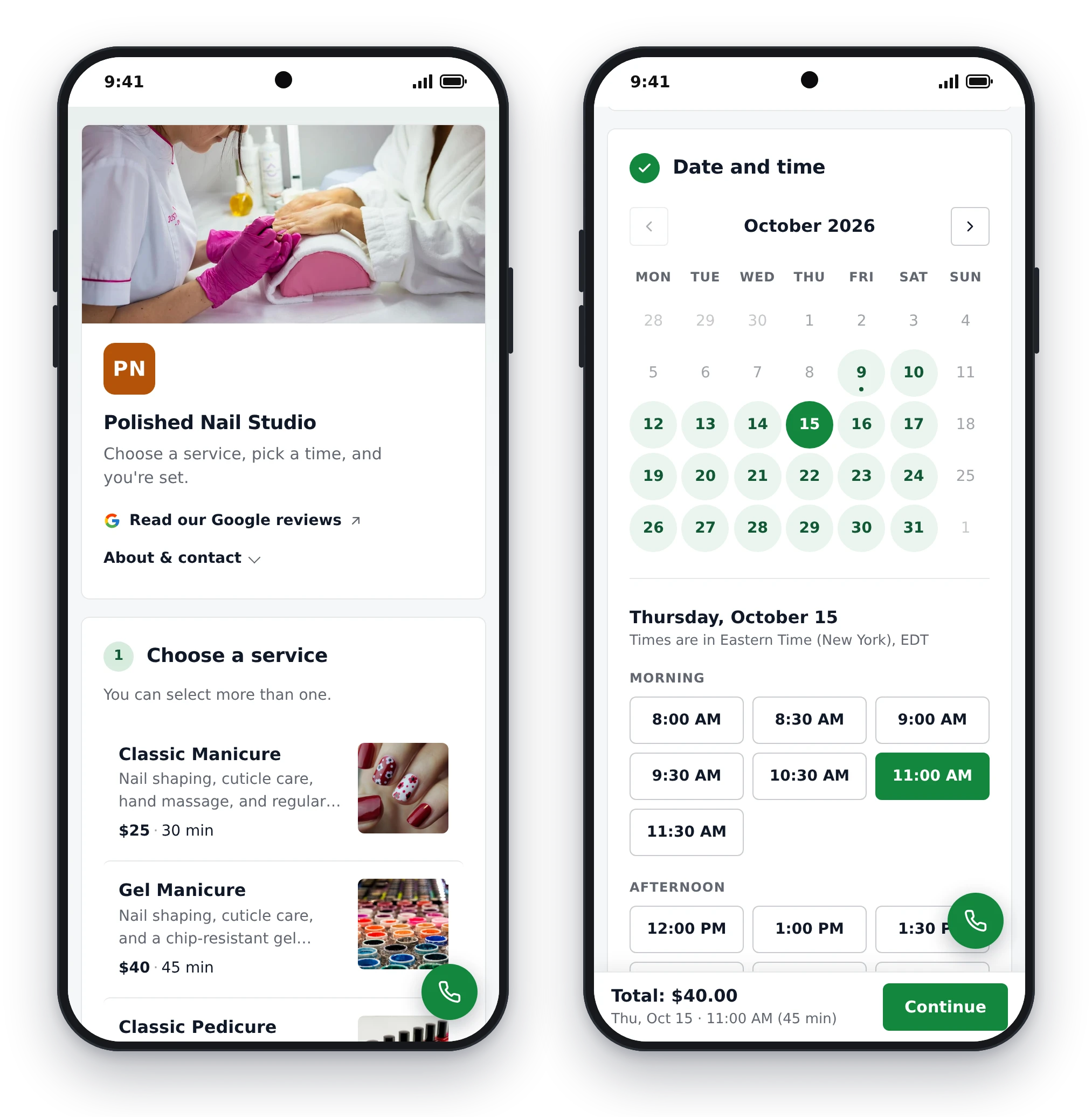
What your booking page does for you

  • Shows your services and prices, per job, per hour or per item, with add-ons like "inside the fridge" or "extra dog"
  • Offers only the times you're free, from your hours and the bookings you already have
  • Adds a travel fee and blocks your drive time when you go to the client
  • Takes a deposit or the full price by card if you want, or asks how they'll pay (cash, e-transfer, Cash App and more)
  • Emails the client a confirmation and a reminder before the visit
  • Lets clients reschedule or cancel online, up to the cutoff you set
  • Takes quote requests with photos for jobs you can't price up front
  • Works in any phone browser. No app for you or your clients, and clients don't make an account
A handyman's booking page on a phone, opened from a link in bio: services, prices and a running total
Your page on a client's phone, from the link in your bio or a text.

Going to the client? Charge for the drive

Gig work often means driving. In Settings > Locations, make one location for each distance zone, each with its own extra price and travel time. The client picks their zone and enters their address; the travel time blocks your calendar so nobody books into your drive. For far jobs you can tick "we confirm first".
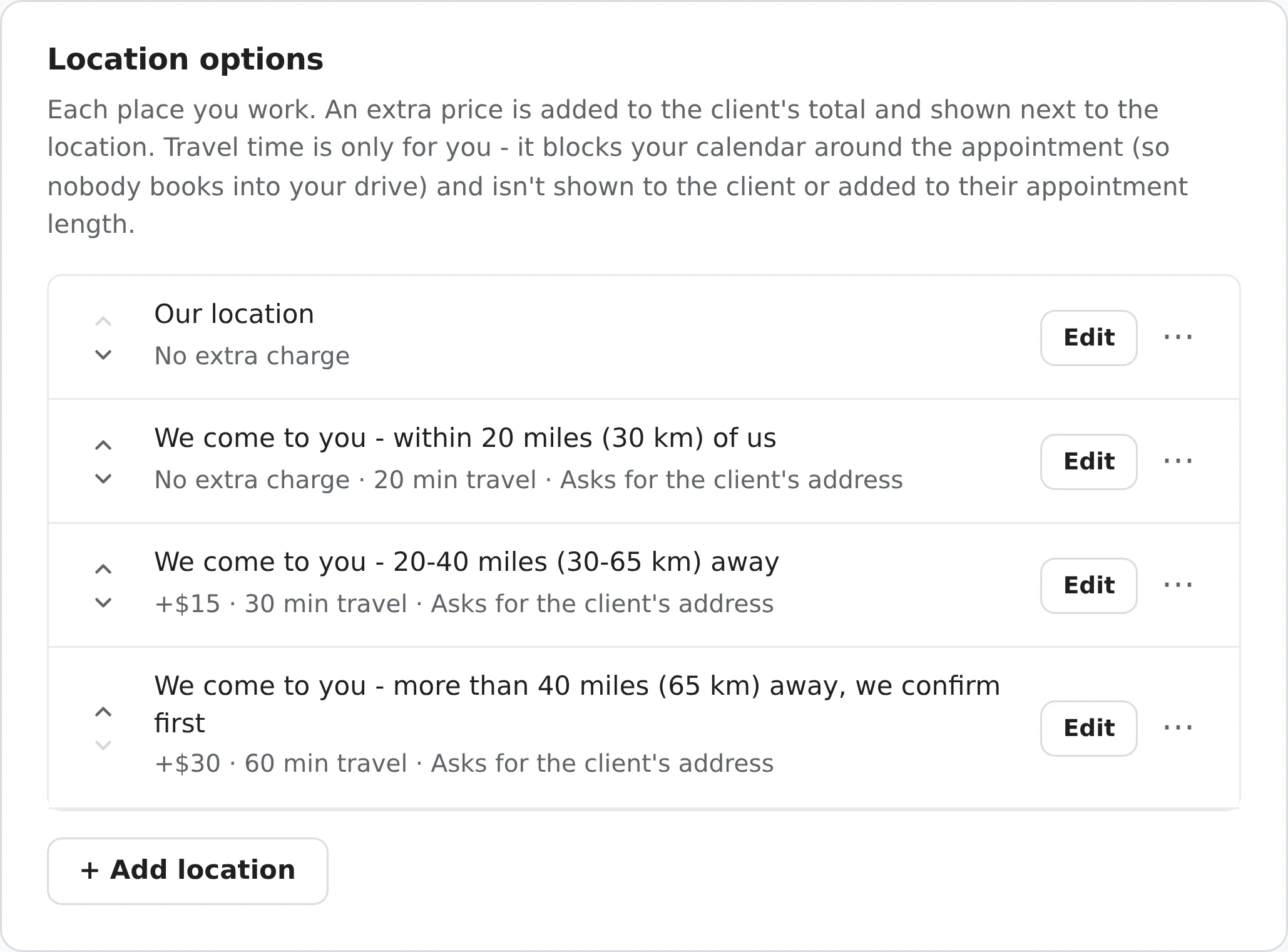
Settings, Location options: at our shop with no extra charge; within 20 miles, no extra charge, 20 min travel; 20-40 miles, +$15, 30 min travel; more than 40 miles, +$30, 60 min travel, we confirm first
Distance zones, each with a price and travel time. More on travel fees.

Set it up in an evening

  1. Sign up with Google or your email, and pick your type of work. Your services, add-ons and starting prices are filled in. If your work isn't listed, describe it in a sentence and setup builds the services for you.
  2. Check the prices and change any that don't match yours.
  3. Set your hours and the minimum notice you need before a job. If you'd rather approve each booking yourself, leave Instant booking off in Settings > Hours & availability and every booking comes to you as a request first.
  4. Share your link: your Instagram or TikTok bio, your Google Business Profile, and a text to your regulars.

Questions

Is it free?

Yes. The free plan has no time limit and no booking limit. Card payments through Stripe carry a 2% fee on top of Stripe's own; cash and e-transfer cost nothing. Pro, at a one-time $49.99, adds your logo, colors, your own domain, Analytics and Excel export.

Can I offer more than one kind of work?

Yes. Add up to 100 services, each with its own price and length, and let clients pick more than one in a single booking.

Do my clients need an account?

No. They open your link in their phone's browser, pick a service and a time, and book. No sign-up.

Can I approve bookings before they're confirmed?

Yes. With Instant booking off, every online booking arrives as a request you confirm or decline. With it on, bookings are confirmed straight away.

Can clients pay me by card?

Yes, through your own Stripe account: a deposit or the full price when they book, or a payment link later. You can also just ask which way they'll pay and collect cash or e-transfer yourself.

We'll ask which Google account to use next.
Continue with Google
or