
Pricing for one-person service businesses
Start from what you need to earn, count the hours nobody pays for, then price each job so the driving and the no-shows are covered.
Most new service businesses charge too little because they price the hours they work, not the hours they're paid for. Driving between jobs, replying to messages, buying supplies and quiet weeks are all unpaid. Here's the sum with example numbers. Use your own.
If you work 40 hours a week, 25 billable hours is realistic once travel and admin are counted. If you're self-employed in the US, remember 15.3% self-employment tax comes on top of income tax; in Canada you pay both halves of CPP. That's why the first number is before tax.
Look up five businesses doing the same work in your area and note their posted prices. If you're well under them, you're probably leaving money on the table, and clients may wonder why. If you're well over, you need a reason they can see: more experience, better reviews, supplies included, faster booking.
Our pricing guides list typical US and Canadian rates for house cleaning, handyman work, dog sitting, tutoring, detailing, photography and more.
Clients like knowing the price before they book. Pick the way that fits the work:
In 1MinuteBooking each service is one price, per hour or per item, in Settings > Service types. Add-ons can be yes or no, how many, or a pick-from list with up to 50 choices. If a pick-from list is what sets the price, like home size on a $0 deep clean, make it required, or clients can skip it and book for free.
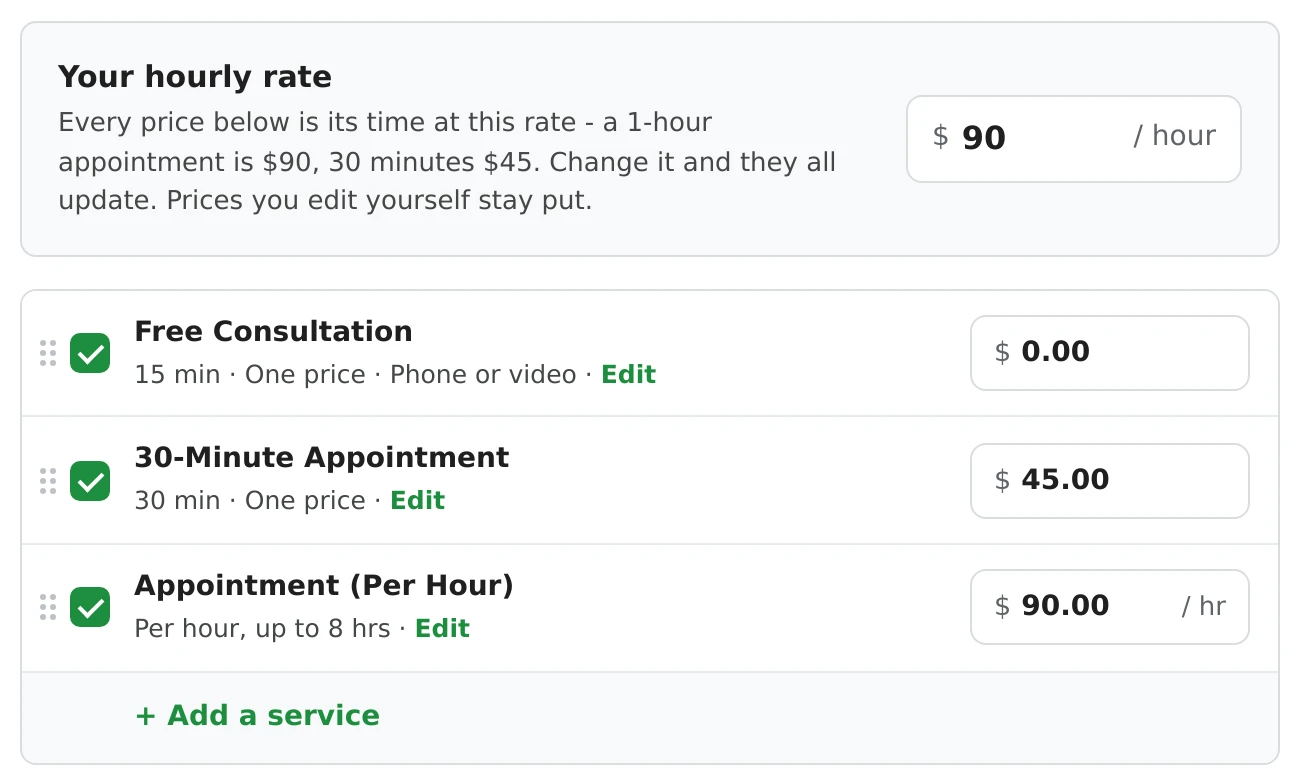
For cleaning, car detailing, consulting and Other, setup has a Your hourly rate box: every service is priced from its length at that rate, and when you change the rate they all update, except prices you've edited yourself.
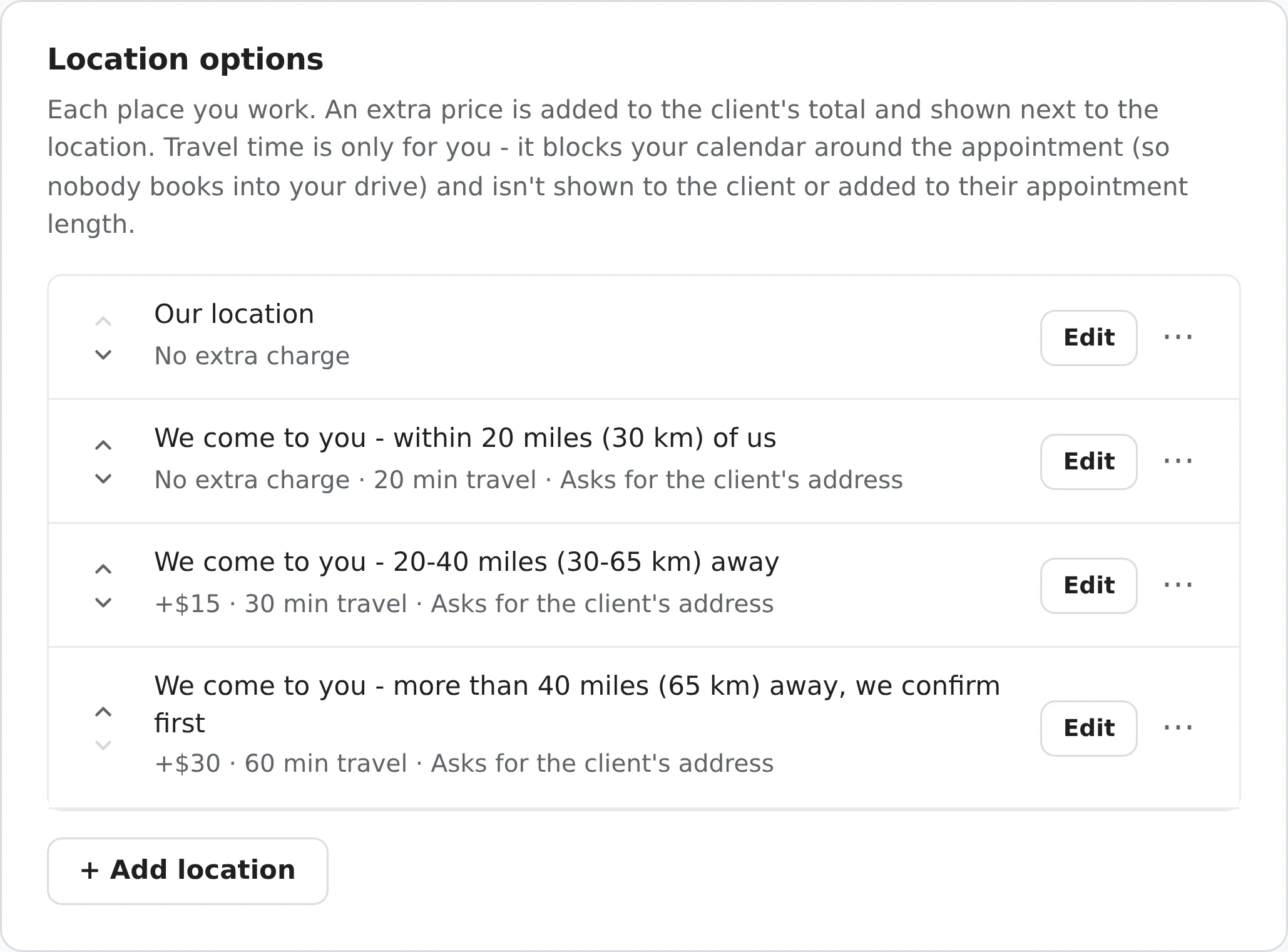
A 20-minute drive each way turns a one-hour job into nearly two hours of your day. Either build it into your price, or charge a travel fee by distance. Clients accept a fee more easily when they can see the zones up front.
One no-show can cost you a morning. Two things help:
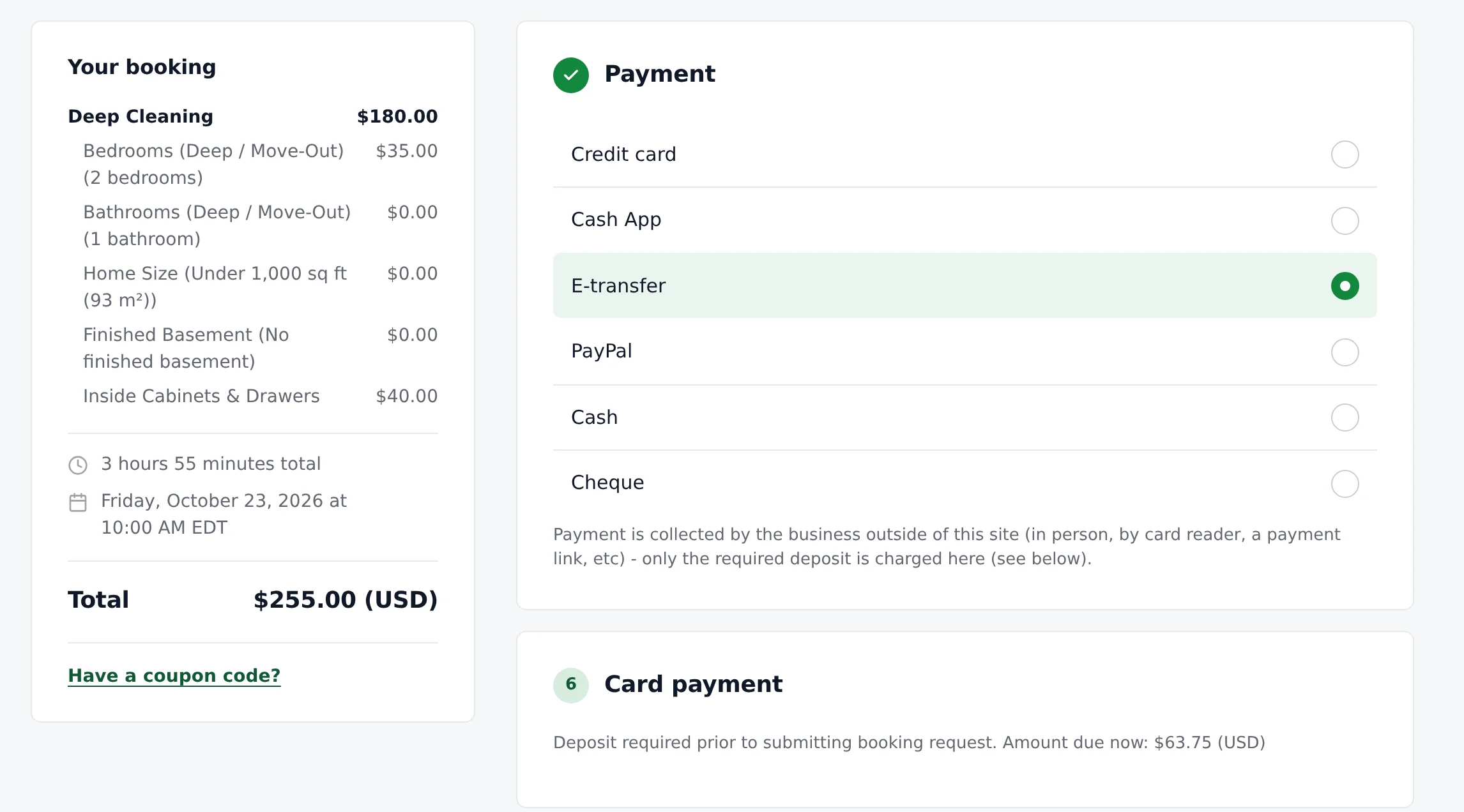
Card payments come with fees: Stripe's fee, plus 2% to 1MinuteBooking. Count them in your price, or take a deposit by card and the rest in cash or e-transfer.
Set a minimum. A 15-minute job that takes a 40-minute round trip loses money. Make your smallest service cover at least an hour of your time, or set a minimum number of items or hours on the service.
Price regular work. A weekly client saves you finding a new one every week, so a lower price per visit for regulars can still pay more over a year. Or sell a prepaid package: a set price for a number of sessions, paid up front.
Raise prices once a year. Tell your regulars a month ahead. When you change a price in Settings, bookings already made keep the price they were booked at, and new bookings and Book again use the new one.
Add sales tax on top. If you charge GST/HST or a state sales tax, set it in Settings > Tax so the page adds it to the total, rather than taking it out of your price.
Work out the least you can charge (what you need a month, divided by the hours you can really bill), then check five local competitors. Charge at least your minimum, and move up as reviews come in.
By the job when the work is predictable, like a standard clean or a dog walk: clients find a set price easier to book. By the hour when it varies, like handyman work. Many businesses do both: set prices for common jobs, and an hourly rate for the rest.
Yes, if you drive more than a few minutes. Either build it into your prices, or add a fee for each distance zone so clients see it before they book.
If no-shows or late cancellations cost you, yes. A flat amount or a percentage of the total, paid when they book, with a clear cancellation policy. In 1MinuteBooking deposits go to your own Stripe account.
Tell regulars a month ahead, raise by a clear amount once a year, and keep your quality up. Bookings already made keep their price.
Sign up here and pick your type of business in setup - your page starts set up for it. You can change anything later.