

Free online booking and scheduling for solo and small service businesses
Set a travel fee for each distance you'll drive, and how long the drive takes you. Clients pick their area on your booking page and the fee is added to their total. Your drive is blocked on your calendar so no one books into it, and it's never added to the client's appointment.
Set it up once in Settings > Locations. Many business types start with distance bands already filled in.
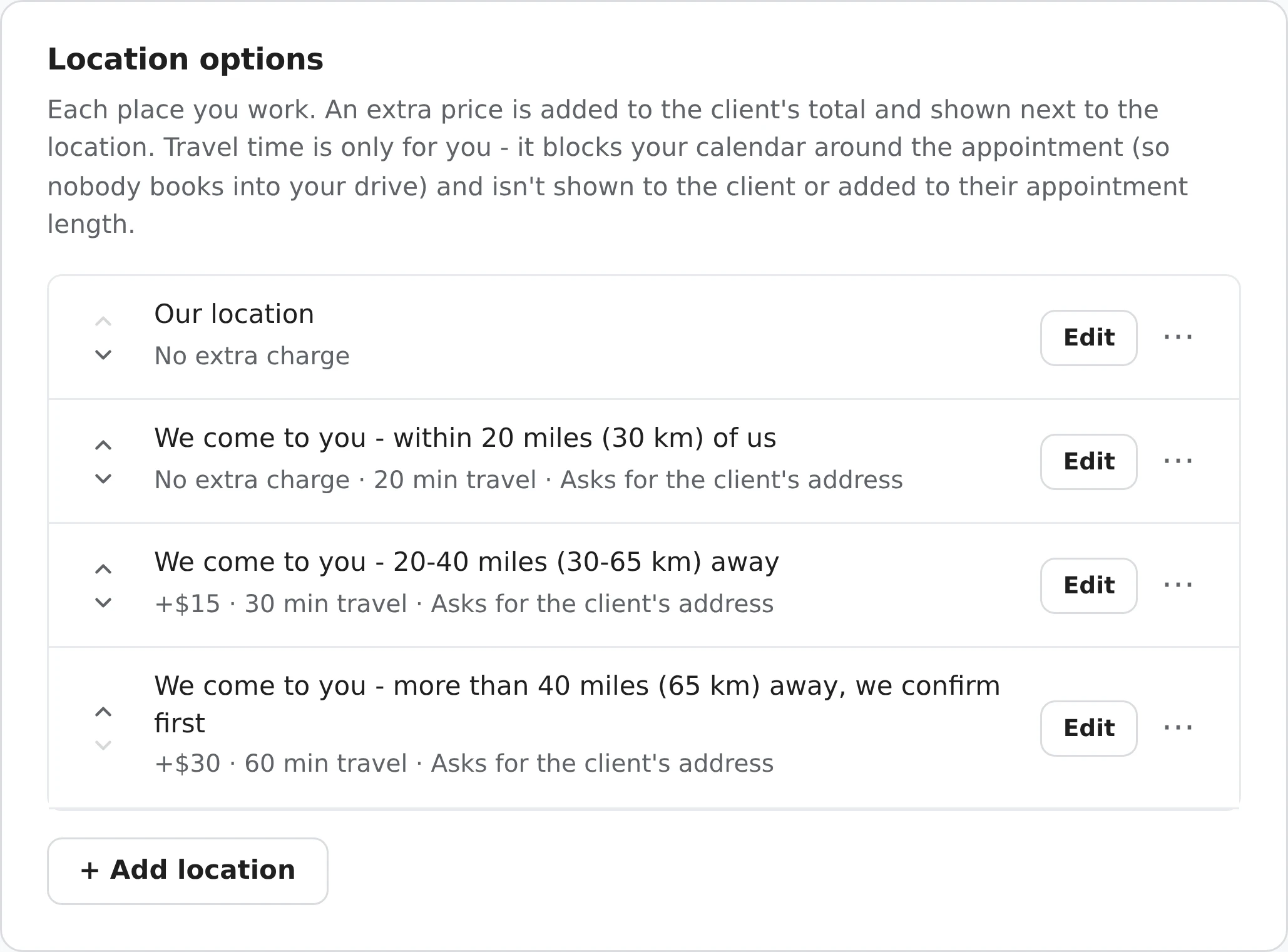
In setup, your answer to Where do you see clients? - They come to me, I travel to them, or Both - picks which of these you start with. Rename them, change the prices and times, or add your own whenever you like.
The travel fee is shown next to each choice and as its own line in the booking summary. Your travel time never appears.
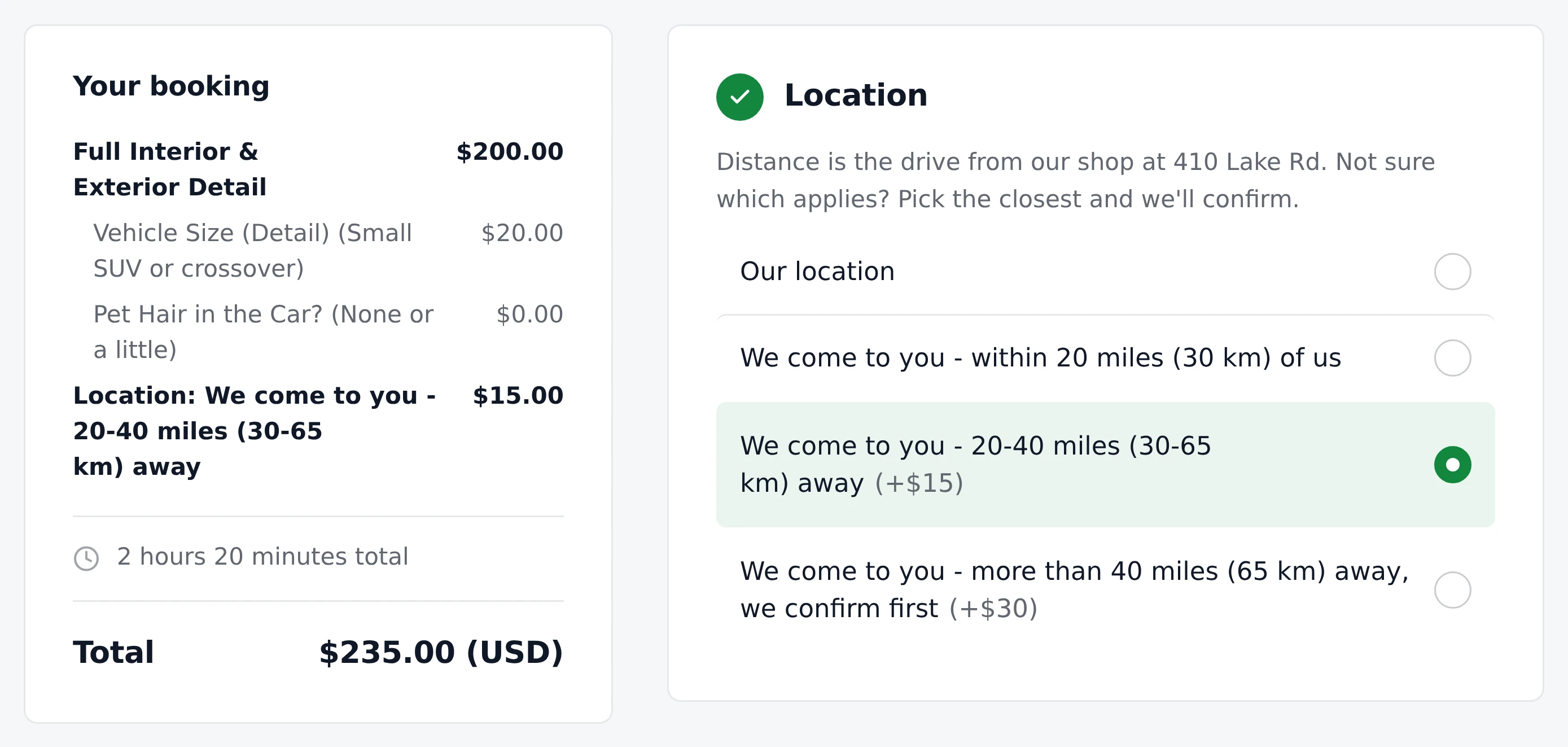
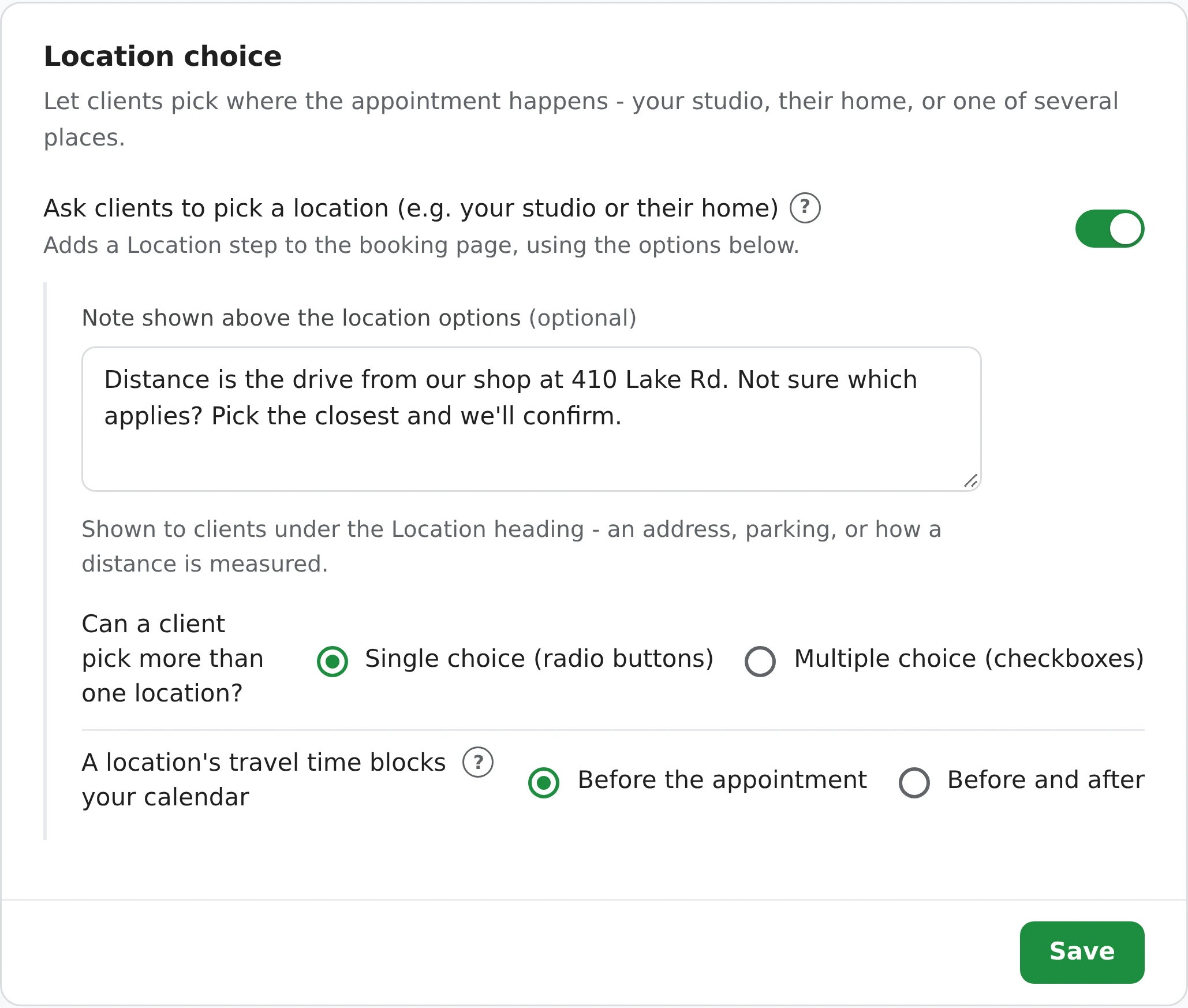
Use the Note shown above the location options to say where distance is measured from, or to give your address and parking. For the bands where you go to the client, the booking can't be sent without their address, so you know exactly where you're driving.
The fee is part of the booking total, so it's on the client's confirmation and receipt, and a percentage deposit is worked out from the total with the travel fee included.
A 60-minute appointment with a 30-minute drive is still a 60-minute appointment to the client. The drive is held on your side only.
Under Ask clients to pick a location, choose how a location's travel time blocks your calendar:
| Setting | 10:00-11:00 AM, 30 min travel |
|---|---|
| Before the appointment (default) | Blocks 9:30-11:00 AM |
| Before and after | Blocks 9:30-11:30 AM |
Use Before and after if you drive back to your base, or straight on to the next client, after each job.
Your booking page only offers a time if the client's drive fits around your other bookings and doesn't run into the drive to your next one. Your business hours and blackout dates apply to the appointment itself, so a 9:00 AM job can still be booked when you leave at 8:30.
Every booking keeps its own travel time, next to its length. Change it for one booking, say for a client who turned out to be closer, without touching the appointment. Your Add to Calendar event starts early to include the drive, and ends late with Before and after.
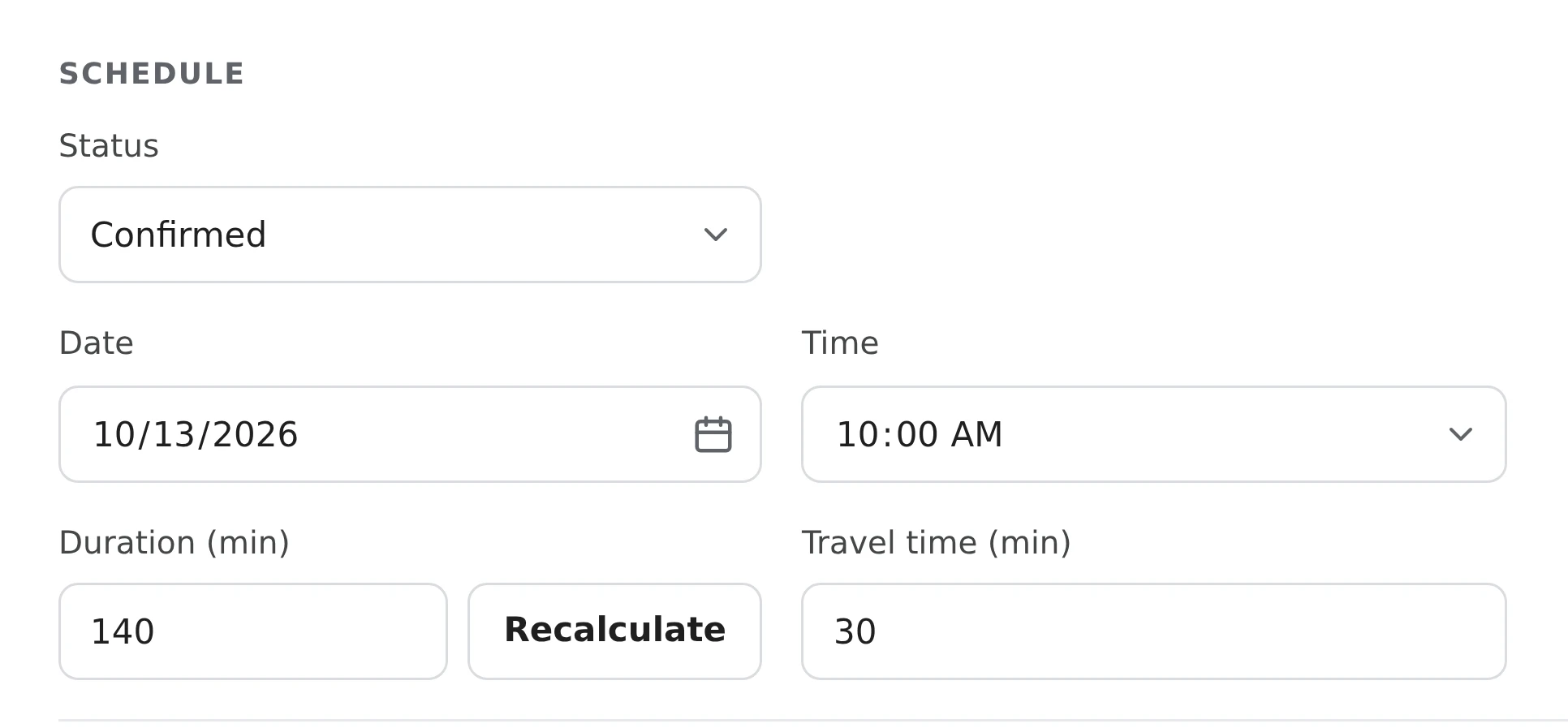
Adding a phone or walk-in booking yourself? Pick its location and the travel time fills in. If it runs into another booking's drive, you're warned before it's saved, and you can book it anyway.
There's no single right price. These are the starting points setup suggests for a few businesses - change any of them.
| Business | Starts with |
|---|---|
| Car detailing | Our location, free. We come to you: within 20 miles (30 km) free, 20-40 miles +$15, over 40 miles +$30, we confirm first. |
| Bridal makeup | Our location, free. We come to you: within 20 miles free, 20-40 miles +$50, over 40 miles +$100, we confirm first. |
| Notaries | Our location, free. We come to you: within 20 miles +$35, 20-40 miles +$60, over 40 miles +$85, we confirm first. |
| Mobile DJs | Within 20 miles free, 20-40 miles +$50, over 40 miles +$100, we confirm first. |
| Mobile bartenders | Within 20 miles free, 20-40 miles +$50, over 40 miles +$100, we confirm first. |
| Cleaning | Within 20 miles free, 20-40 miles +$15, over 40 miles +$30, we confirm first. |
| Dog groomers | Our salon, free. Mobile grooming at your home, +$25. |
| Massage therapists | Studio, free. Your home (mobile massage), +$25. |
| Personal trainers | Gym or studio, free. Your home, +$15. Outdoors, +$10. |
Distance bands start with 20, 30 and 60 minutes of travel time, and home visits with 30.
The client picks their band; nothing is calculated from the address. Check the address on bookings from your farthest band, and change the location on the booking if needed - the fee and travel time update when you save.
Uncheck Ask the client to pick a location on a service, like a phone consultation or a video session, and no location, fee or travel time is added.
Booking two cars, three dogs or a parent and kids at once? The travel fee and travel time are added once, not for each one.
With Multiple choice on, a client can pick more than one location. Their fees add up, and the longest travel time is used.
Your shop, home visits, a park, several distance bands: each location has its own fee, travel time and address question.
Locations, travel fees and travel time are on the free plan, with nothing charged per location or per booking.
Add one location for each distance band in Settings > Locations, each with its own extra price and travel time - for example, within 20 miles (30 km) free, 20-40 miles +$15 and more than 40 miles +$30. The client picks the band that matches their address, and the fee is added to their total.
No. There's no map or per-mile calculation: the client picks their band, and their address comes with the booking so you can check it. If they picked the wrong one, change the location on the booking and the fee and travel time update when you save.
No. It isn't shown on your booking page, in their confirmation email or on their receipt, and it isn't added to their appointment. A 60-minute appointment with 30 minutes of travel is still 60 minutes to the client.
No. Your business hours and blackout dates apply to the appointment itself, so a 9:00 AM appointment can still be booked when the drive starts at 8:30. The drive does have to fit around your other bookings.
Buffer time, in Settings > Business Hours, is the same gap before and after every booking. Travel time depends on the location the client picks, so a visit to your shop can have none and your farthest band an hour. You can use both.
Yes. Uncheck Ask the client to pick a location for this service on a service, like a phone consultation or a video session. When a client books only services like that, no location, travel fee or travel time is added.
Locations, travel fees and travel time are free on every plan, including the free plan. If a client pays by card through Stripe, the usual 2% applies to that card charge, travel fee included.
Sign up here and pick your type of business in setup - your page starts set up for it. You can change anything later.